13-23
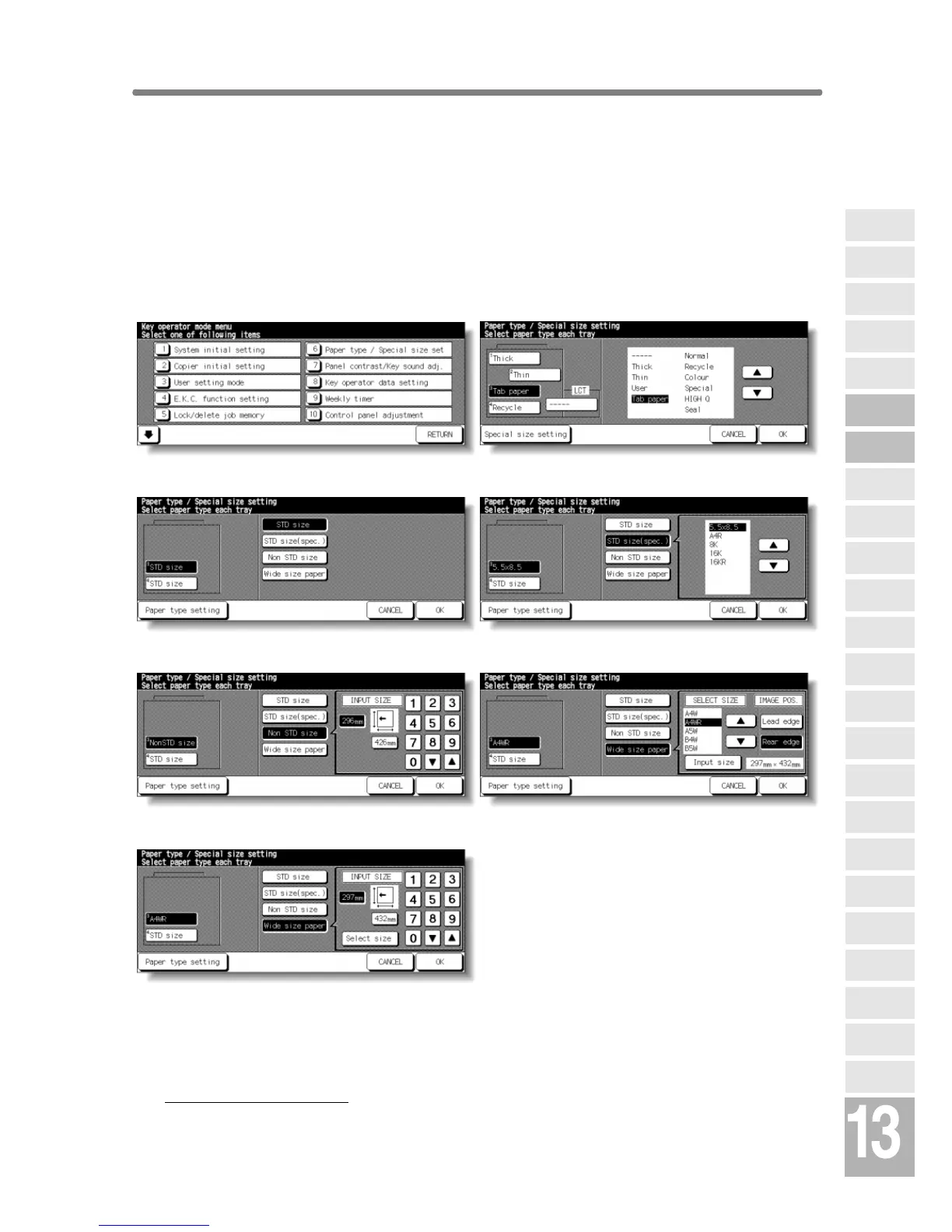
[6] Paper Type / Special Size Set
Use this function to indicate a specific paper type or to specify a special
paper size for each tray key on the Basic Screen. This is especially useful
when special paper is used on a regular basis and is always placed in a
specific paper tray.
NOTE:
The keys to specify the paper size of tray 1, 2, and LCT are not initially
provided on the screen. Contact your service representative, if desired.
Key Operator Mode Screen Paper Type Setting Screen
Special Size Setting Screen (STD size)
Special Size Setting Screen (STD size (special))
Special Size Setting Screen (Non STD size) Special Size Setting Screen (Wide size (select))
Special Size Setting Screen (Wide size (input)
Procedure
1 Touch [6] Paper type / Special size set on the Key Operator Mode Screen to
display the Paper Type Setting Screen.
2 To specify paper type;
(1) Touch the desired paper tray key to highlight it.
(2) Touch the arrow keys to select paper type.
Key Operator
Mode
Non-Image
Area Erase
Scan
Transmission
HDD
Management
Centring
Adjustment
Timing
Adjustment
Background
Adjustment
Finisher
Adjustment
Side 2 Lens
Adjustment
Call Remote
Centre
Machine
Management
List Print
Memory
Switch
Power Save
Setting
Tray Auto
Select Setting
Control Panel
Adjustment
Weekly
Timer
Key Operator
Data Setting
Panel Contrast/
Key Sound
Paper Type/
Special Size
Lock/Delete
Job Memory
E.K.C.
User Setting
Mode
Copier Initial
Setting
System Initial
Setting
Key Operator
Mode










 To Next Page