Selecting Paper Size (continued)
3-12
To Specify Desired Paper Size (AMS)
When a paper size is specified on the touch screen, an appropriate reduc-
tion or enlargement ratio will be selected automatically according to the
original size detected from the RADF or the platen glass.
HINTS
• See the table on the following page for the relation of original size,
copy paper size, and magnification ratio automatically selected.
• Wide paper size can be specified when AMS is in use.
In this case, the same magnification ratio as that of the standard size
will be selected automatically.
• If copying in 1.00 (100%) magnification mode with specifying a paper
size is desired, see p. 3-14.
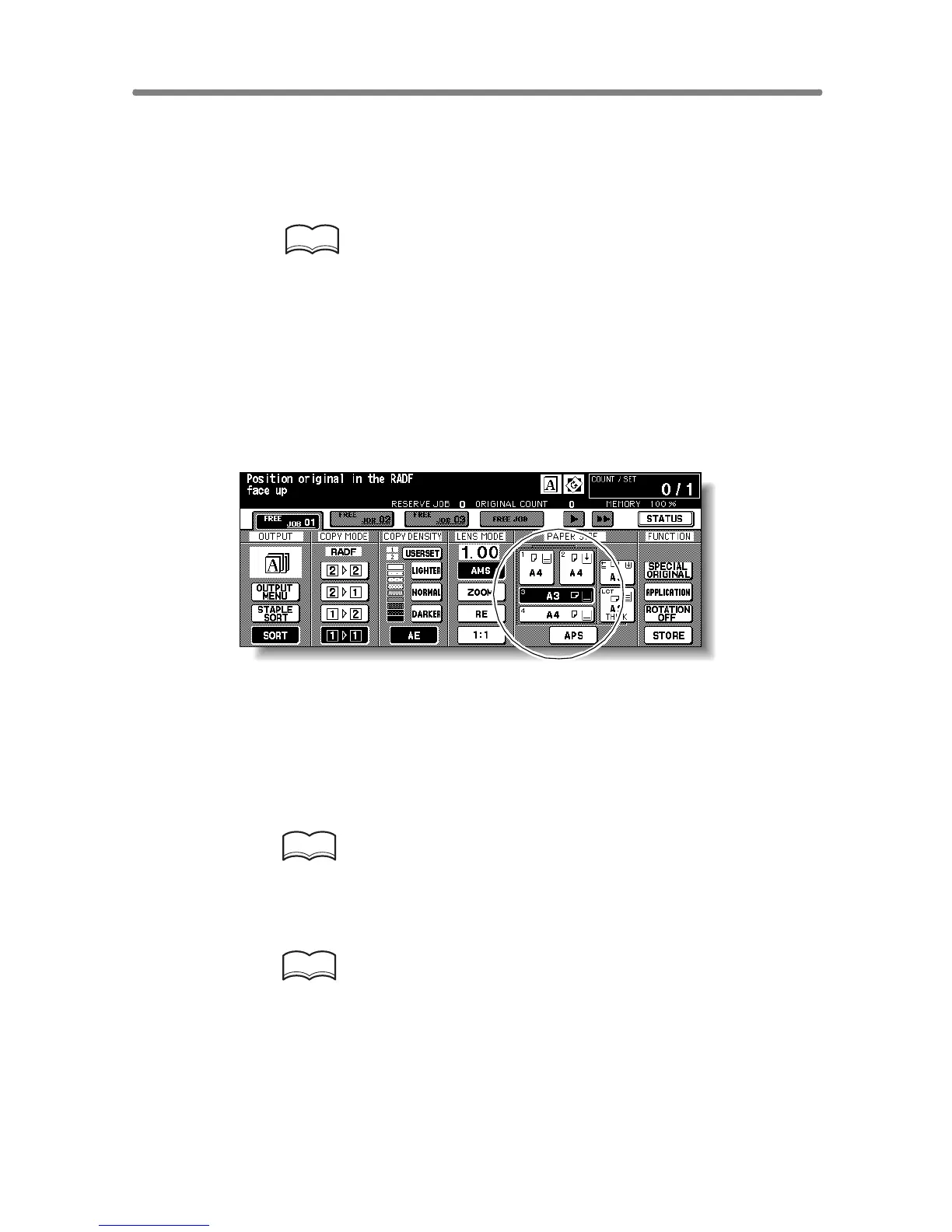
1. Touch a tray key on the Basic Screen to select the desired paper
size.
Selected tray key will be highlighted, and under the LENS MODE AMS indi-
cation will also be highlighted.
2. Select additional copy conditions, as desired.
3. Enter the desired print quantity from the control panel keypad.
HINT
See p. 3-6 for details on setting print quantity.
4. Position original(s).
HINTS
• See p. 11-8 to p. 11-10 for paper sizes detectable from the RADF or
on the platen glass.
• See p. 3-2 to p. 3-5 for details on positioning originals.
5. Press [START].
Scanned image will be printed on the specified paper size in the magnification
ratio automatically selected.










 To Next Page