[1] System Initial Setting (continued)
13-8
[4] E-Mail Transmission Setting
When the machine requires troubleshooting or maintenance such as paper
or toner supply, this setting allows several network PCs to be informed of the
current machine status by E-mail.
The following information items are provided.
• Service call • PM call • Finisher tray full
• JAM • Complete job • Dispose of trash basket
• Paper supply • Non complete job
• Toner supply • Staple cartridge supply
NOTE:
Consult your network manager to perform this setting. Incorrect setting
may cause a trouble with other network systems.
❒ Setting options: IP address; E-Mail (machine manager); E-Mail (condition inform), E-
Mail transmission item
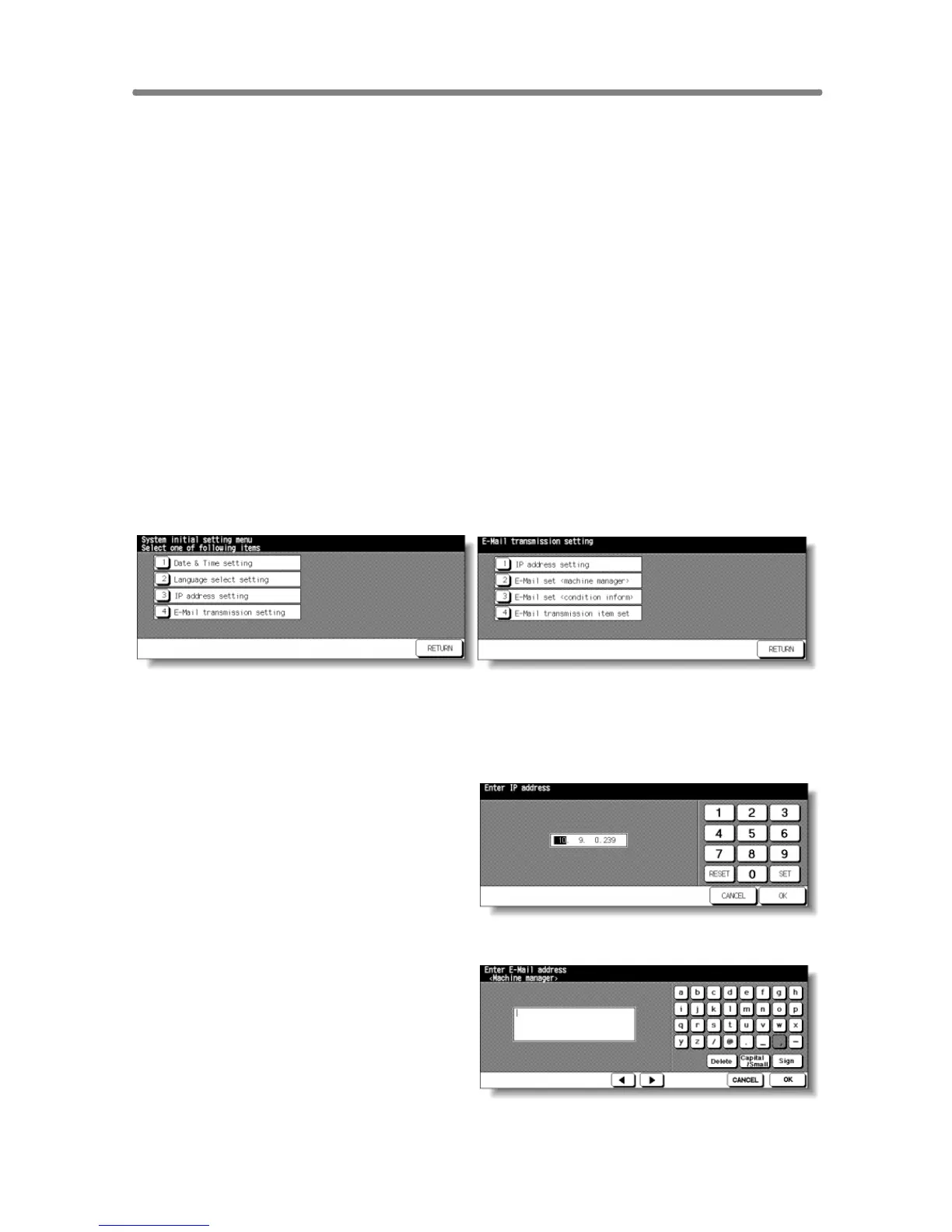
System Initial Setting Menu Screen E-Mail Transmission Setting Screen
1 Touch [1] System initial setting to display the System Initial Setting Menu
Screen, then touch [4] E-Mail Transmission Setting to display the E-Mail
Transmission Setting Screen.
IP Address Setting Screen
2 Touch [1] IP address setting to
display the IP Address Setting
Screen. Enter the IP address of the
mail address in your network using
screen keypad, then touch OK to
restore the E-Mail Transmission
Setting Screen.
E-Mail Set (Machine Manager) Screen
3 Touch [2] E-Mail set (machine
manager) to display the E-Mail Set
(Machine Manager) Screen. Enter
the E-mail address of the network
manager using screen keypad, then
touch OK to restore the E-Mail
Transmission Setting Screen.










 To Next Page