10-2
To Use Server Functions
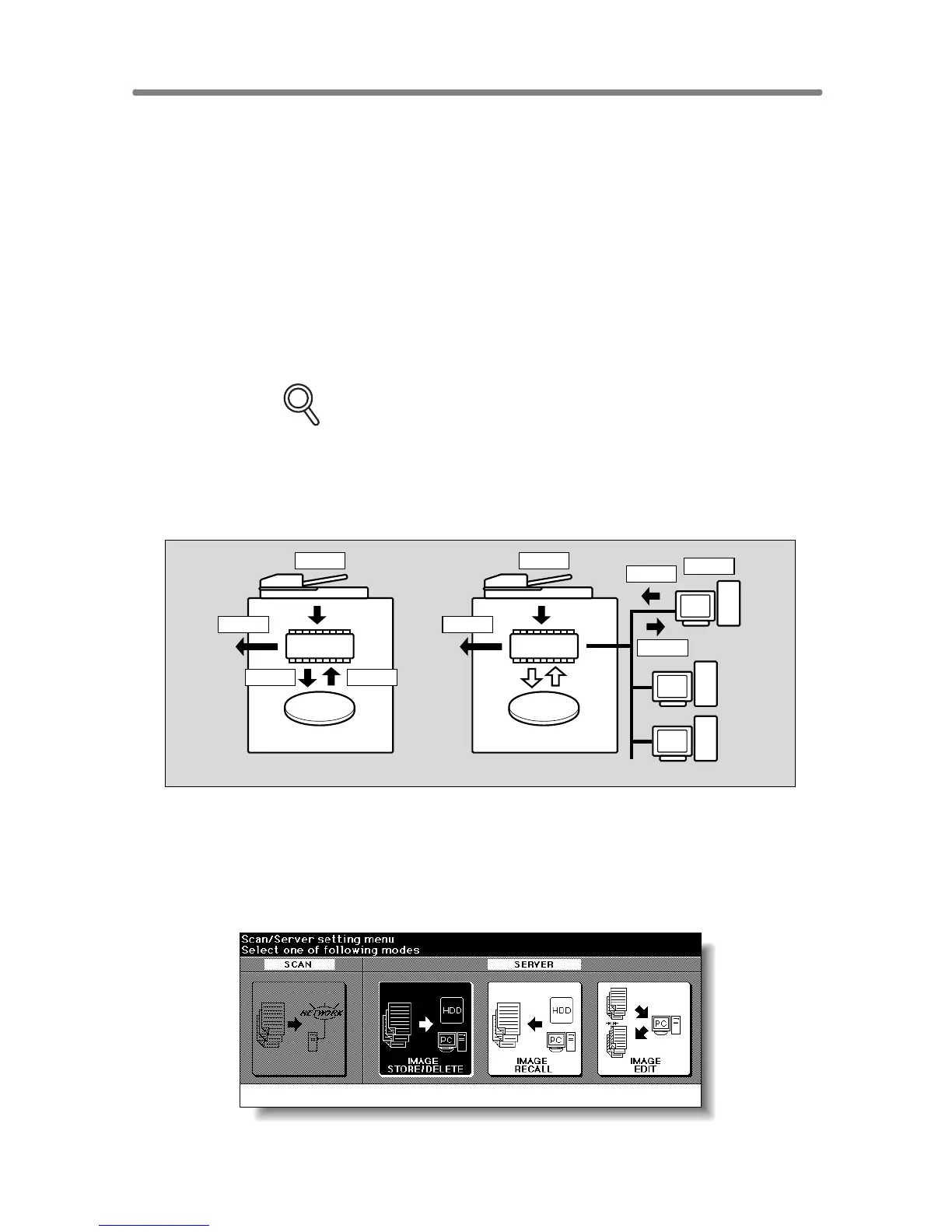
Use the Server function with HDD to accumulate scanned images into built-
in DIMM (memory), then store the image data in HDD (option) so that the
data can be recalled to DIMM and output as needed. This function also
allows you to store the image data for normal copying procedures.
Use the Server function with PC to store the image data accumulated in
built-in DIMM (memory) in PC, and transmit the image data to PC over a
network. The image data can be recalled from PC to DIMM and output as
needed. This function also allows you to edit the image data on PC and
transmit the edited data to DIMM for printing.
Even when the machine is connected with several PCs over a network, this
function can be used with only one PC at a time.
FOR DETAILS
• Installation of the optional HDD (HD-105) is required for the Server
function with HDD.
• To use the Server function with PC, a PC must have a specific setup
application installed. Two types of the setup application are provided.
For detailed information, contact your service representative.
The Server function provides the following four modes:
q Image Store/Delete mode
Store the image data scanned from originals in HDD/PC, transmit the
data from HDD to PC, or delete the data stored in HDD/PC.
HDD
DIMM
Scan
Store Recall
Output
Server Function with HDD
HDD
DIMM
Scan
Store
Edit
Recall
Output
Server Function with PC










 To Next Page