5-8
When “JAM” Appears on Folder Key (Or Arrow Key
Flashes)
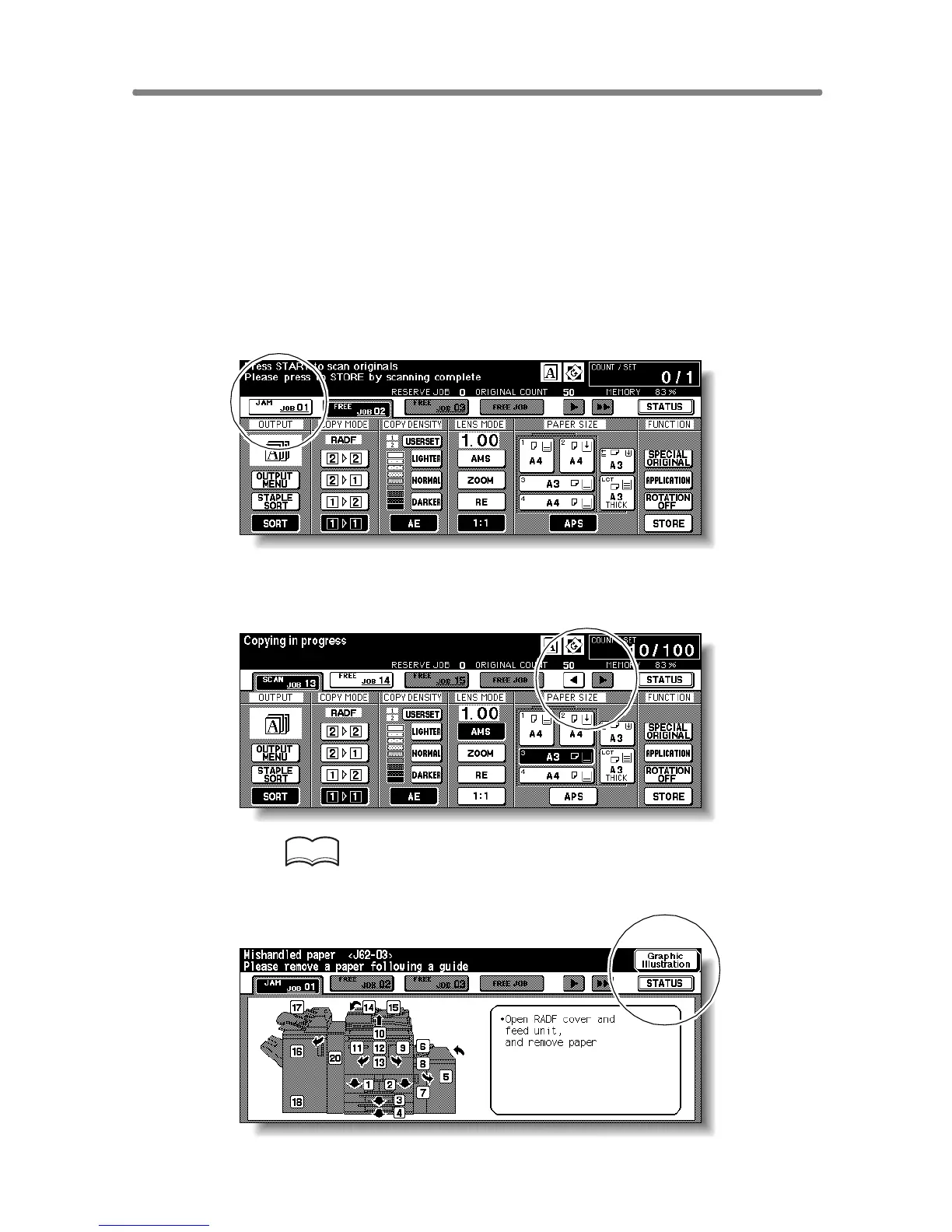
If a misfeed occurs with the print/scan job in progress while you are setting a
reserve job, SCAN or PRINT JOB folder key on the Basic Screen will
change to flashing JAM JOB.
When more than four jobs have been specified and the folder key of the
print/scan job in trouble is not currently displayed on the screen, the arrow
key to scroll to that job will flash.
Follow the procedure below to remove mishandled paper.
1. Display the Jam Position Screen.
Touch JAM JOB. The Jam Position Screen will be displayd.
When the arrow key flashes, touch the key to scroll to the JAM JOB folder
key, then touch it to display the Jam Position Screen.
HINT
If ADD PAPER is displayed instead of JAM JOB, see p. 5-10.
2. Touch Graphic Illustration.










 To Next Page