8-2
Specifying Original Direction
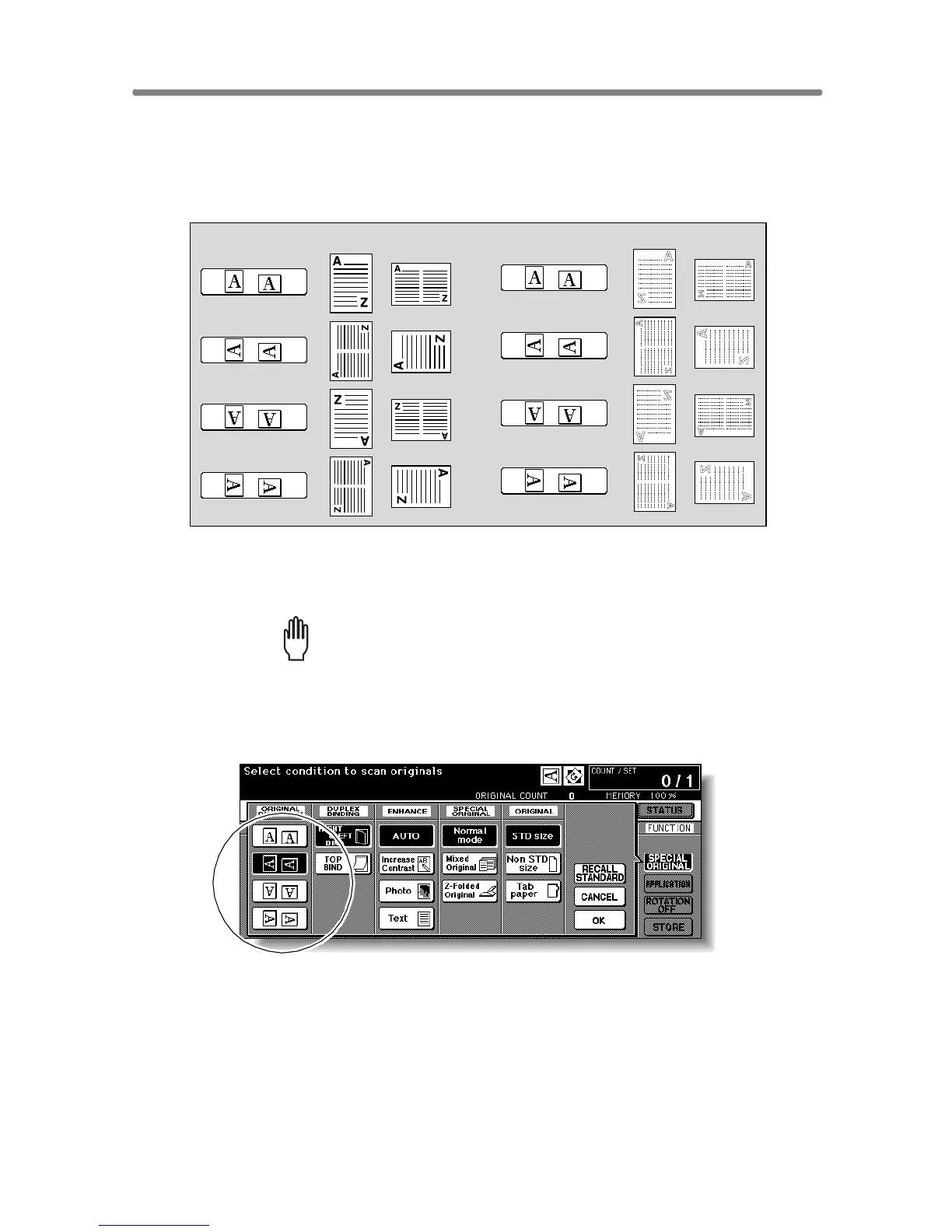
Specify the direction of the originals placed on RADF or platen glass.
This setting is required to obtain copy results as expected when making
double-sided copies with binding position specified or when staple position
is specified.
1. Touch SPECIAL ORIGINAL on the Basic Screen.
The Special Original popup menu will be displayed.
Please Be Reminded!
When starting a new copying job, be sure to close the RADF securely,
then press [AUTO RESET].
2. Touch to highlight the desired original direction key.
Originals on RADF:
Originals on platen glass:










 To Next Page