[9] Weekly Timer (continued)
13-32
[3] Timer Action On/Off Setting
Use this function to set the On/Off condition of the copier for a given month.
Set the On-Off condition for specific days; or collectively, for all Mondays
through Sundays of the given month. The default setting is collective: On for
Mondays through Saturdays, and Off for Sundays.
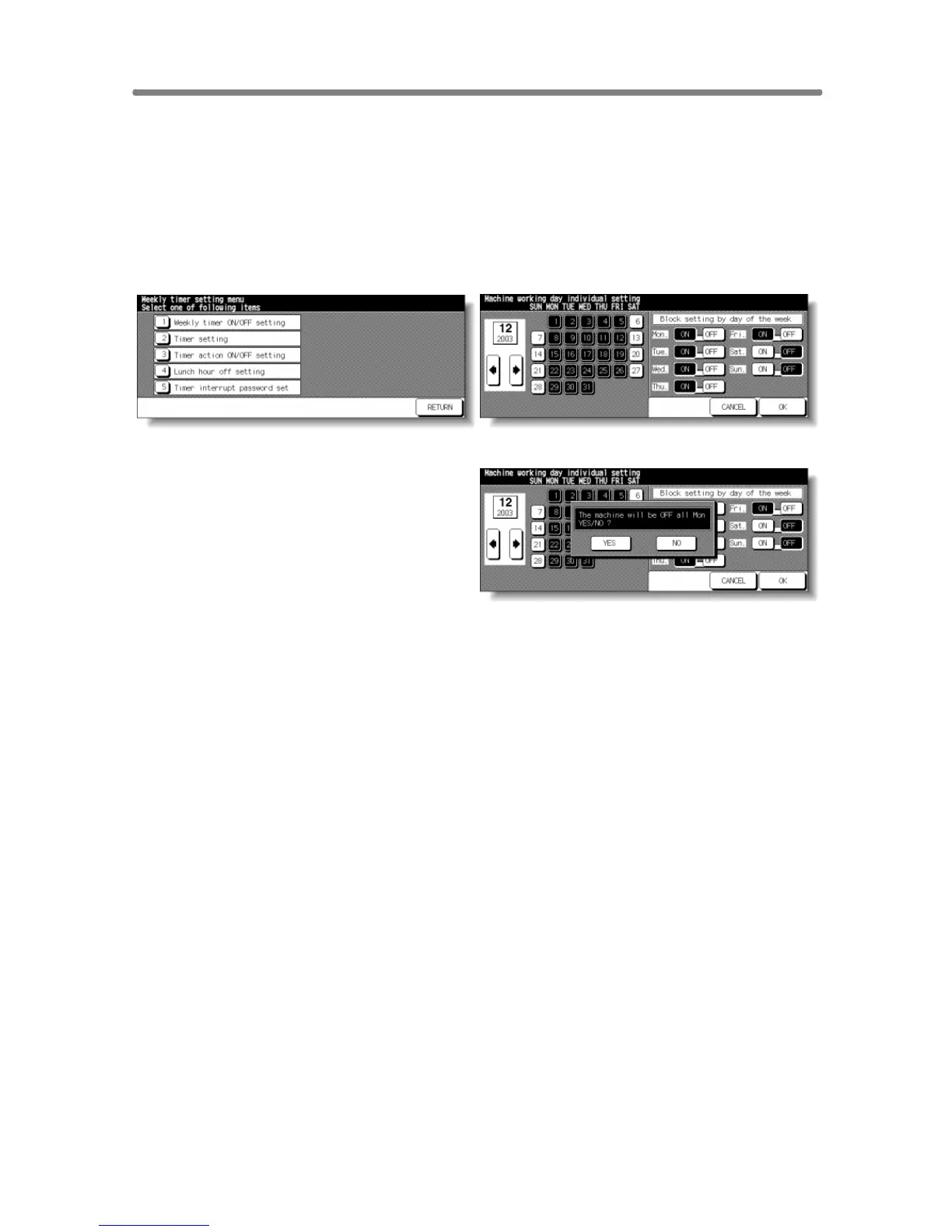
Weekly Timer Setting Menu Screen Timer Action On/Off Setting Screen
Timer Action Change Confirmation Screen
Procedure
1 Touch [9] Weekly timer on the Key Operator Mode Screen. Enter your 4-digit
Weekly Timer master key code, then touch OK to display the Weekly Timer
Setting Menu Screen.
NOTE:
If an invalid Weekly Timer master key code is entered, continue by
entering the valid 4-digit code.
2 Touch [3] Timer action ON/OFF setting to display the Timer Action On/Off
Setting Screen.
The days of the current month are displayed on the left half of the screen, with
timer-active days highlighted.
3 To activate or deactivate the Timer for any individual day, touch the key for that
day to change its indication.
To change the month, use arrows to scroll to the desired month.
4 To collectively set the on/off data for the entire month by the day of the week,
touch the ON or OFF key for the desired day on the right half of the screen. If
you touch an already-highlighted key, no change will occur.
5 If any change is made in the collective setting area, the Timer Action Change
Confirmation Screen will be displayed.
Touch YES to change the timer action, or touch NO to cancel.
The Timer Action On/Off Setting Screen will be restored.










 To Next Page