13-26
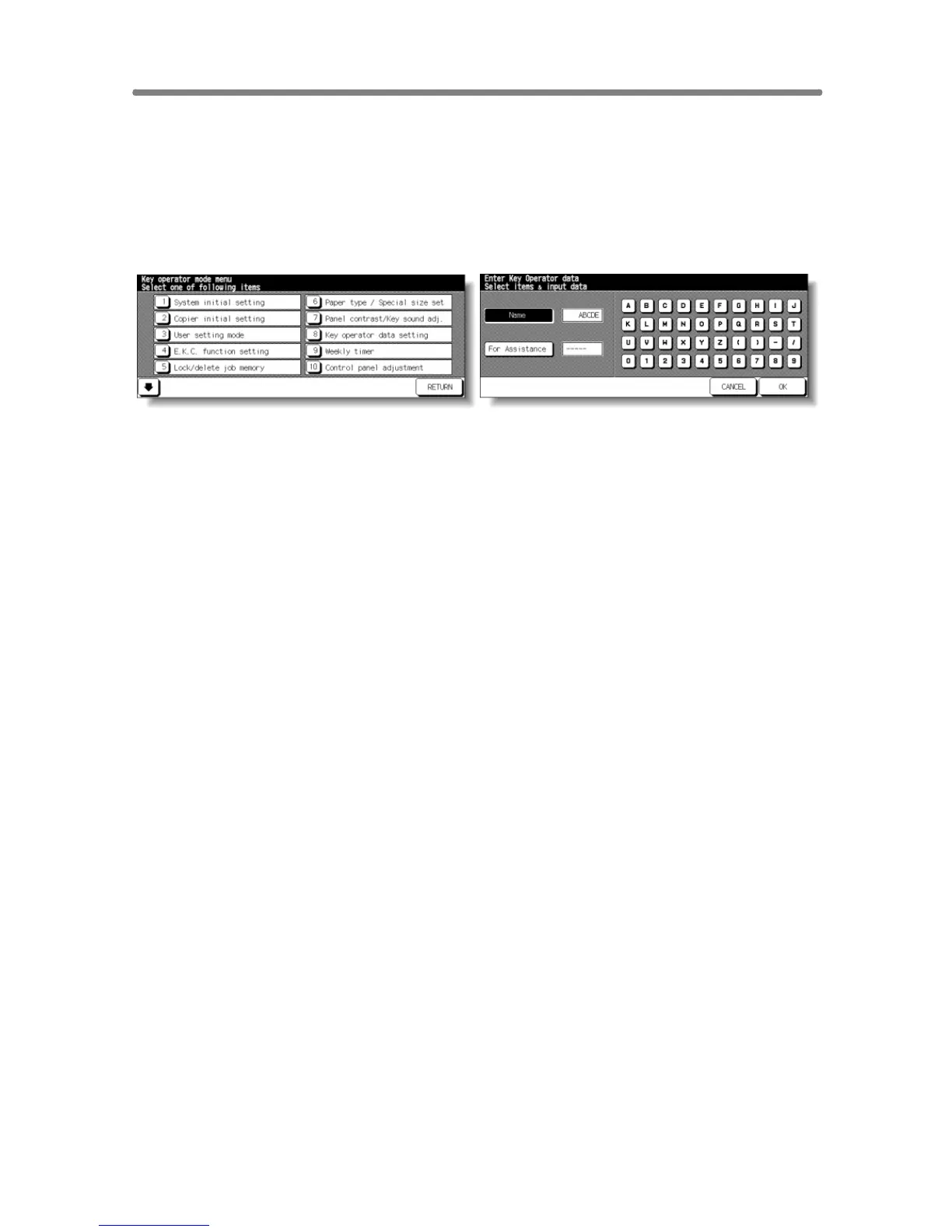
[8] Key Operator Data Setting
Use this screen to enter the name and extension number of the Key Opera-
tor indicated on the Help Screen selected from the Basic Screen.
❒ Setting options: 5-digit Key Operator telephone extension; Max. 8-character Key
Operator name
Key Operator Mode Screen Key Operator Data Setting Screen
Procedure
1 Touch [8] Key operator data setting on the Key Operator Mode Screen to
display the Key Operator Data Setting Screen.
2 Touch Name to highlight it, then enter the Key Operator name up to 8
characters from the touch screen keypad.
3 Touch Key Operator Tel. No. to highlight it, then enter a 5-digit extension
number from the touch screen keypad.
If the extension number is less than 5 digits, use a hyphen [-] to make it five.
The hyphen added in the beginning will be indicated as a space on the Help
Screen.
4 Touch OK to complete the setting and return to the Key Operator Mode Screen.
5 If no further changes are required, touch RETURN to restore the Basic Screen
to perform copying operations.










 To Next Page