3-10
Selecting Paper Size
To select an appropriate paper size for getting your desired copy result, use
APS (Automatic Paper Selection), or select paper size manually on the
touch screen, as required.
To Select Paper Size Automatically (APS)
APS detects the size of originals placed on the RADF or platen glass and
automatically selects and feeds copy paper of the same size, or selects an
appropriate size according to the magnification ratio selected.
HINTS
• See the table on the following page for the relation of original size,
magnification ratio and copy paper size.
• The initial settings may have been altered by Key Operator. See p.
13-10 to p. 13-11.
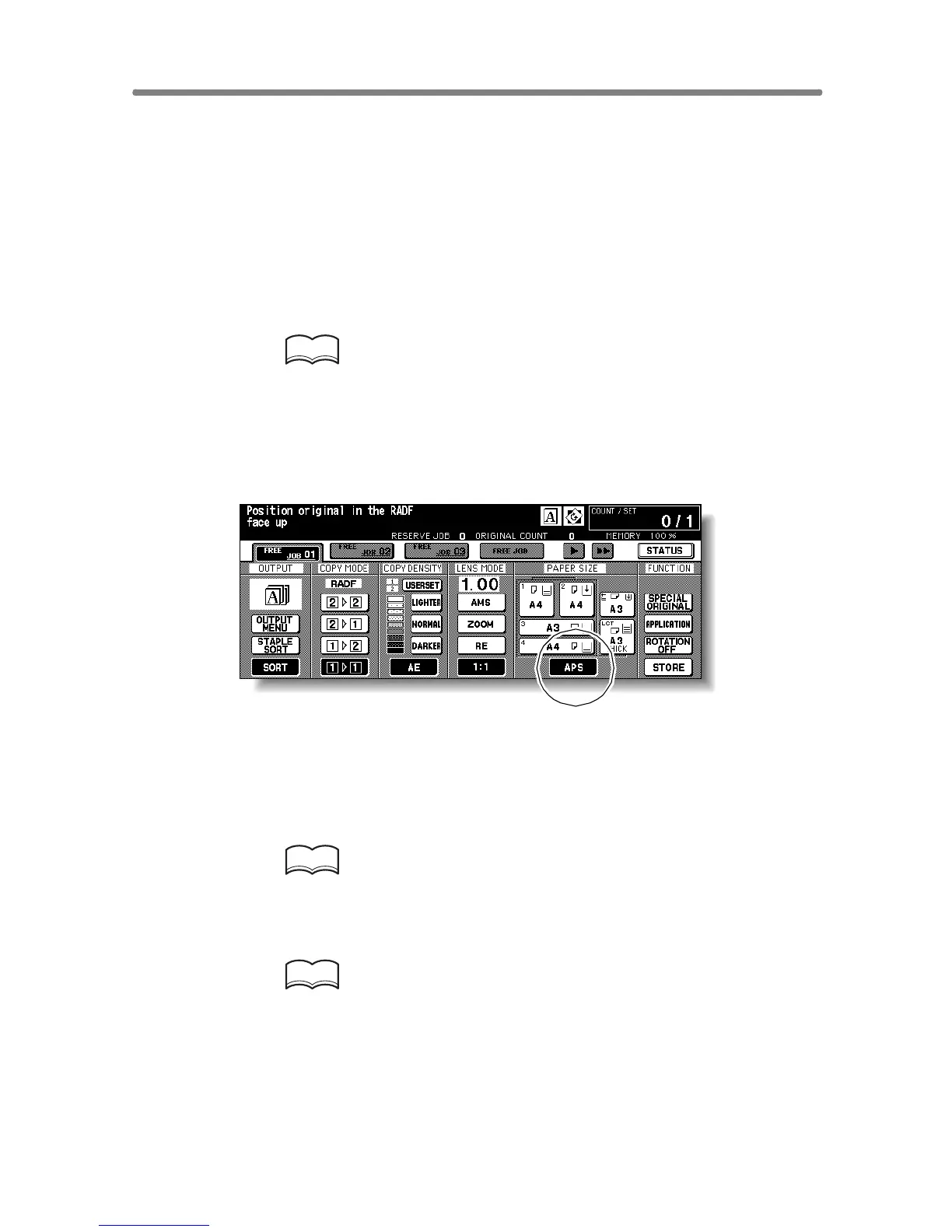
1. Touch to highlight APS at lower right corner of the Basic Screen.
APS is already highlighted when the initial settings are restored.
2. Select additional copy conditions, as desired.
3. Enter the desired print quantity from the control panel keypad.
HINT
See p. 3-6 for details on setting print quantity.
4. Position original(s).
HINTS
• See p. 11-8 to p. 11-10 for paper sizes detectable from the RADF or
on the platen glass.
• See p. 3-2 to p. 3-5 for details on positioning originals.
• Key Operator can deactivate APS when original is set in the RADF or
on the platen glass. See p. 13-39 to p. 13-46.










 To Next Page