8-4
Selecting Original Binding Direction
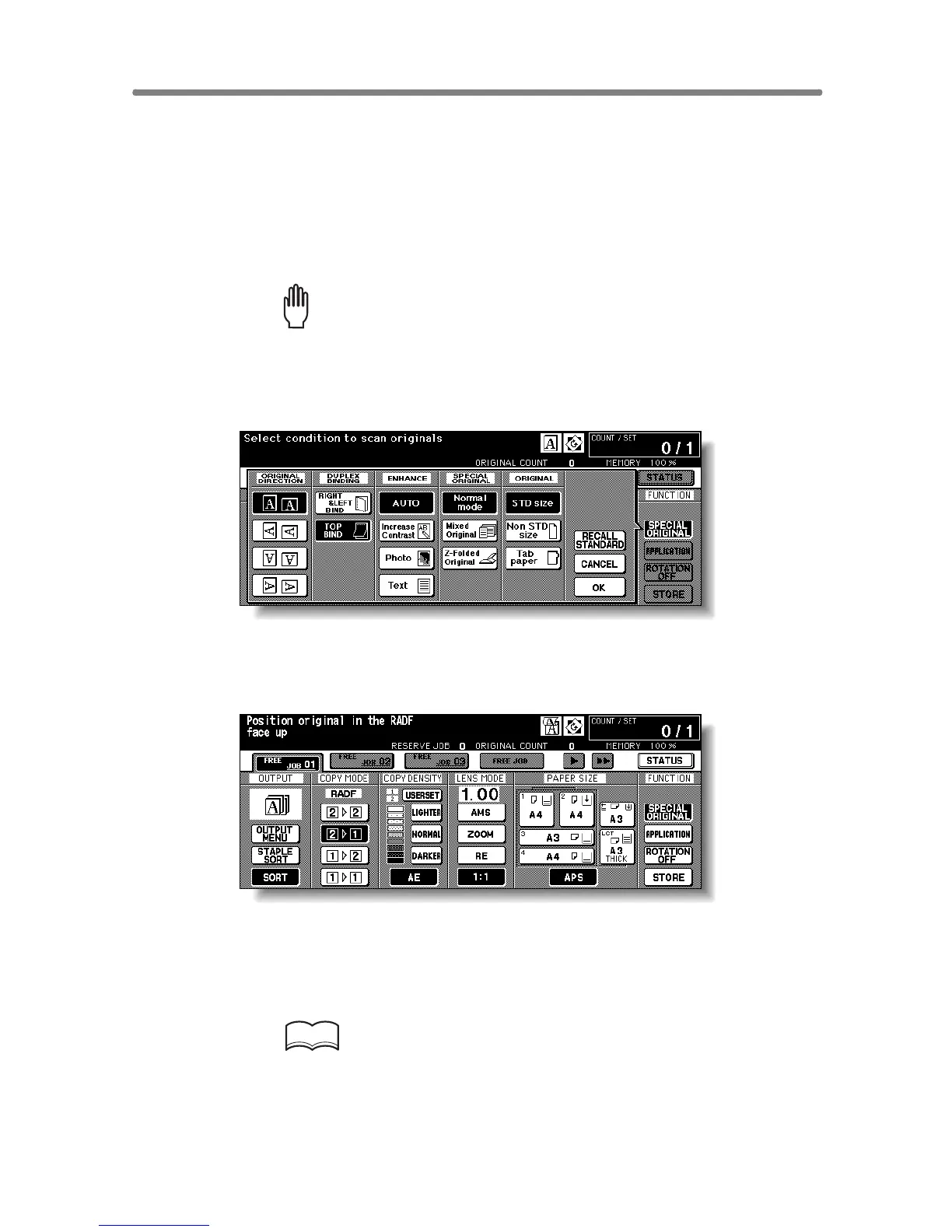
When copying in 2-1 or 2-2 mode, specify the binding direction of the origi-
nals on the Special Original popup menu to obtain the desired copy result.
RIGHT&LEFT BINDING is initially selected to make copies in the same
direction as the originals.
1. Touch SPECIAL ORIGINAL on the Basic Screen.
The Special Original popup menu will be displayed.
Please Be Reminded!
When starting a new copying job, be sure to close the RADF securely,
then press [AUTO RESET].
2. Touch to highlight the desired binding direction key.
3. Touch OK to complete the setting and return to the Basic Screen.
The SPECIAL ORIGINAL key on the Basic Screen is highlighted.
4. Make other compatible selections.
5. Enter the desired print quantity from the control panel keypad.
HINT
See p. 3-6 for details on setting print quantity.










 To Next Page