9-64
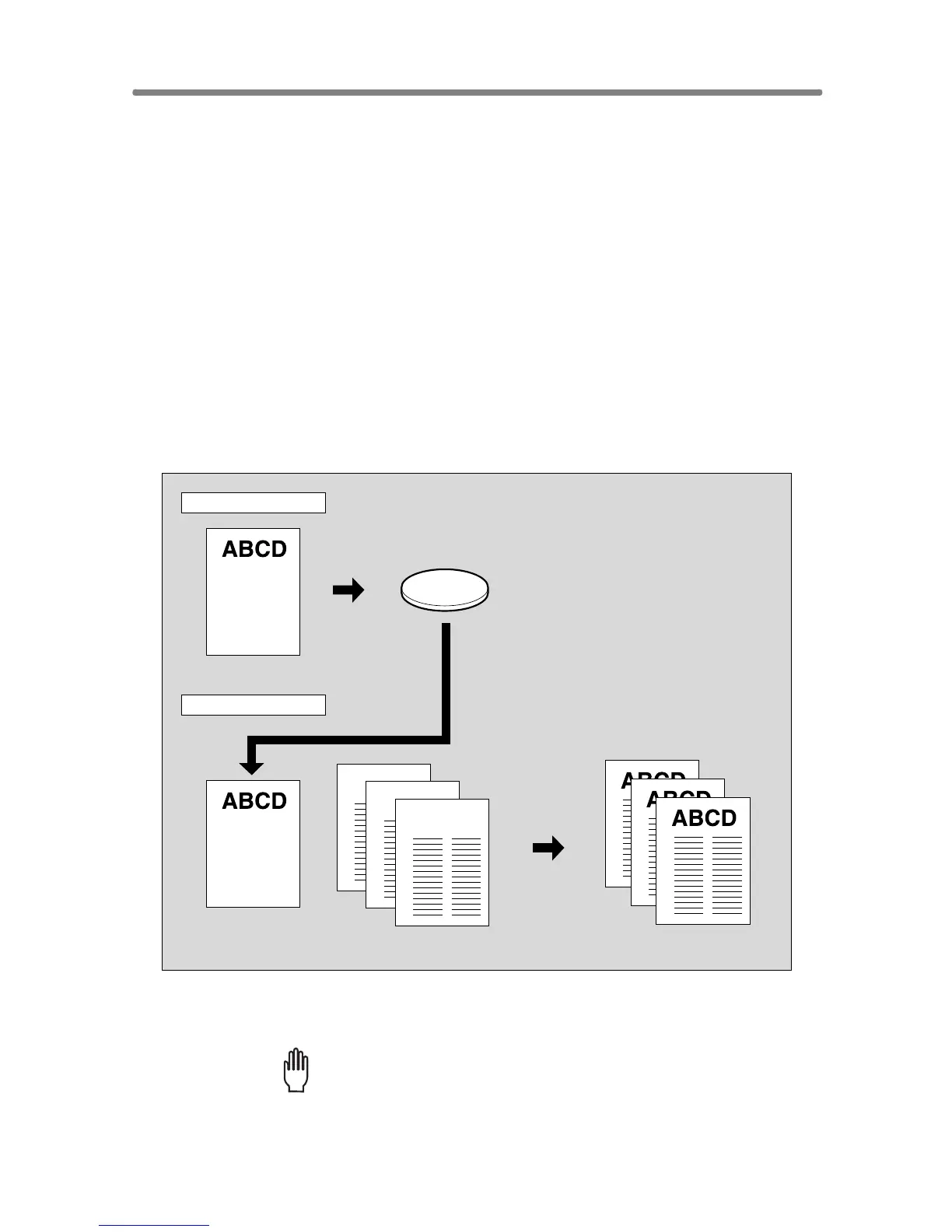
Storing an Overlay Image in HDD / Overlaying
Image Stored in HDD (Overlay Memory)
Use Overlay Memory to scan and store several images in HDD, then recall
the desired image from the HDD to overlay onto each page copied in the
job.
>>>Specification for Overlay Memory<<<
❒ To use this function, the optional HDD (HD-105) is required to be installed in
the machine. Without HDD, this function key will be dimmed to show inactiv-
ity.
❒ Incompatible Conditions with Image Store: Using RADF, 1-2, 2-2, 2-1, AMS,
Rotation, Reserve Mode, Interrupt Mode, Selecting Output Mode, Mixed
Original, Z-Folded Original, Tab Paper, Sheet/Cover Insertion, Chapter,
Combination, Booklet, OHP Interleave, Image Insert, Dual Page, Program
Job, Non-Image Area Erase, Reverse Image, Repeat, AUTO Layout, Image
Shift, Stamp, Overlay
❒ Incompatible Conditions with Output: Reverse Image, STAMP, SET
NUMBERING, WATERMARK, WATERMARK NUMBERING in Stamp
1. Touch APPLICATION on the Basic Screen.
Please Be Reminded!
When starting a new copying job, be sure to close the RADF securely,
then press [AUTO RESET].
Recalled image
Overlaying image
Store in HDD
Output
Recall overlaying image
Overlay originals
Copies in Overlay Memory mode
Image Store
Output
HDD










 To Next Page