10-53
Transmitting/Editing Machine Setting File (Environ-
ment Setup)
Follow the procedure below to transmit the following setting file from the
machine to a PC (export) using the web browser, edit the setting data on the
PC, then return the file to the machine (import).
• E.K.C. data (max. 1,000 files)
• Three Scan Transmission Setting data
E-mail data (max. 1,008 files)
HDD (Box No.) (max. 48 files)
FTP (FTP server address) (max. 48 files)
DETAILS
• The machine setting file can be stored in a PC so that it may be
returned to the machine at any time, and is available for common use
if you have two or more machines.
The file transmitted to a PC, being converted to a file type for batch
processing, can be edited efficiently and returned to the machine.
• The file transmitted to a PC normally contains the four data types
mentioned above, however, each data type can be made into a file
and transmitted separately. For details of E.K.C. data, see p. 13-17.
For details of Scan Transmission Setting data, see p. 13-53.
• The exported setting file of this machine can be imported to another
model, and vice versa. For details, contact your service representa-
tive.
1. Open the Web Utilities window.
HINT
See p. 10-26 for detailed procedure to access the Web Utilities.
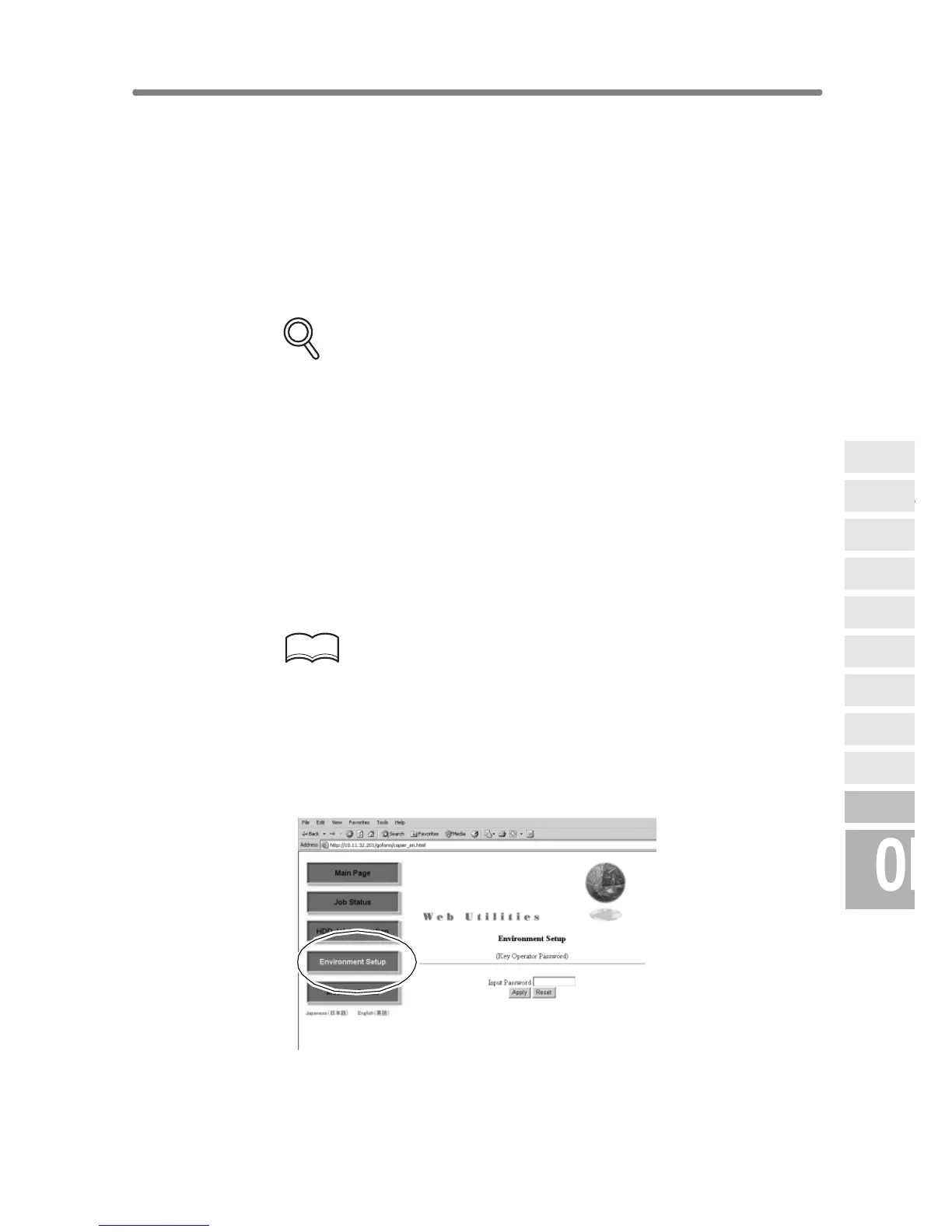
2. Click on [Environment Setup].
3. Display the Setting File Import/Export window.
Enter the 4-digit Key Operator password, then click on [Apply].










 To Next Page