Output Mode for Machine without Finisher (continued)
3-42
1. When using Rotation sort or Rotation group mode, load the same
paper size into two trays in different orientation.
HINT
Non-sort mode is initially selected. Key Operator can change the initial
output mode. See p. 13-10.
2. Select the desired output mode.
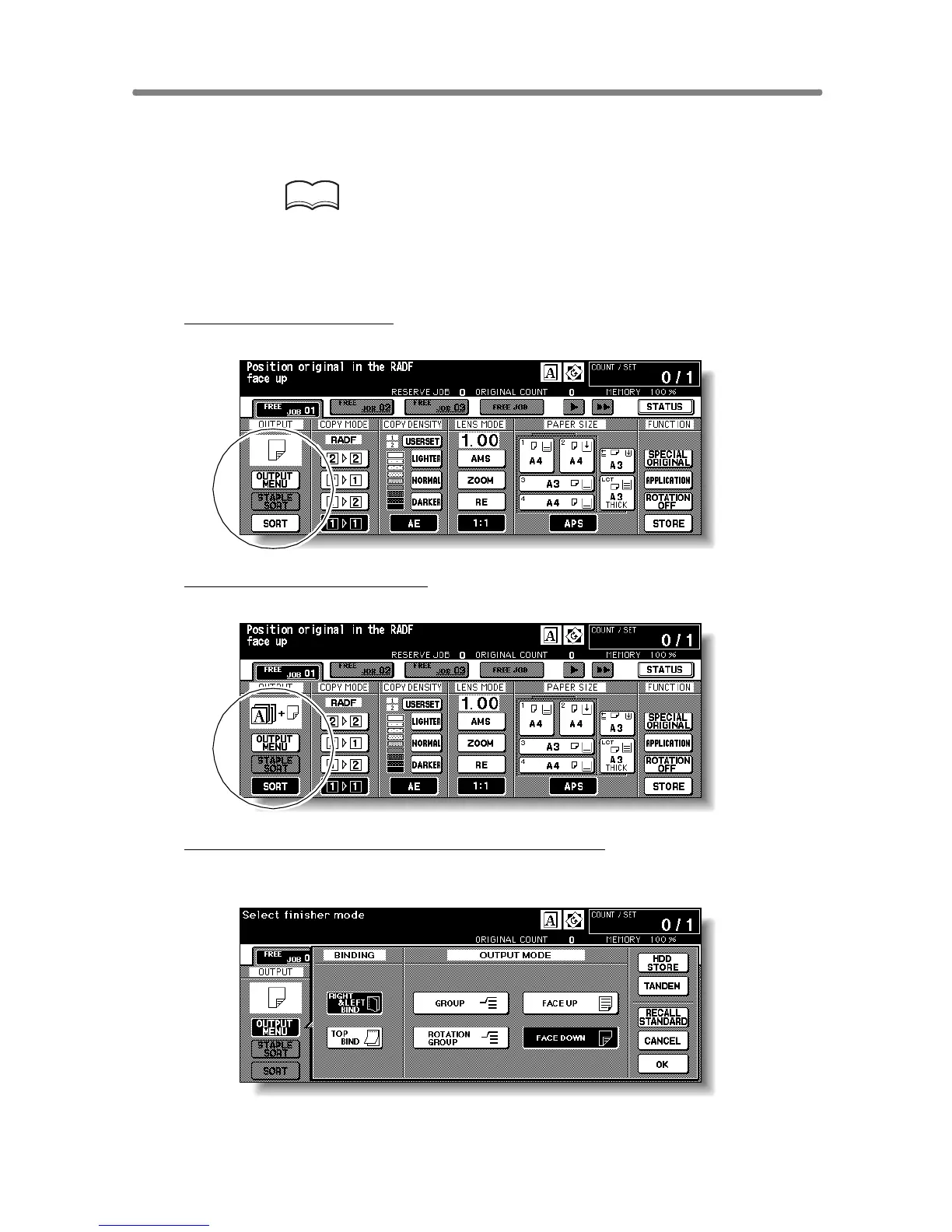
To select Non-sort mode:
Confirm that
OUTPUT MENU
and
SORT
are not highlighted on the Basic Screen.
To select Rotation sort mode:
Confirm that
OUTPUT MENU
is not highlighted, then touch
SORT
to highlight it
.
To select Group, Rotation group, or Face up mode
:
(1) Touch OUTPUT MENU on the Basic Screen. The Output Mode popup
menu will be displayed.
(2) Touch to highlight the desired mode key.
To use Face Up mode in combination, simply touch to highlight FACE UP
instead of FACE DOWN.










 To Next Page