Selecting Paper Size (continued)
3-13
FOR DETAILS
Copy result may not be satisfactory due to the Rotation function. In this
case, set the function OFF manually. See. p. 7-5.
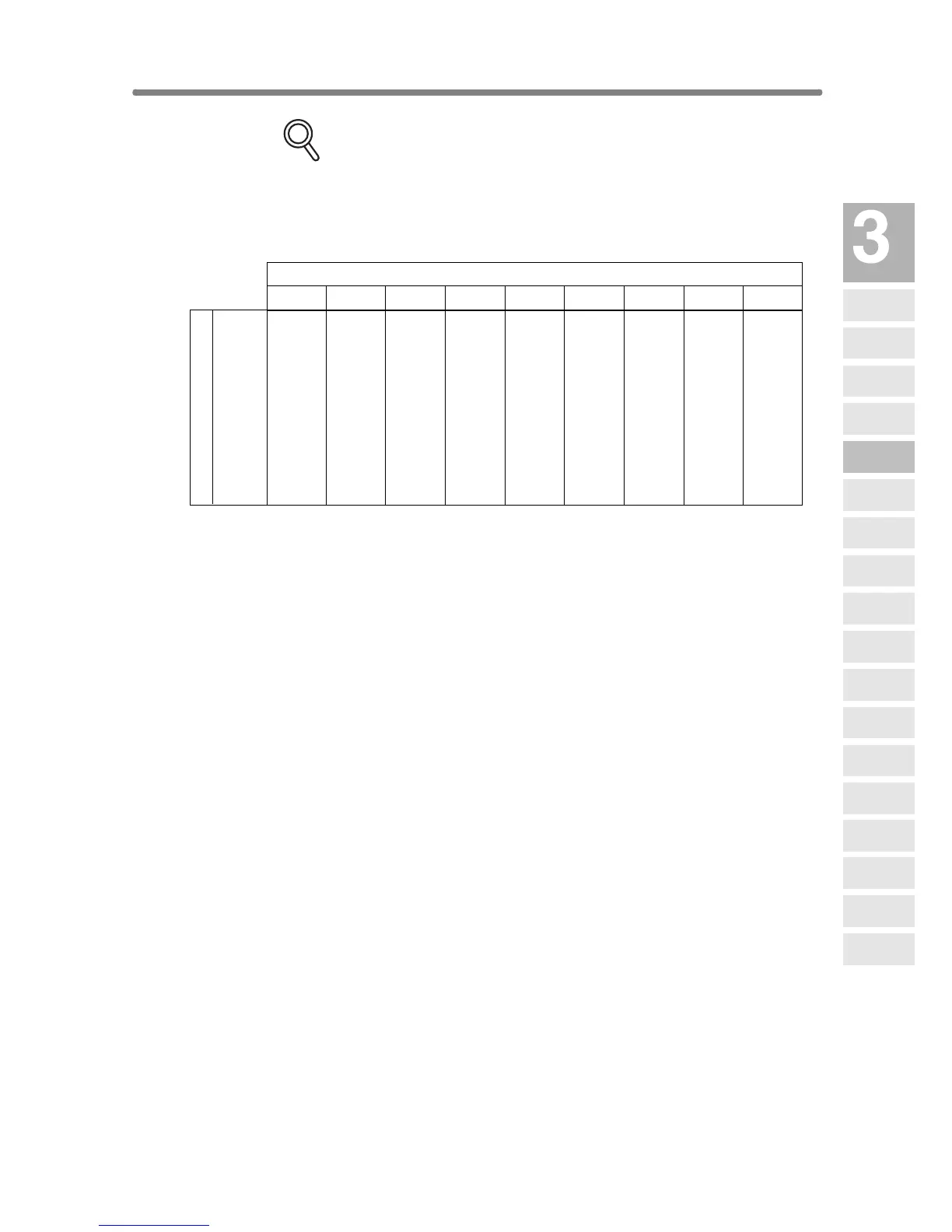
See the table below for the relation of original size, copy paper size, and
magnification ratio automatically selected.
A3
B4R
A4
A4R
B5
B5R
A5
A5R
A3 B4 F4 A4 A4R B5 B5R A5 A5R
1.00 1.15 1.27 1.00 1.41 1.15 1.63 1.41 2.00
0.86 1.00 1.10 0.86 1.22 1.00 1.41 1.22 1.73
0.50 0.58 0.64 1.00 0.71 1.15 0.82 1.41 1.00
0.71 0.82 0.90 0.71 1.00 0.82 1.15 1.00 1.41
0.43 0.50 0.55 0.86 0.61 1.00 0.71 1.22 0.86
0.61 0.71 0.78 0.61 0.86 0.71 1.00 0.86 1.22
0.35 0.41 0.45 0.71 0.50 0.81 0.58 1.00 0.71
0.50 0.58 0.64 0.50 0.71 0.58 0.81 0.71 1.00
Original size
Paper size
Copying
Operations
Positioning
Originals
Setting Print
Quantity
Set Job During
Warmup
Stop
Scan/Print
Paper Size
Lens Mode
Density
1-1, 2-2
2-1
Multi-Sheet
Bypass Tray
Using
Memory
Output without
Finisher
Finisher
Output Mode
Binding
Mode
Shift Tray
Output Mode
Recalling
Previous Job
Check Mode
& Proof Copy
Interrupt
Mode










 To Next Page