Setting Scan Transmission Function (Environment Setup) (continued)
10-48
The [Scan transmission setting] key appears in the window only when
the optional Printer Controller is installed in the machine.
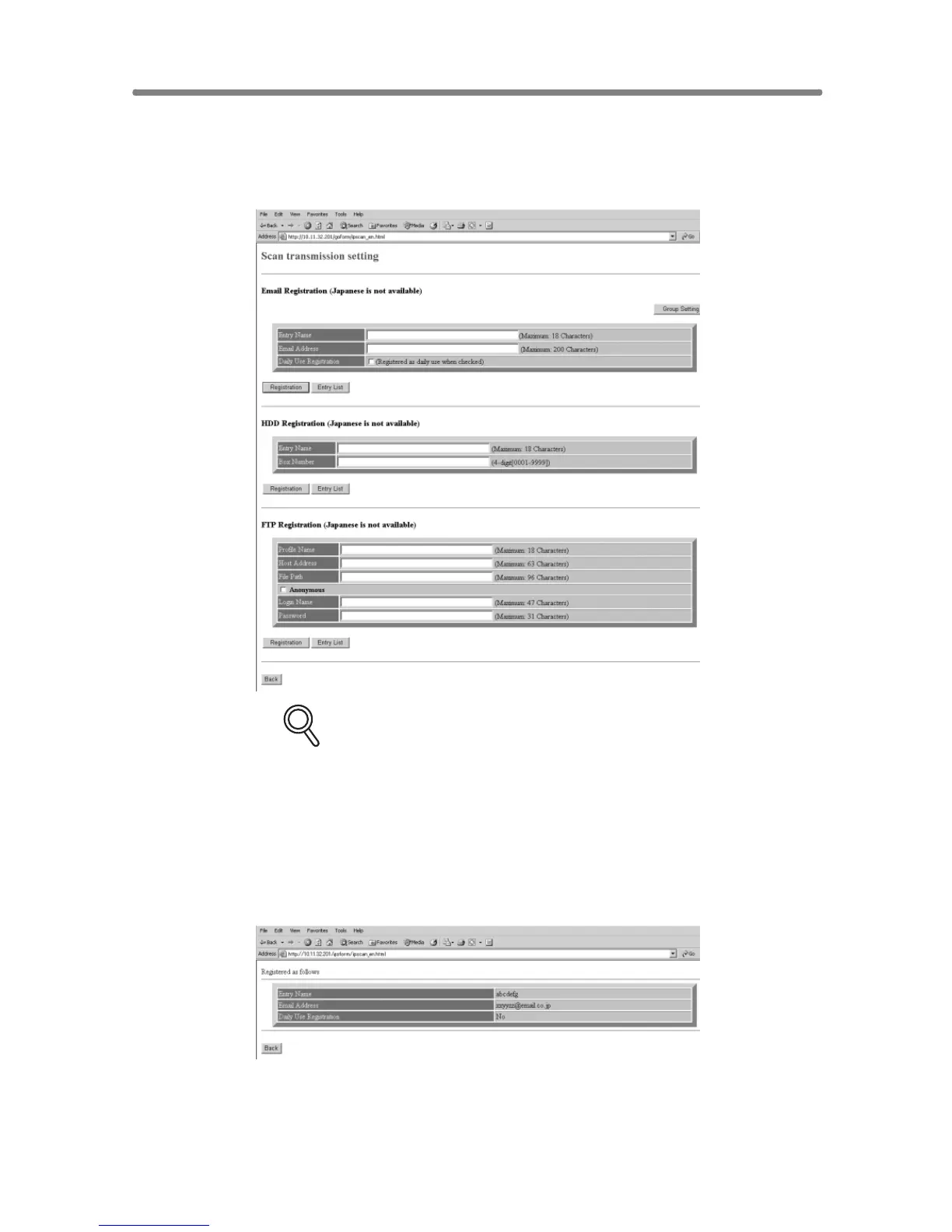
4. Register the E-Mail, HDD, and FTP, as required.
DETAILS
• Click on the DAILY USE check box in the E-mail Registration table, if
the data is frequently used.
• The symbols that cannot be displayed in the entry box will be ignored,
if entered.
• The HDD Box No. will be registered as a 4-digit number.
For example, entering [1] will be registered as [0001].
Click on [Registration] to complete the entry.
The registered content will be displayed.
Click on [Back] to return to the Scan Transmission Setting window.


 To Next Page
 Loading...







