Copying onto Transparent Films (OHP Interleave) (continued)
9-18
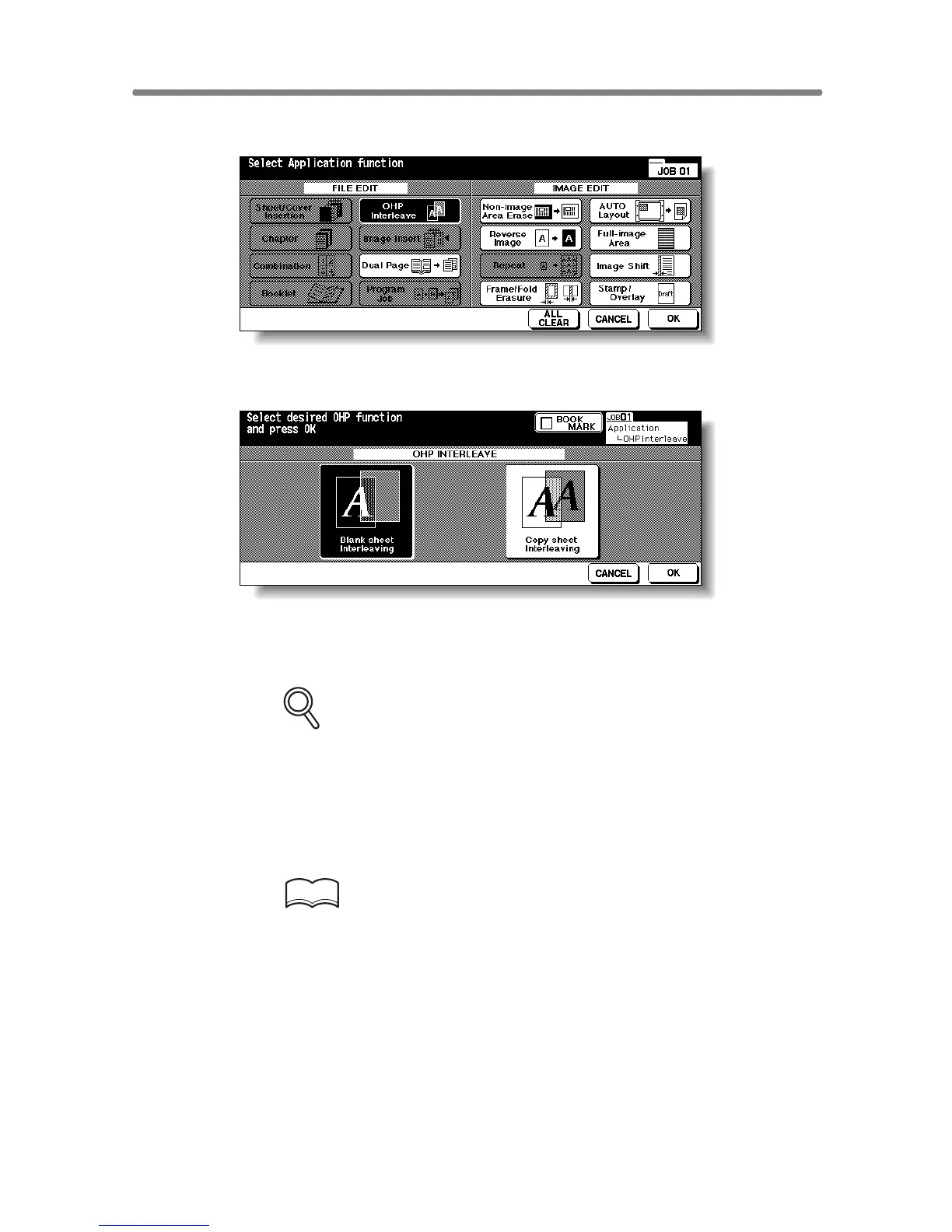
4. Touch OHP Interleave on the Application Selection Screen.
5. Select the desired OHP Interleave mode, then touch OK.
6. Touch OK on the Application Selection Screen.
The Basic Screen will be restored.
FOR DETAILS
• AMS is selected automatically.
To release AMS, select the desired magnification.
• Print quantity is already set to 1. You cannot enter any other quantity.
7. Position original(s) FACE UP in the document feeder or FACE
DOWN on the platen glass.
HINTS
For details on positioning originals, see p. 3-2 to p. 3-5.
8. Press [START].





 To Next Page