Storing Job Conditions (Job Memory: Job Store) (continued)
4-4
FOR DETAILS
If you wish to cancel the job number selection, touch CANCEL to
restore the Basic Screen, which displays the settings made in step 1.
If you wish to cancel the settings, press [AUTO RESET].
7. Touch OK.
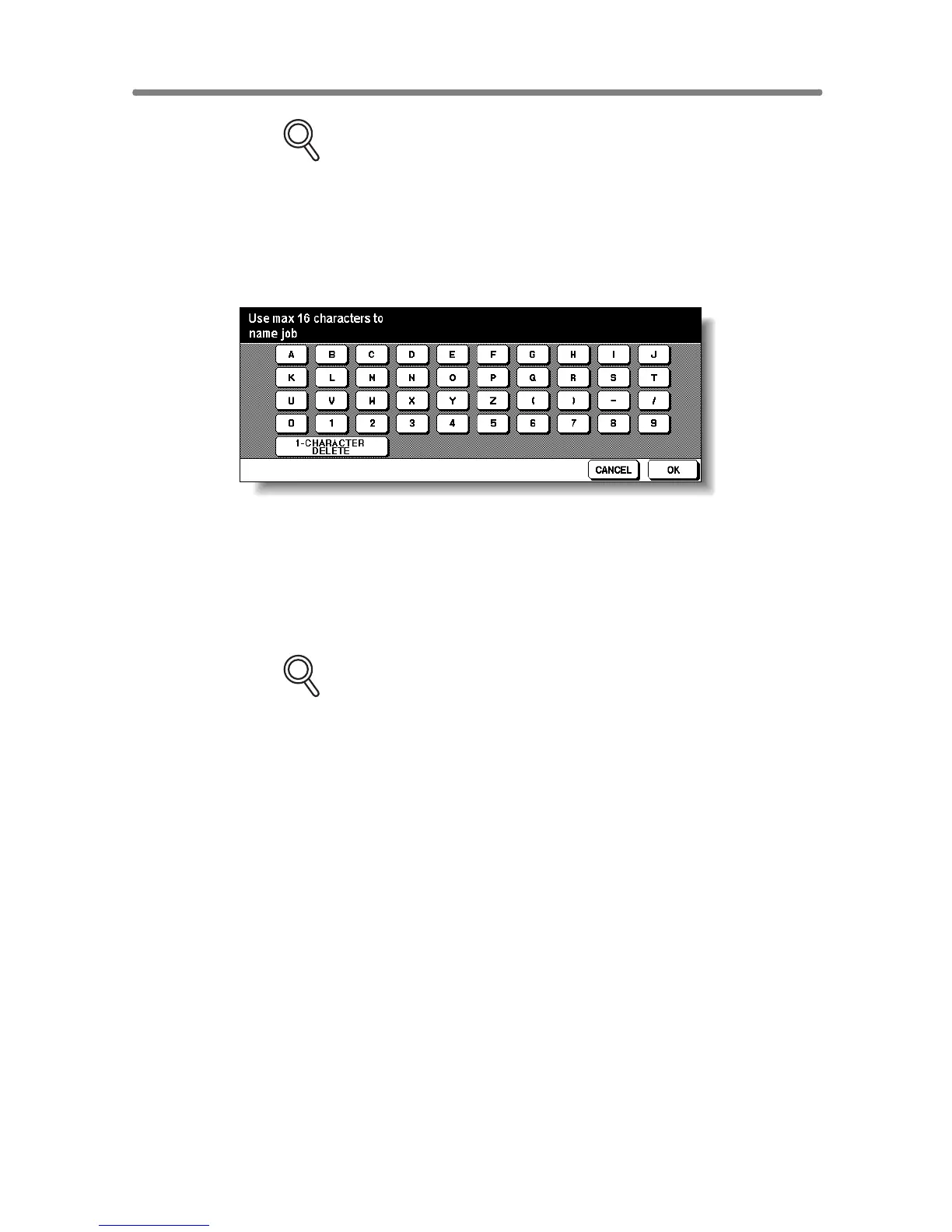
The Job Name Registration Screen will be displayed.
8. Enter a job name.
Enter a job name in up to 16 characters, using the touch screen alphabet
keypad.
To correct an entry, touch 1-CHARACTER DELETE repeatedly to delete
each character entered, then enter the correct job name.
FOR DETAILS
If you do not wish to enter a name, simply touch OK. The key displays
16 asterisks (✽) in place of a name.
When changing the name of a job previously stored, touch 1-CHAR-
ACTER DELETE
repeatedly to delete the previous name, then enter
the new name.
9. Touch OK.
The Job No. Selection Screen will be restored.
Check that the job name has been correctly entered.
10. Touch OK to complete the setting and return to the Basic Screen.










 To Next Page