Copying Mixed Size Originals (Mixed Original) (continued)
8-9
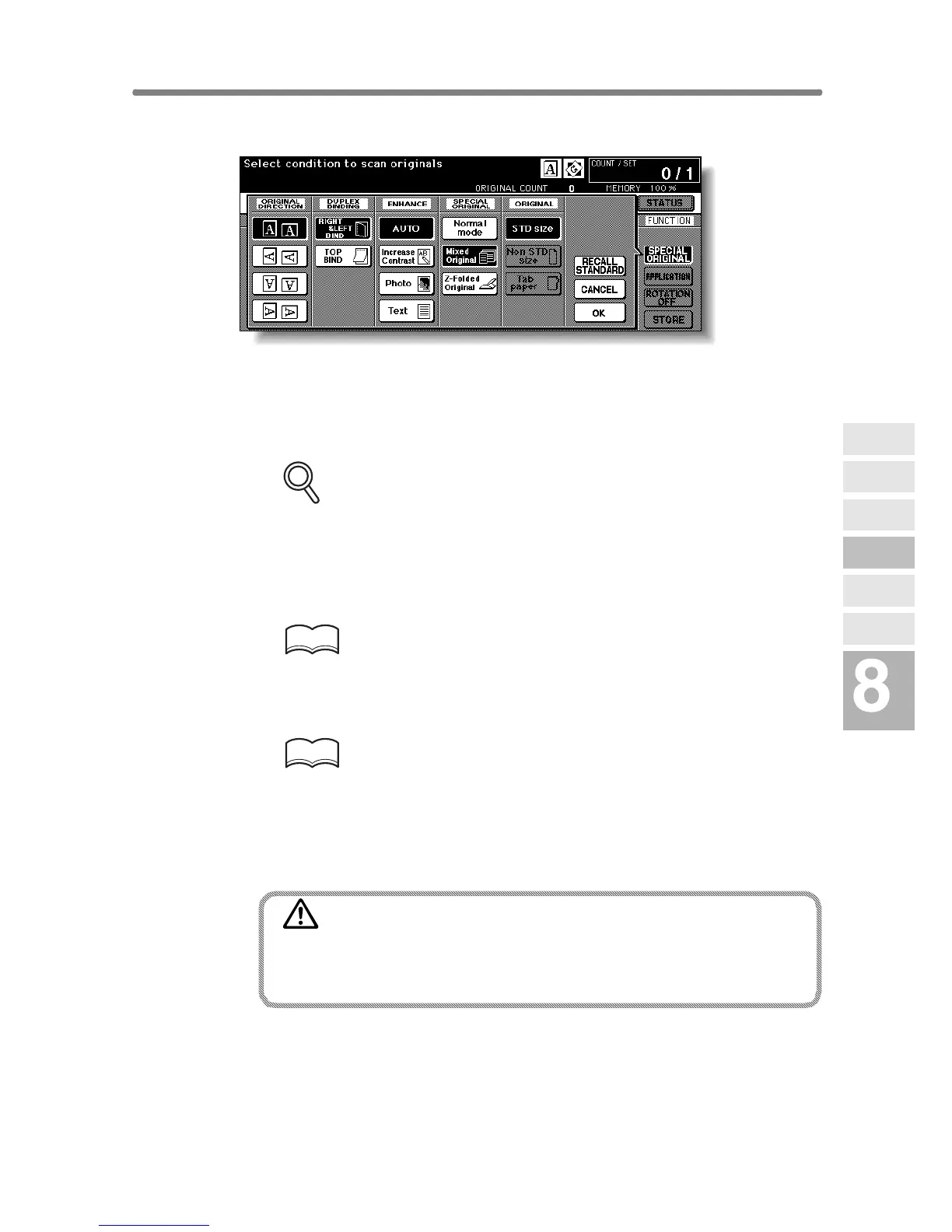
2. Touch Mixed Original.
3. Touch OK to return to the Basic Screen.
4. Select additional copying features, as desired.
FOR DETAILS
APS is automatically selected on the Basic Screen.
To select AMS, touch the tray key on the Basic Screen to select the
desired paper size.
5. Enter the desired print quantity from the control panel keypad.
HINT
See p. 3-6 for details on setting print quantity.
6. Position mixed original(s) FACE UP in the document feeder.
HINTS
• See p. 3-3 for details on positioning originals.
• Use RADF store mode (p. 3-33 to p. 3-34) when the original count
exceeds 100.
7. Press [START].
CAUTION
When the finisher / shift tray / paper exit tray capacity is
exceeded due to the print quantity selected, remove the copied
sets as they exit; otherwise, mishandled paper will occur.
Special
Original
Original
Form
Z-Folded
Original
Mixed
Original
Text/Photo
Enhance
Original
Binding Direction
Original
Direction










 To Next Page