Inserting a New Staple Cartridge into FS-111 Finisher (continued)
12-9
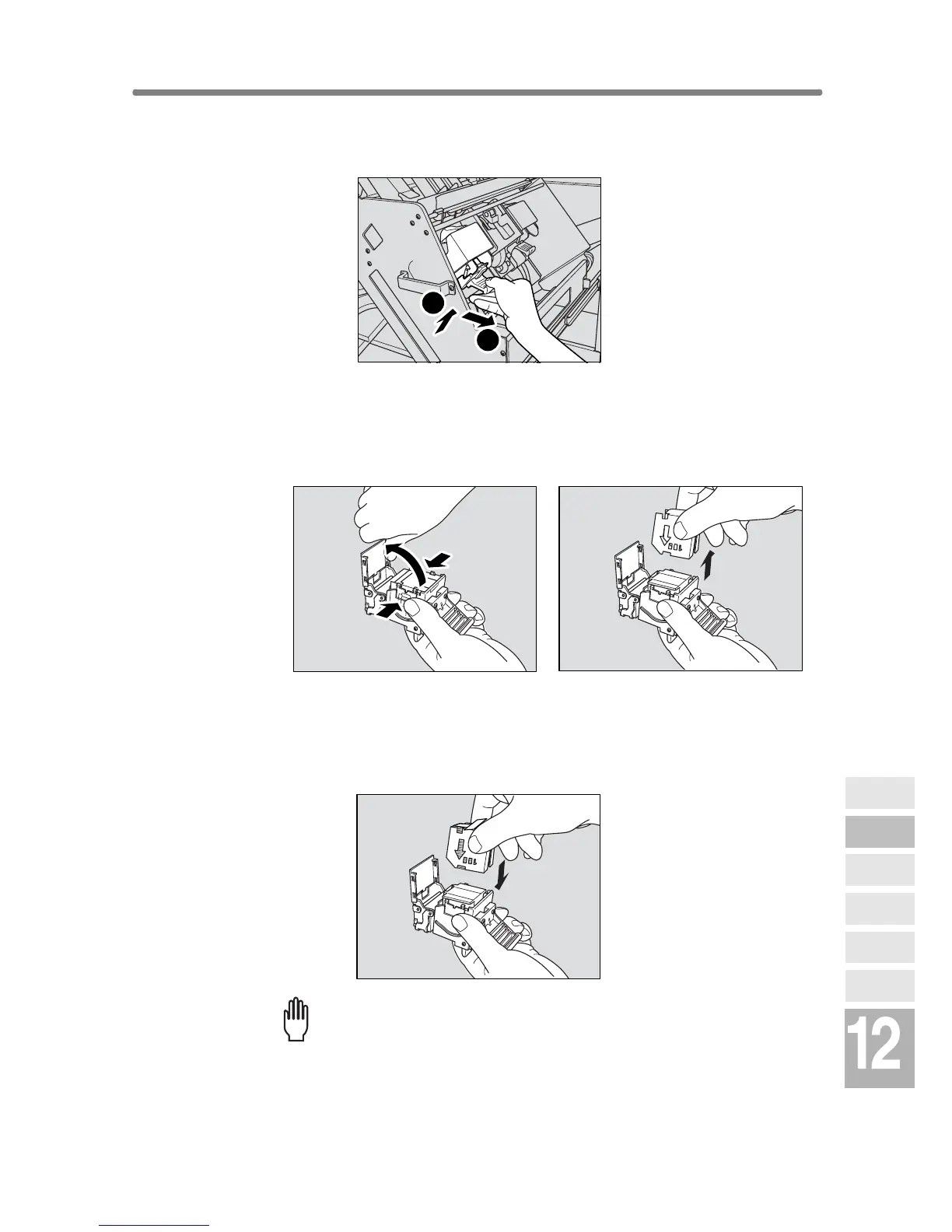
3. Pull up the cartridge housing, then remove it while pulling it for-
ward.
4. Open the bottom of the cartridge housing while pressing two
locks on both sides, then remove the empty cartridge from the
cartridge housing.
5. Insert the new cartridge into the housing.
Firmly insert the cartridge into the housing while aligning the arrow indication
on the cartridge appears as shown below.
Please Be Reminded!
Do not remove the staples remaining inside the housing; otherwise, the
first sheet output after the replenishment will not be stapled.
1
2
Maintenance
& Supplies
Copy
Materials
Checking
Copy Count
Cleaning
Scanning
Section
Empty Waste
Basket
Inserting New
Staple Cartridge
Adding Toner


 To Next Page
 Loading...







