Loading Paper (continued)
2-25
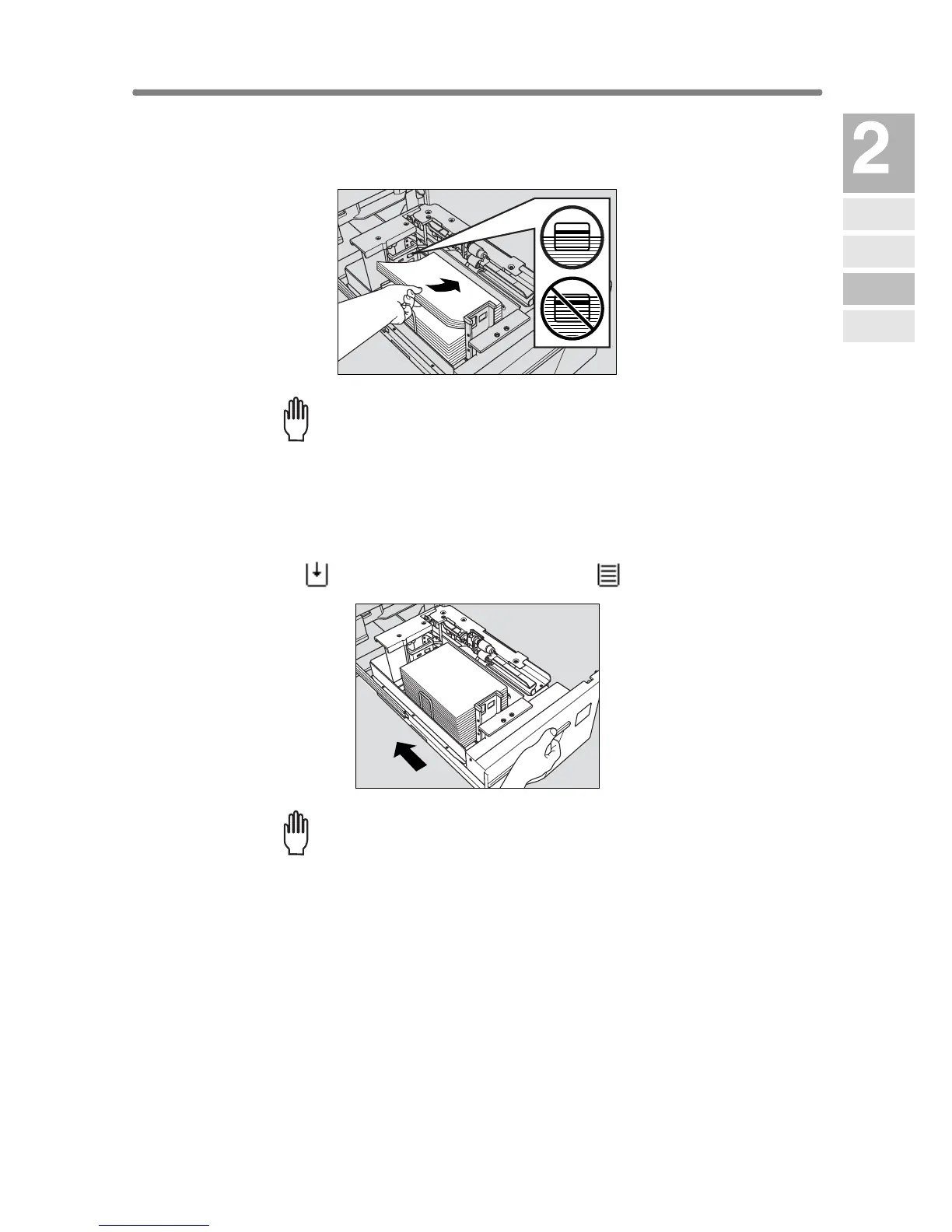
3. Place paper on the tray with the curl side turning up.
Load paper aligning it to the right side of the tray.
Please Be Reminded!
• Do not load above the limit indicated on the side guide plate.
• Be sure that the rear guide plate is correctly positioned according to
the paper size to be loaded; otherwise machine trouble may occur.
4. Push in the tray until it locks into place.
The indicator “” on the tray key will change to “”.
Please Be Reminded!
Do not bump the tray into the main body; otherwise machine trouble
may be caused.
Machine
Information
Machine
Configuration
Turn On/Off
the Power
Loading
Paper
Changing
Paper Size










 To Next Page