5-20 824 Reference Manual 9/29/09
The following is a brief description of each of the
components of this display:
• Display label - The Display label identifies the display
which is the SSA-Ln-a display showing six Ln percent-
ages for an overall measurement.
Lns are reset with an Overall Reset • Percentile values & levels - The Ln (percentile levels)
level is that level which is exceeded ‘n’ percent of the
measurement time. By modifying the six settings, you
can select any six percentile values to be displayed at a
time.
NOTE: If Lns are enabled in the SSA
instrument, then the Back-Erase feature
is no longer available. (See the section
"Pause, Back Erase" on page 3-10 for
information on the Back-Erase feature)
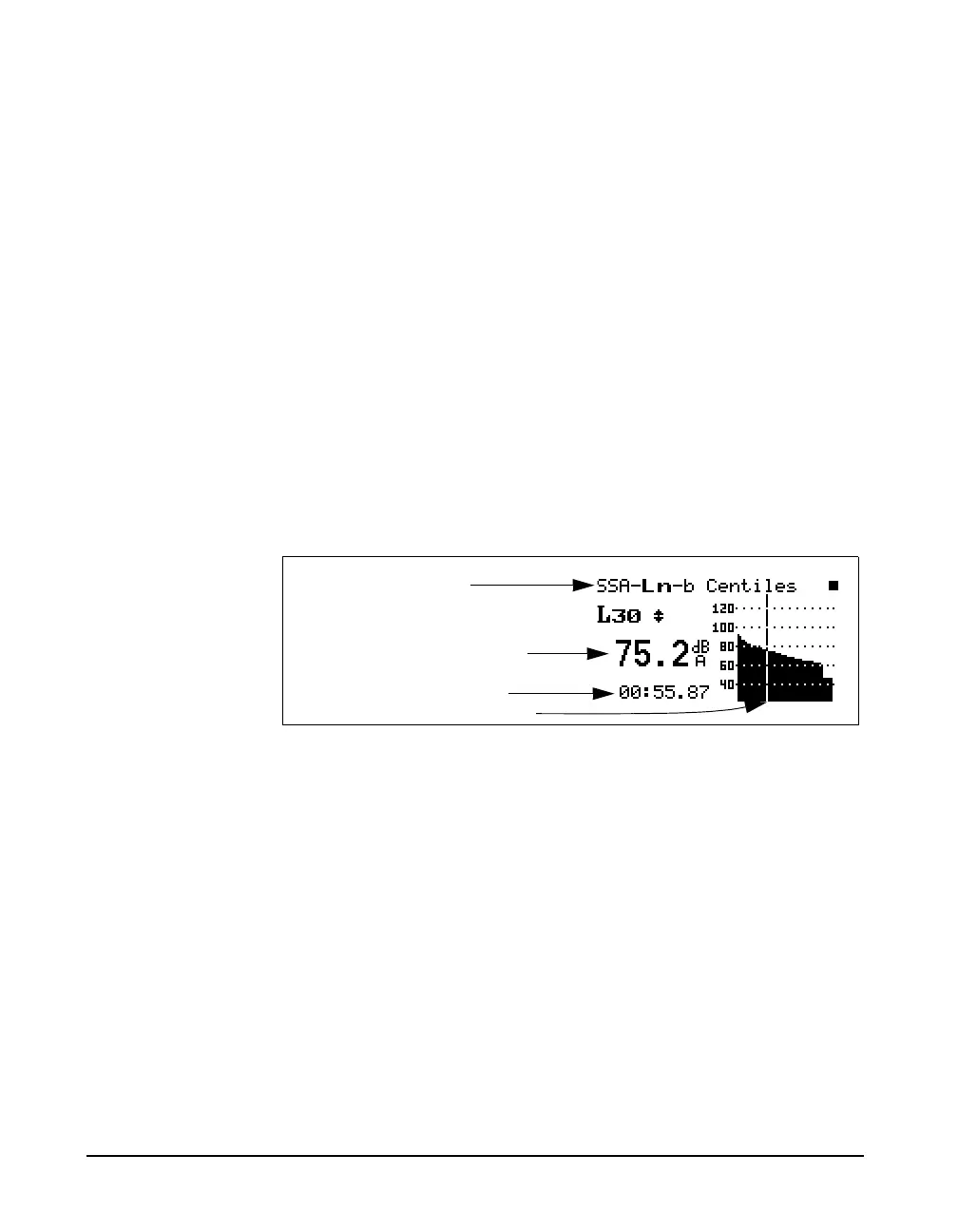
Use the right rarrow key to view the SSA-Ln-b display.
The following is a brief description of each of the
components of this display:
• Display label - The Display label identifies the display
which is the SSA-Ln-b display showing Ln percentages
1 through 99 graphically for an overall measurement.
Use the up
uand down darrow
keys to move from one percentile to
another.
• Current percentage - Selects % of Ln to display (1 to
99), using the up
uand down darrow keys to move
from one percentile to another.
• Ln - This shows the current Ln value.
• Elapsed time - Shows the elapsed run time accumulated
since the last overall reset.
Display label
Current percentage shown by cursor
Ln value as shown by cursor
Ln graph
Elapsed time



 To Next Page