Page | 275
The first time you launch iVGA PRO you’ll be asked to accept an End User License
Agreement.
Afterward, several things will occur:
A small icon is added to the
Windows® task bar notification area.
The iVGA PRO control panel opens
on your computer desktop.
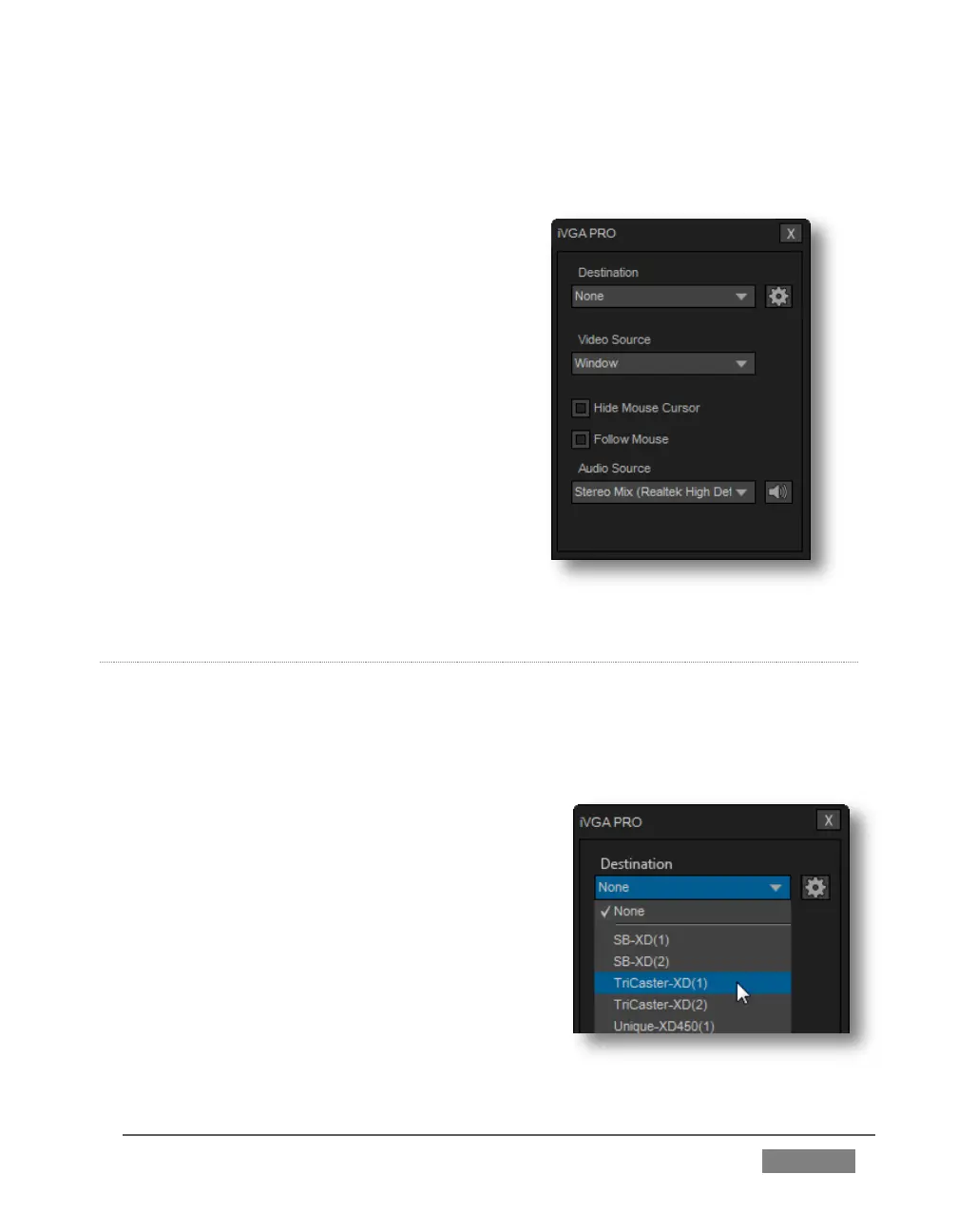
The control panel, Taskbar iVGA PRO icon
(and its context menu) along with a marquee
discussed momentarily provide all the
settings and controls you need to configure
and manage the application and its output.
THE CONTROL PANEL
Let’s begin our review of the tools provided by looking more closely at the iVGA PRO
control panel.
DESTINATION
The default Destination setting is None, indicating
that iVGA PRO’s audio and video output is not
connected to a TriCaster on your local network.
When one or more TriCaster systems are detected,
the drop-down menu will display their machine
names (Figure 270). A given TriCaster may
display more than one possible entry in the list
depending on how many are currently free for
iVGA selection.









 To Next Page