5.
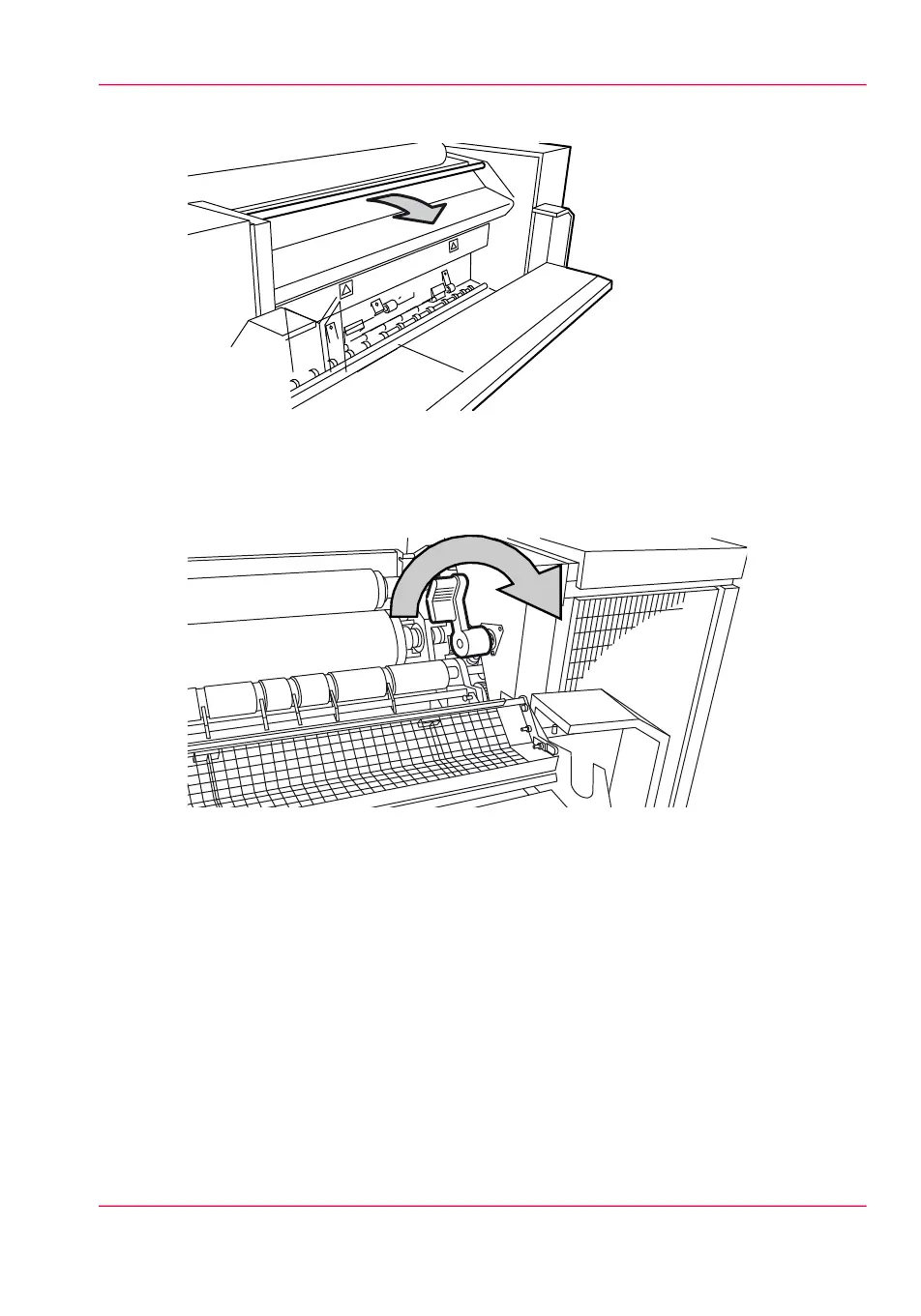
Pull the green bar of the fuser section toward you to open the fuser section.
[228] Bar of the fuser section
6.
Take the crank under the cover of the paper output unit, located on the right-hand side.
7.
Insert the crank in the slot and turn it to the right. The paper is delivered from the paper
output unit.
[229] Crank
8.
If the paper continues to come out, it is not cut and you have to cut it manually.
9.
Cut the paper and turn the crank to the right to deliver the paper.
10.
Remove the crank and return it to its original position.
11.
Open the preheater section:
•
Pull the handle 1 towards you to open the preheater section.
•
Pull the green handle 2 toward you and release handle 1.
•
Pull the green bar 3 toward you.
Chapter 12 - Solve problems 311
How to clear a media jam in the fuser section



 To Next Page