Manual Programming with Guardrails™ Suite MX
BD Alaris
TM
System with Guardrails
TM
Suite MX User Manual 95
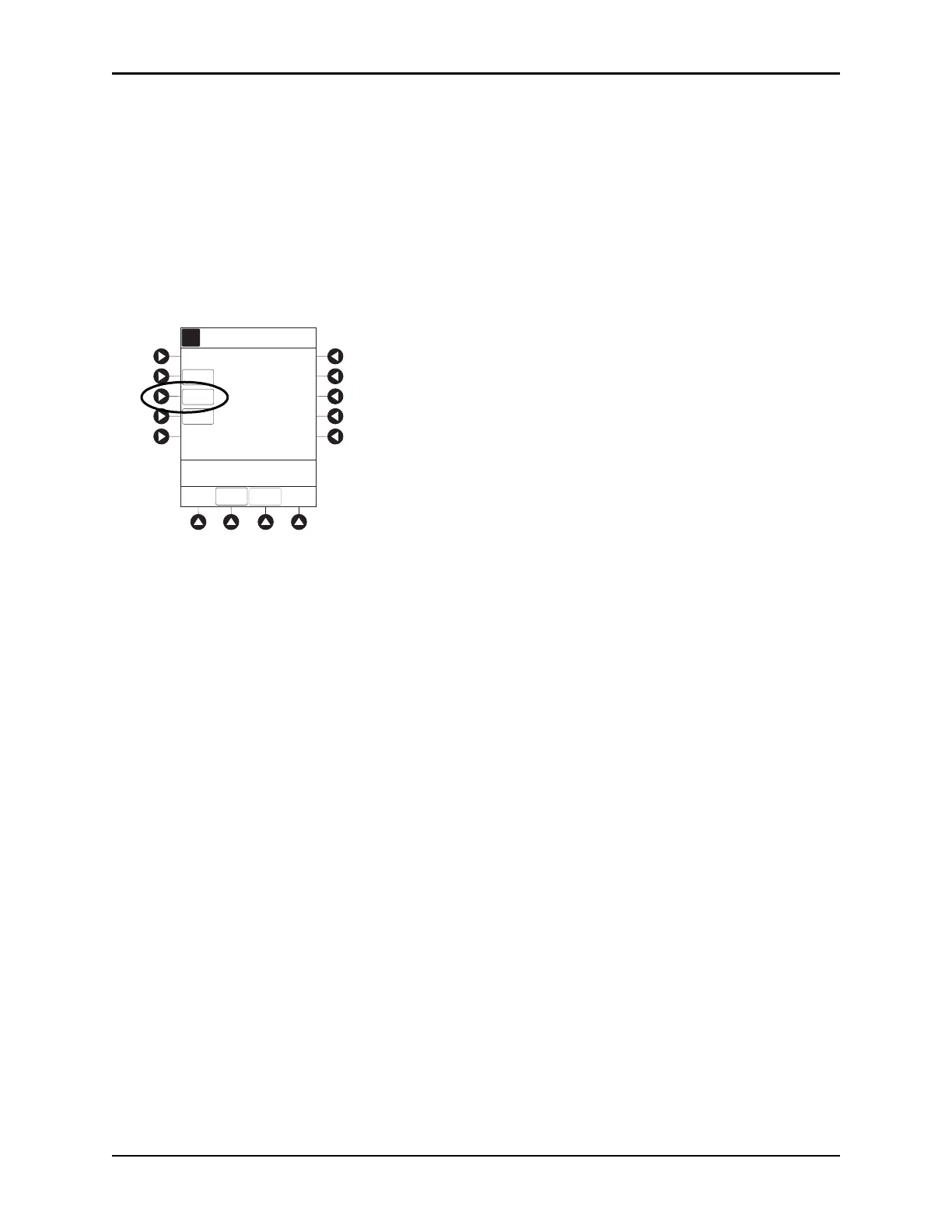
6. To enter the volume to be infused, press the VTBI soft key and enter value.
• Pump module:
°
When VTBI is less than 10 mL, the entry can be to two decimal places (one-hundredth of a
mL).
°
In drug calculation mode, system infuses at calculated rate rounded to nearest one-hundredth
of a mL per hour (as displayed on the programming screen on the PCU). The rate shown in
rate display on the pump module is rounded to nearest one-tenth of a mL per hour.
•The
Bolus soft key appears only if bolus dose is enabled within the selected profile, the drug is
bolusable, and a VTBI is entered.
• Syringe module:
°
If ALL Mode is enabled for syringe configuration in data set, ALL is displayed in VTBI field and
estimated available volume in syringe is displayed.
or
°
If ALL Mode is disabled for syringe configuration in data set, estimated available volume in
syringe is displayed when
VTBI soft key is pressed.
°
To enter or change a numeric VTBI value, press the VTBI soft key and enter value.
AA
A
RATE
VTBI
CONTINUOUS INFUSION
DOSE
_
0.81 mg/kg/h
[Conc]: 1 mg/mL
56.7 mL/h
SETUP
BOLUS
____mL
>Select VTBI
Alteplase
Stroke


 To Next Page