Programming with Interoperability and Guardrails™ Suite MX
BD Alaris
TM
System with Guardrails
TM
Suite MX User Manual 139
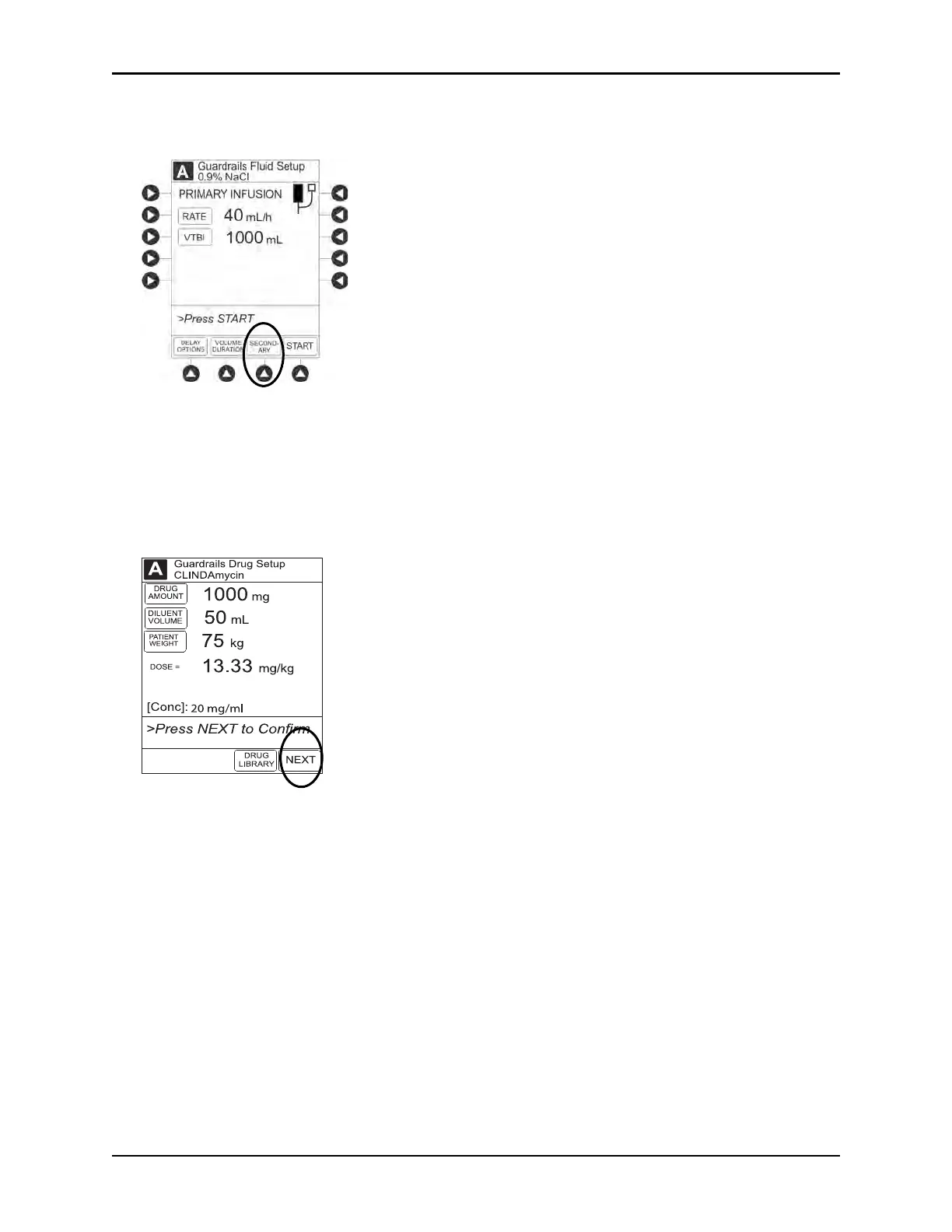
7. Press the SECONDARY soft key to continue with the pre-population of the infusion parameters for the
secondary infusion.
The set-up page for the secondary infusion appears with the drug amount, diluent volume, and patient
weight (if intermittent infusion is weight-based) or BSA (if intermittent infusion is BSA-based)
pre-populated from the automated programming request.
8. Review and verify that all parameters p
re-pop
ulated on the system are correct.
9. Press the
NEXT to confirm.



 To Next Page