Cleaning
BD Alaris
TM
System with Guardrails
TM
Suite MX User Manual 347
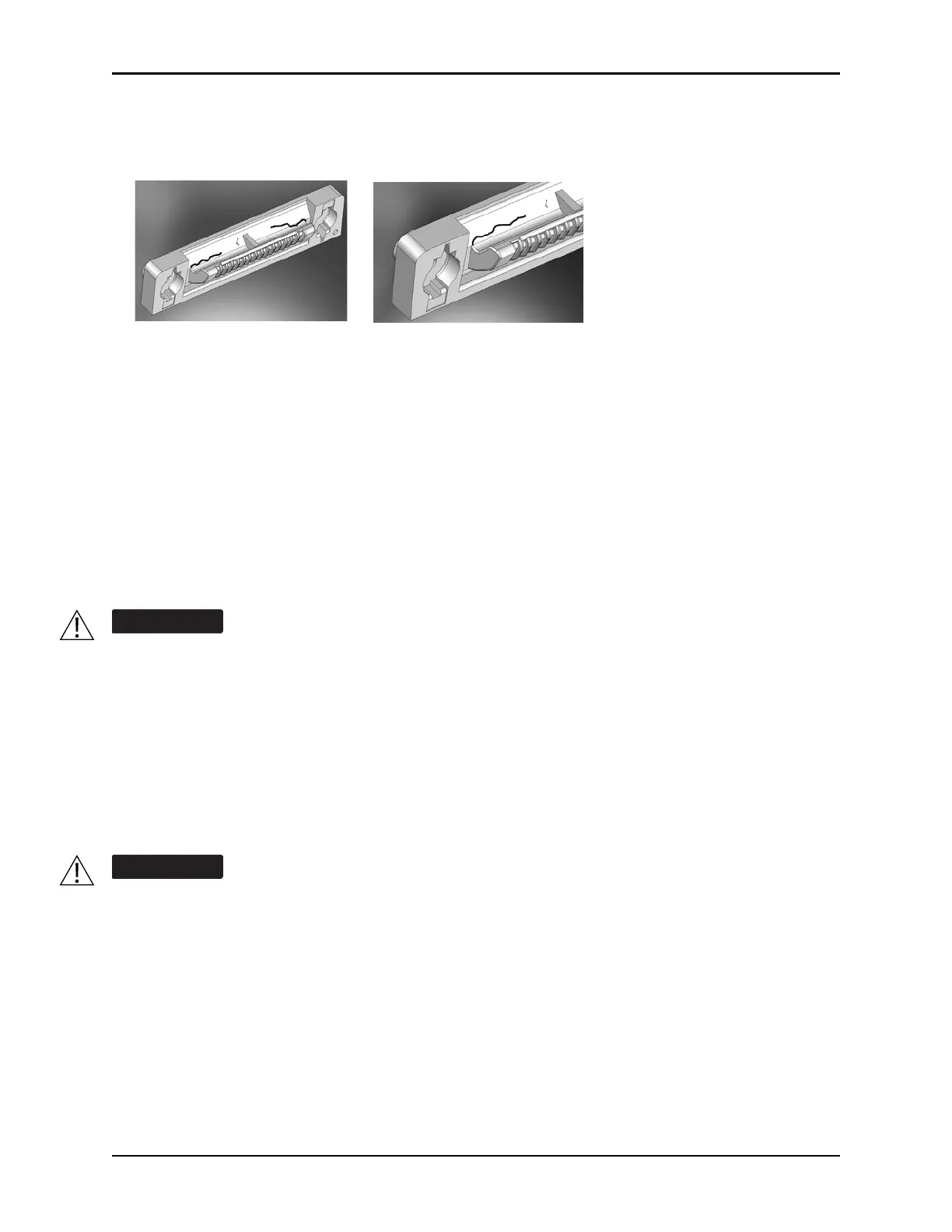
1. Visually inspect the right side (male) IUI connector for cracks on the entire surface of the black
colored plastic housing. See Figures 1 and 2 for the male IUI inspection area and typical cracks.
2. Visually inspect the left side (female) IUI connector for cracks on the edges of the black colored plastic
housing.
3. If cracks are found, replace the IUI connector before use.
NOTE:
While visually inspecting the IUI conne
ctors, look for fractures on the connectors black-colored plastic. If
you see any damage, do not use an instrument with fractured IUI connectors. The IUI connector must be
replaced before the instrument can be used again.
NOTE:
Use the recommended healthcare-grade
sol
utions and DO NOT use chemicals that can damage the
surfaces of the instrument.
• The use of chemicals that can damage the surface of the instrument and failure to follow the
BD Alaris and Alaris product cleaning procedures and the cleaning solution manufacturer's
recommended dilutions can result in an instrument malfunction or product damage, such as
weakening and cracking of the case, and could void the warranty.
• Do not allow the cleaning solution to contact the IUI connector when cleaning the instrument.
• Do not use hard, abrasive or pointed objects to clean any part of the instrument.
• Do not allow cleaning solutions to collect on the instrument. Residue buildup might cause the
moving parts to become sticky and hinder their operation over time.
• Certain chemicals can damage the surfaces of the instrument. Refer to the following website
for a list of chemicals that should NOT be used: www.carefusion.com/alarissystemcleaning
• Do not use chemicals that can damage the surface of the instrument. When possible use
cleaning products that are recommended for use by CareFusion.
Figure 1: Male IUI Connector
(right Side)
Figure 2: Male IUI Connector



 To Next Page