General Setup and Operation
BD Alaris
TM
System with Guardrails
TM
Suite MX User Manual 35
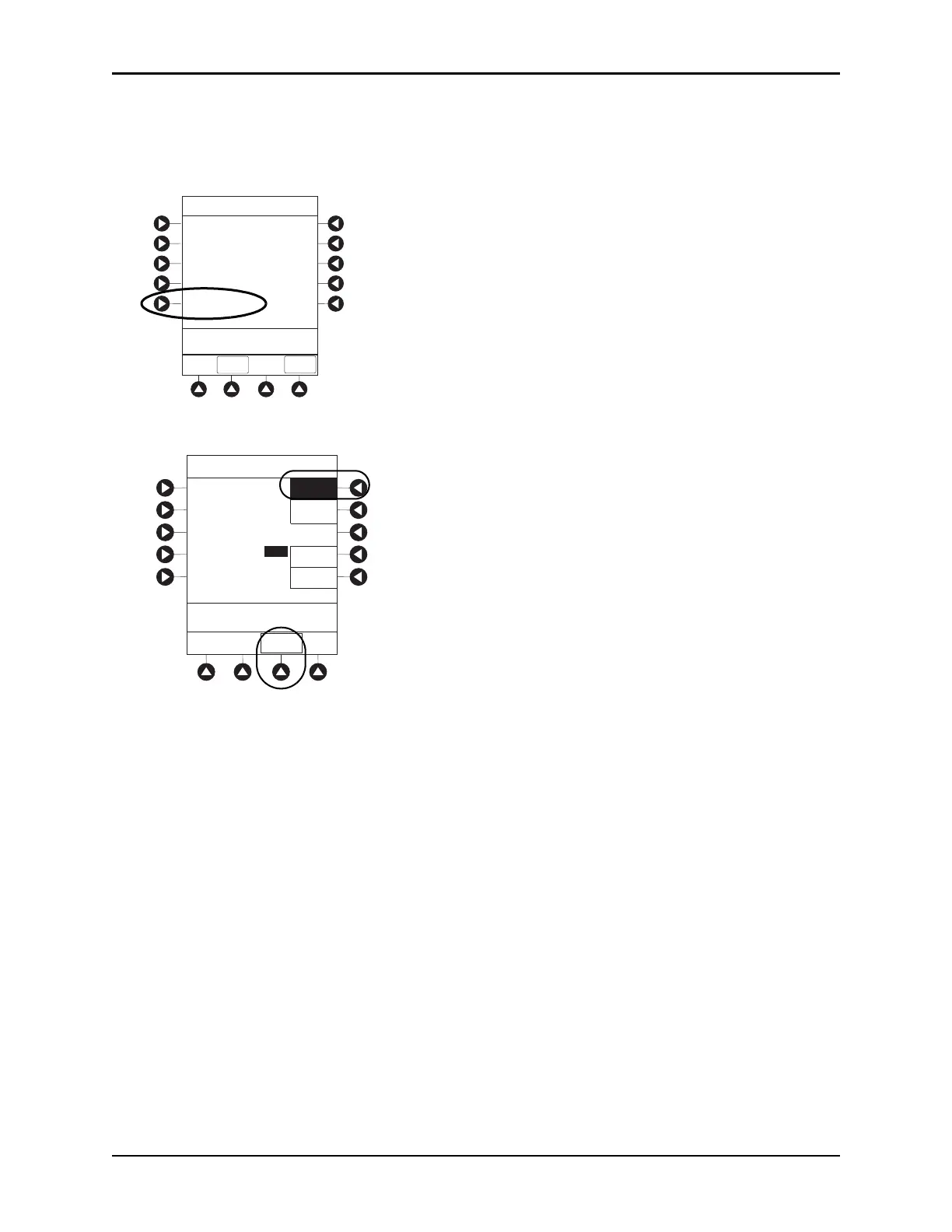
Enabling Anesthesia Mode
1. Press the OPTIONS key.
2. Press the Anesthesia Mode soft key.
3. Press the Enable soft key.
4. Press the Up or Down soft key to set the pump module air detection to 50, 75, 125, 175, 250, or
500 microliters.
5. Press the
CONFIRM soft key.
Disabling Anesthesia Mode
The anesthesia mode can be disabled, and normal operation resumed, using one of the following three
methods:
• Disabling the System Options menu.
• Disconnecting from AC power.
• Connecting to AC power.
>Select an Option or
EXIT
PAGE
DOWN
EXIT
Display Contrast
Clinician ID
Power Down All Channels
Anesthesia Mode
Patient ID
System Options 1 of 3
System Options
>Select an Option or Press
CONFIRM
Anesthesia Mode
Enable
Down
CONFIRM
Disable
Up
Pump Module
Air Detection =
250 microliters
500
250
175
125
75
50



 To Next Page