Introduction
ClareVision Plus Network Video Recorder User Manual 9
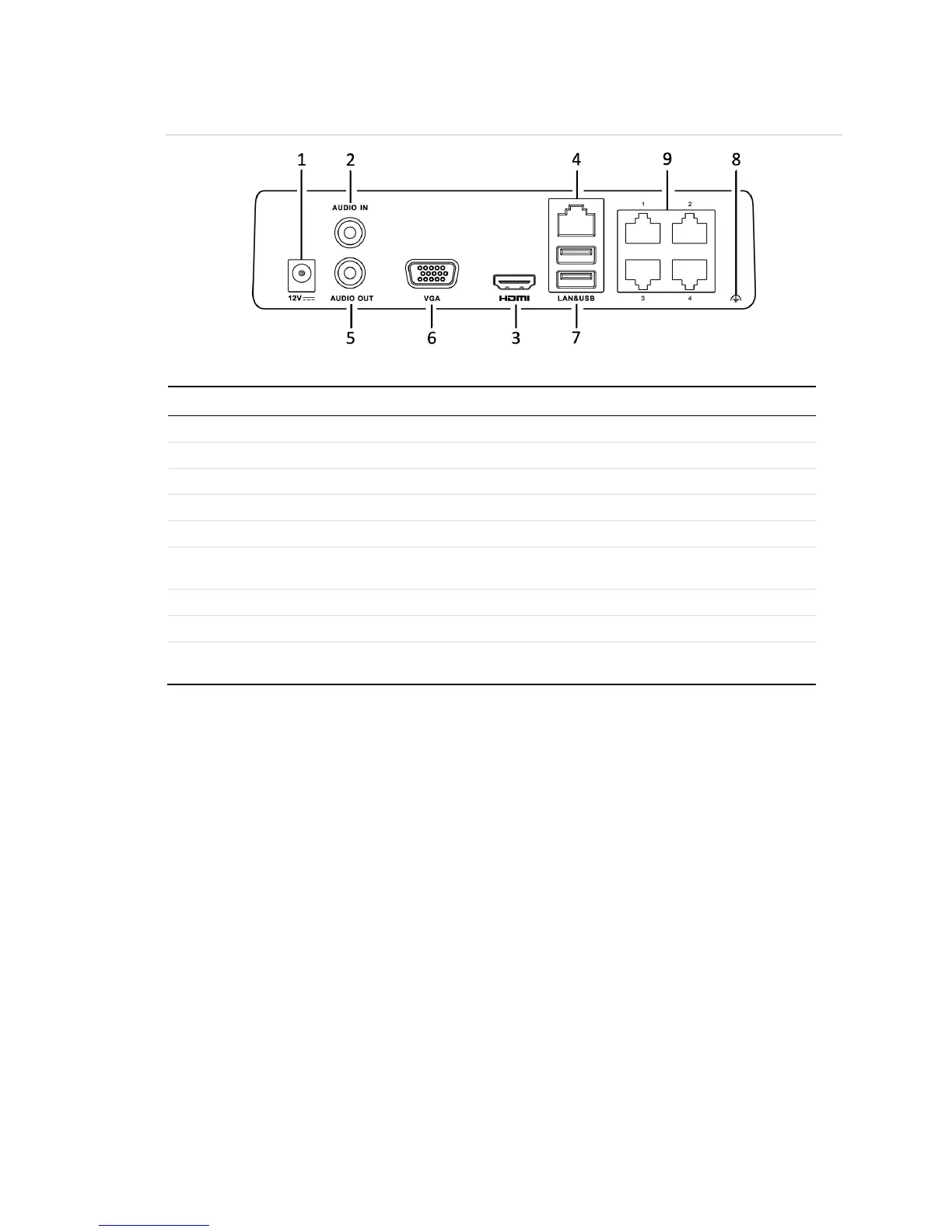
Figure 7: 4-Channel CVP-B4450-01 mini Wi-Fi NVR rear panel connections
Table 7: 4-Channel CVP-B4450-01 mini Wi-Fi NVR rear panel connections
12 VDC power supply connection.
RCA connector for audio input. (Also for two-way audio.)
HDMI video output connector.
RCA connector for audio output.
DB9 connector for VGA output. Display local video output and
menu.
Connects USB devices – for example, a USB mouse or writer.
Ground (needs to be connected before the NVR starts up).
Network Interface with
PoE
Network interface for cameras and PoE connection.



 To Next Page