Getting Started
28 ClareVision Plus Network Video Recorder User Manual
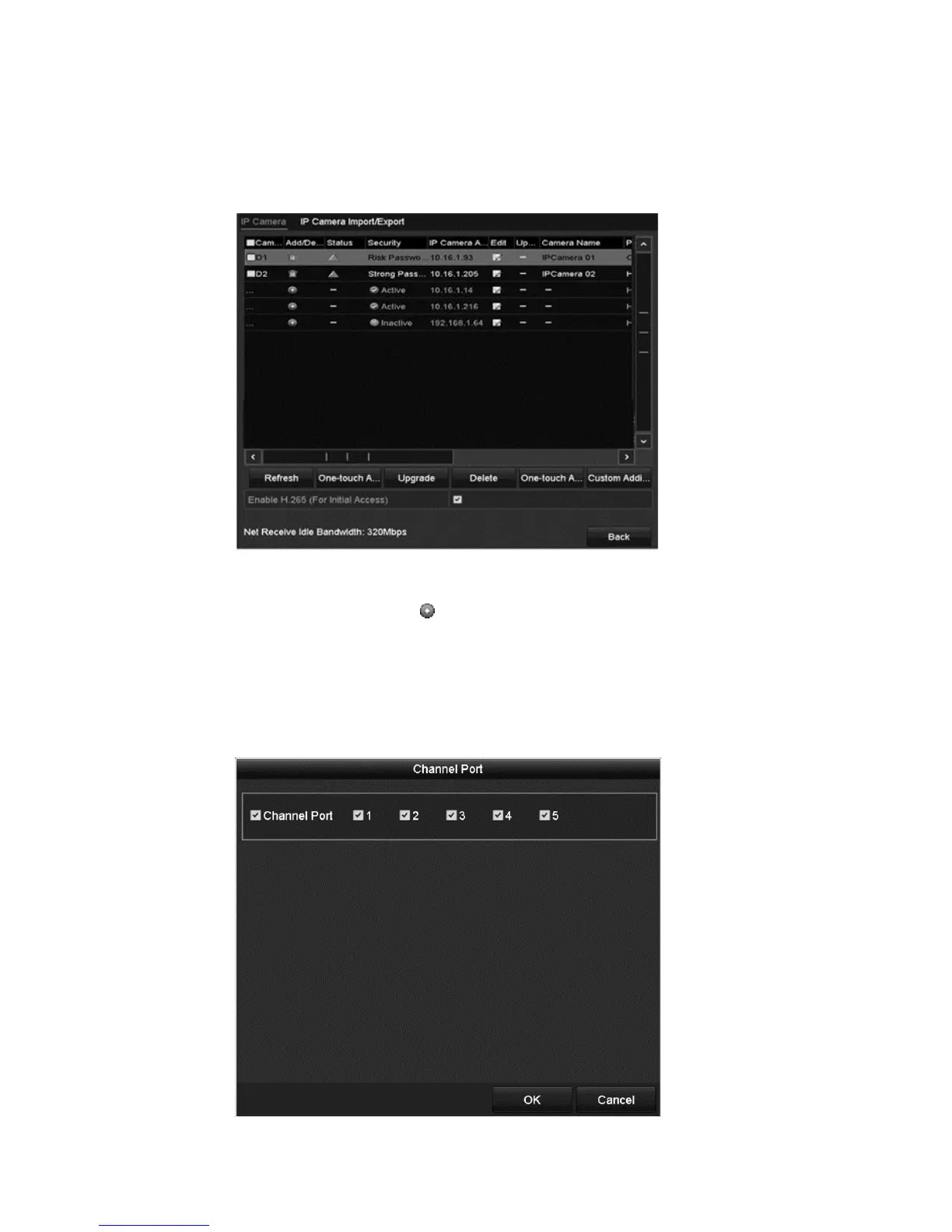
To add IP cameras using the Camera Management interface:
1. Browse to Camera.
Menu > Camera > Camera.
2. Cameras with the same network are detected.
3. Select the camera, and then click .
– or –
Click One-touch Adding to add all cameras.
4. (For encoders with multiple channels) Select the Channel Port, and then click
OK to add the channels.



 To Next Page