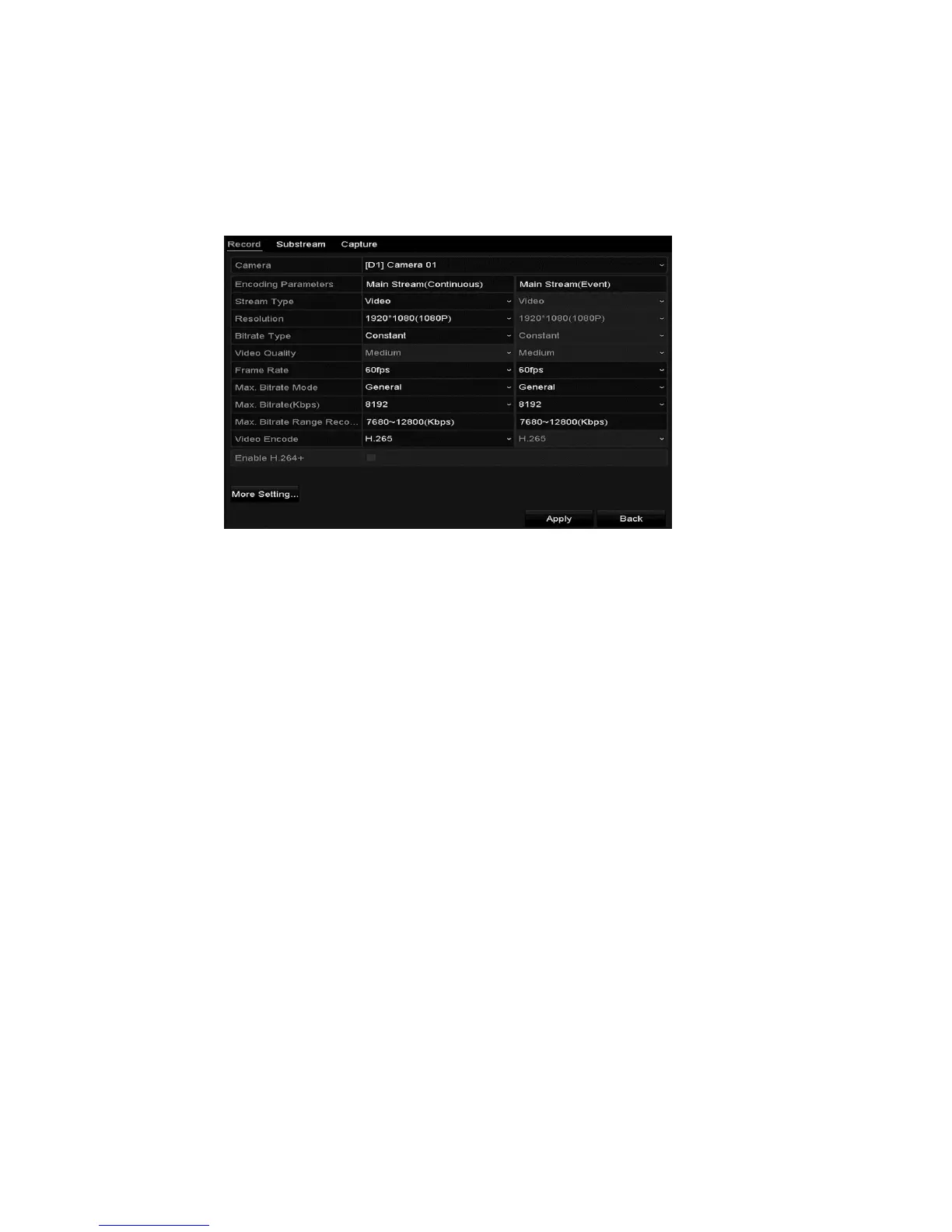
Record and Capture Settings
56 ClareVision Plus Network Video Recorder User Manual
To configure the parameters:
1. Browse to the Record settings interface to configure the encoding
parameters.
Menu > Record > Parameters
2. Select the Record tab page to configure. You can configure the stream type,
the resolution, and other parameters on demand.
Pre-record: The time you set to record before the scheduled time or event.
For example, when an alarm triggers the NVR to record at 10:00 and you set
the pre-record time as 5 seconds, the NVR records it at 9:59:55.
Post-record: The time you set to record after the event or the scheduled
time. For example, when an alarm triggers the recording ends at 11:00, and
you set the post-record time as 5 seconds, it records till 11:00:05.
Expired Time: The expired time (days) is the longest time for the NVR to
keep a recorded file in the HDD. When it reaches its deadline, the NVR
deletes the file. You can set the expired time to 0 to prevent the file from
being deleted. The HDD capacity determines the actual amount of time the
file is kept.
Redundant Record/ Capture: Enabling redundant record or capture means
you save the record and captured picture in the redundant HDD. (This is a 64-
channel NVR feature only.)
Record Audio: Check the check box to enable or disable audio recording.
Video Stream: Select the recorded stream, main or sub-stream. When you
select sub-stream, you can record for a longer period of time with the same
storage space.



 To Next Page