Record and Capture Settings
ClareVision Plus Network Video Recorder User Manual 59
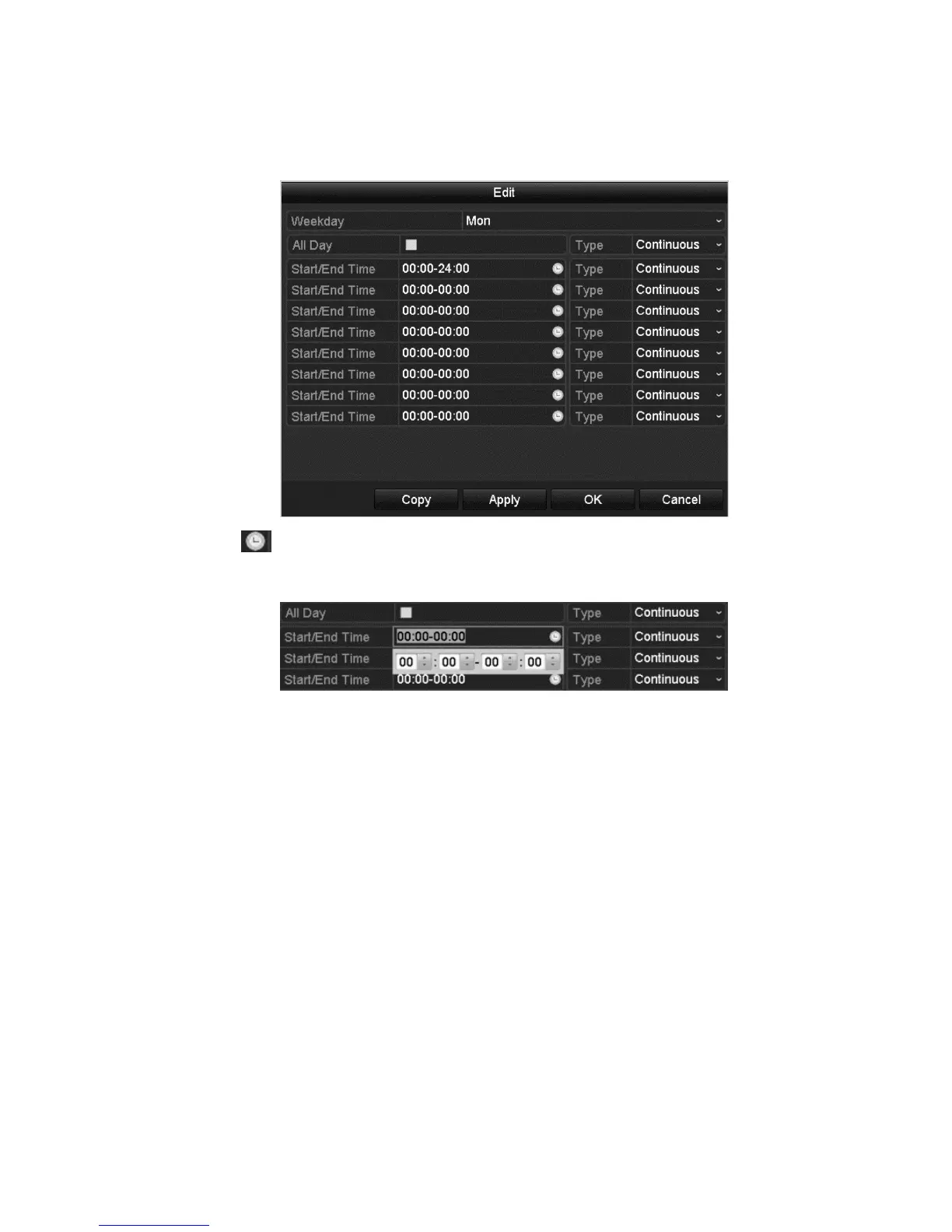
To edit the schedule:
1. In the dialog, you can choose the day when you want to set a schedule.
2. Click to set the schedule time.
3. To schedule an all-day recording, select the All Day checkbox.
4. To arrange another schedule, set the start and end time. (Do not select the
All Day checkbox.)
You can configure up to eight schedules for each day. The schedules cannot
overlap each other.



 To Next Page