Chapter 11
| VoIP Traffic Configuration
Configuring VoIP Traffic Ports
– 248 –
Web Interface
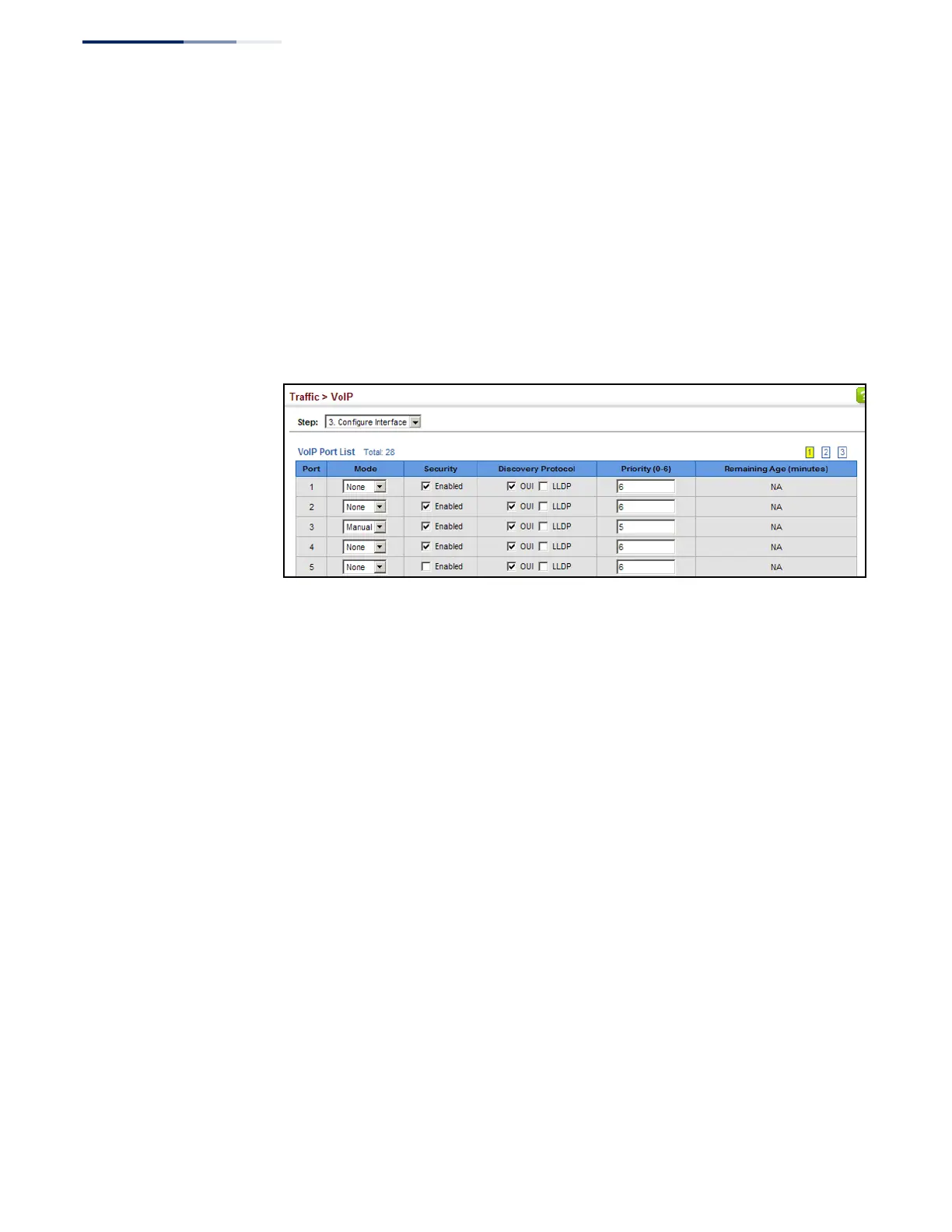
To configure VoIP traffic settings for a port:
1. Click Traffic, VoIP.
2. Select Configure Interface from the Step list.
3. Configure any required changes to the VoIP settings each port.
4. Click Apply.
Figure 151: Configuring Port Settings for a Voice VLAN



 To Next Page
 Loading...