Chapter 13
| Basic Administration Protocols
Link Layer Discovery Protocol
– 367 –
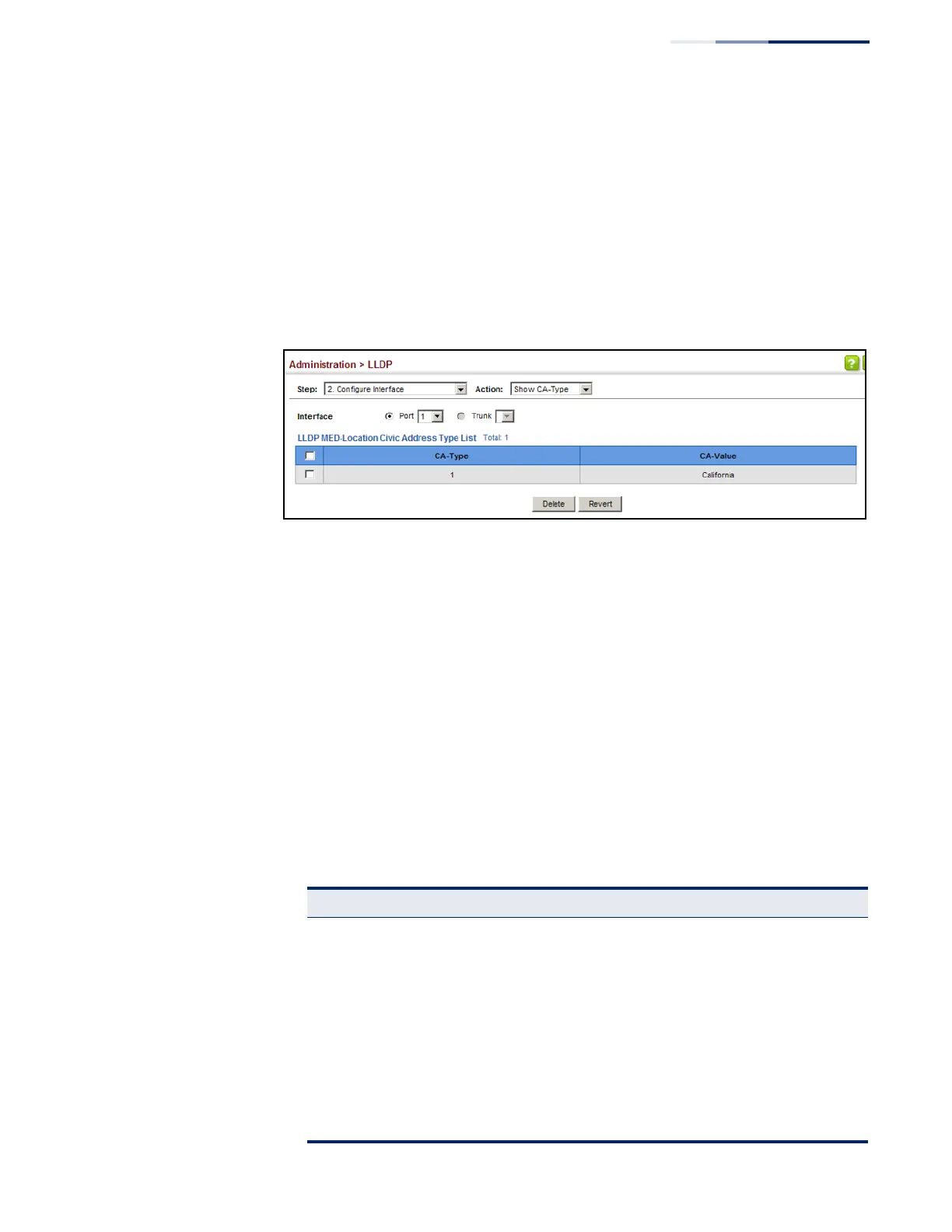
To show the physical location of the attached device:
1. Click Administration, LLDP.
2. Select Configure Interface from the Step list.
3. Select Show CA-Type from the Action list.
4. Select an interface from the Port or Trunk list.
Figure 232: Showing the Civic Address for an LLDP Interface
Displaying LLDP Local
Device Information
Use the Administration > LLDP (Show Local Device Information) page to display
information about the switch, such as its MAC address, chassis ID, management IP
address, and port information.
Parameters
These parameters are displayed:
Global Settings
◆ Chassis Type – Identifies the chassis containing the IEEE 802 LAN entity
associated with the transmitting LLDP agent. There are several ways in which a
chassis may be identified and a chassis ID subtype is used to indicate the type
of component being referenced by the chassis ID field.
Table 25: Chassis ID Subtype
ID Basis Reference
Chassis component EntPhysicalAlias when entPhysClass has a value of ‘chassis(3)’ (IETF
RFC 2737)
Interface alias IfAlias (IETF RFC 2863)
Port component EntPhysicalAlias when entPhysicalClass has a value ‘port(10)’ or
‘backplane(4)’ (IETF RFC 2737)
MAC address MAC address (IEEE Std 802-2001)
Network address networkAddress
Interface name ifName (IETF RFC 2863)
Locally assigned locally assigned



 To Next Page
 Loading...