Setup Menu
329
Setups
11
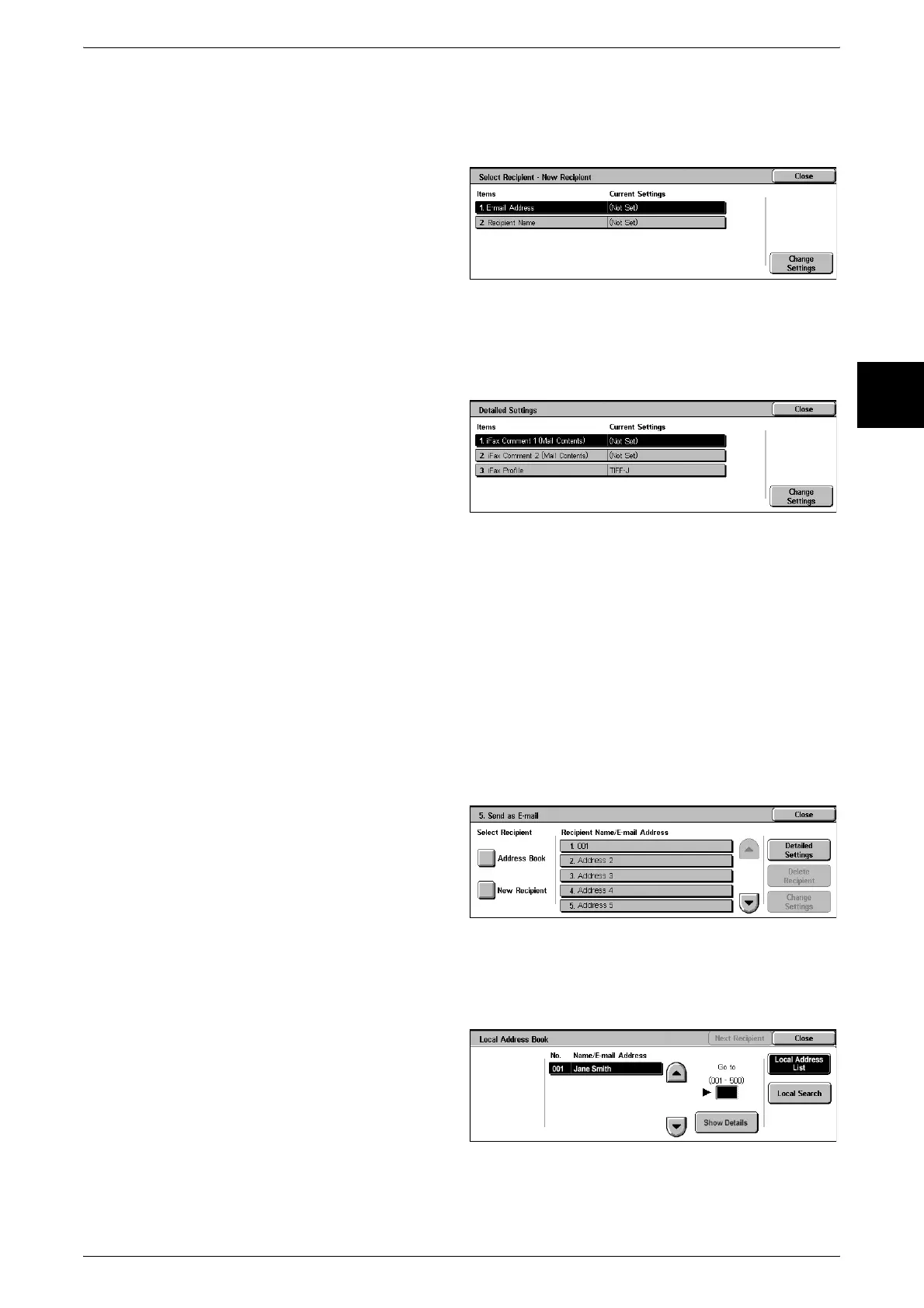
New Recipient
Specify a new address. The specified address appears in [Recipient Name/E-mail
Address] in the [4. Send as iFax] screen.
1 Select the item you want to
change, and select [Change
Settings] to set.
For information about the address setting,
refer to "Address Book" (P.334).
Detailed Settings
You can set an iFax comment and an iFax profile.
Note • The iFax comment can be set when a comment is registered. For information about
comment registration, refer to "Comments" (P.341).
1 Select the item you want to
change, and select [Change
Settings] to set.
For information about the method for
confirm/change, refer to "Address Book"
(P.334).
Delete Recipient
This deletes all information for the selected addresses.
Change Settings
You can confirm or change a selected address.
For information about the method for confirm/change, refer to "Address Book" (P.334).
Send as E-mail
Specify the recipients for the e-mail.
You can specify a total of up to 100 addresses, either selecting from the address book
numbers or by direct input.
Address Book
The recipients can be specified from address book. The specified recipients appear in
[Recipient Name/E-mail Address] in the [5. Send as E-mail] screen.
1 Search for recipient.
For information about the operation, refer
to "Scan to Mailbox" (P.165).












 To Next Page