11 Setups
338
Setups
11
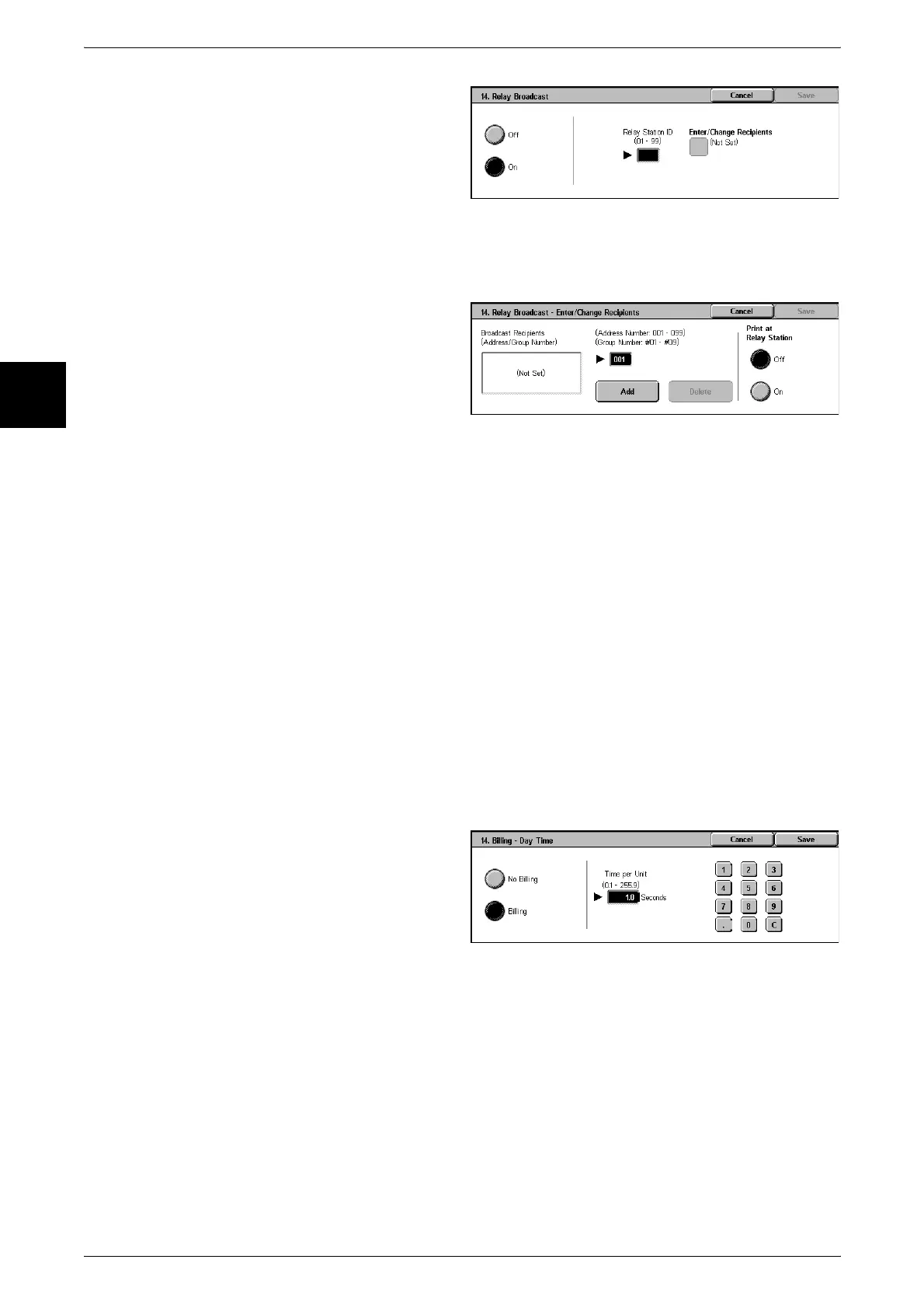
1 For a relay broadcast, select [On],
and select [Save].
2 With the numeric keypad, enter the
relay station ID as two digits, then
select [Enter/Change Recipients].
Note • The relay station ID is the
address book number for the
relay station (the machine)
already registered as a relay
station.
3 With the numeric keypad, enter the
address book number (001 to 099)
or address group number (#01 to
#09) for the broadcast destination,
and select [Add].
Note • If there is more than one
broadcast destination,
continue by entering another
address book number or
address group number, and
pressing [Add].
4 To print a document also to the relay station, under [Print at Relay Station] select [On].
Billing - Day Time, Billing - Night Time, Billing - Late Night Time
Set the connection time for one unit charge in each of the time bands (daytime/night/
late night).
This item appears when the fax feature for the Login Setup/Auditron Administration is
enabled.
For information about how to enable the feature, refer to "Auditron Mode" (P.352).
The registered details can be confirmed by printing the [Billing Data List].
For information about how to print, refer to "Billing Data List" (P.380).
1 Insert the card, and enter the
System Administration mode, then
use the procedure from step 2.
2 Select one of [Billing - Day Time],
[Billing - Night Time], and [Billing -
Midnight Time], and select [Change
Settings].
3 Select [Not Billing] or [Billing].
4 When [Billing] is selected, using the keyboard displayed on the screen or the numeric
keypad on the control panel, enter the time for one unit charge(0.1 to 255.9 seconds).
5 Select [Save].
6 Exit System Administration mode, and remove the card.












 To Next Page