Output Format
85
Copy
3
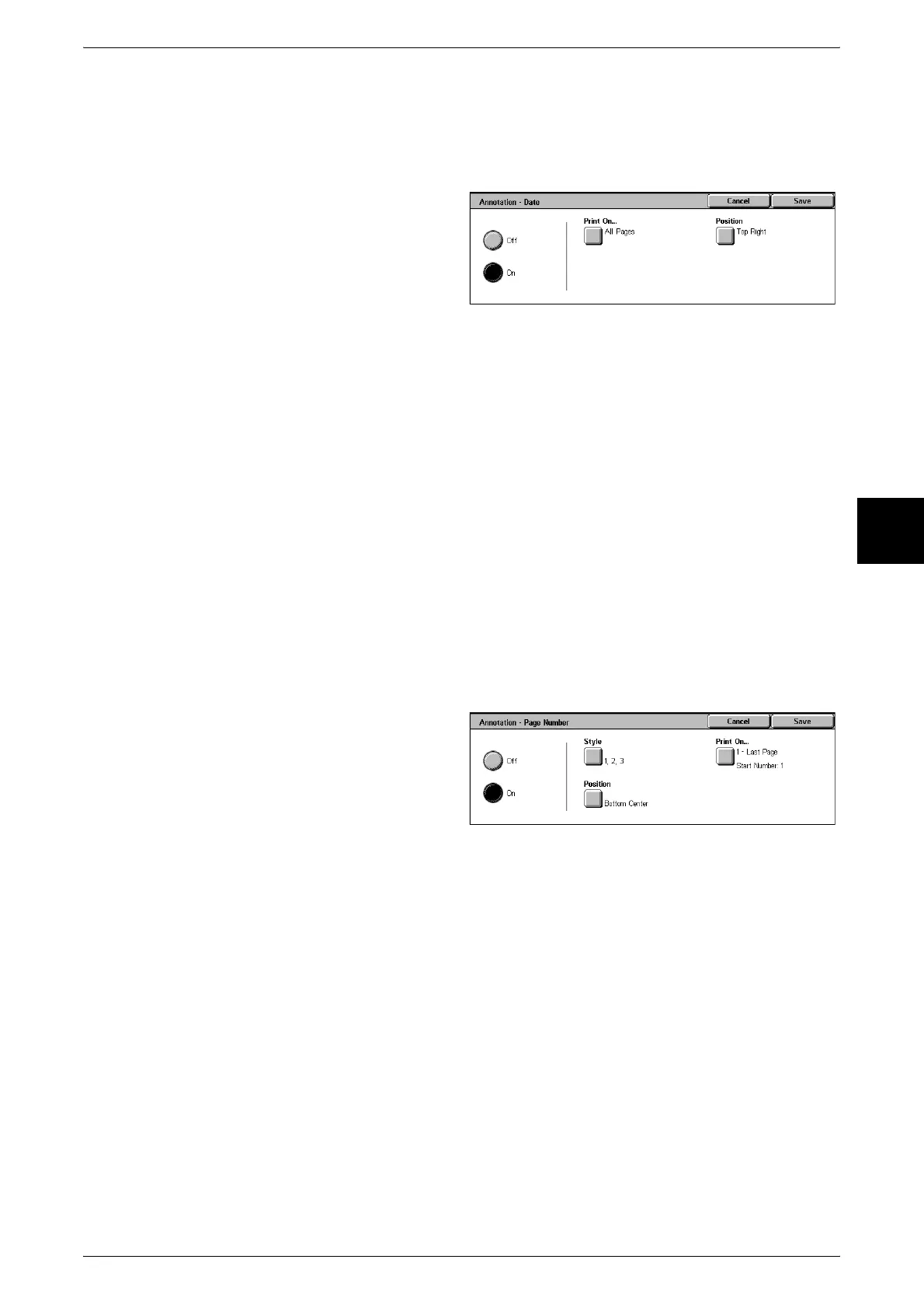
[Annotation - Date] Screen
You can make copies with a date added. The printed date is the date and time that the
copy was made.
For information about the date display format, refer to "Offset Stacking (Center Output Tray)" (P.269).
1 Select [Date].
2 Select [Off] or [On].
Off
No date is added.
On
A date is added.
Print On
Displays the [Annotation - Date - Print On] screen.
You can select the page(s) to print the date from [First Page Only] and [All Pages].
Position
Displays the [Annotation - Date - Position] screen.
You can select from six positions for printing the date.
[Annotation - Page Number] Screen
You can add a page number to copies.
1 Select [Page Number].
2 Select [Off] or [On].
Off
No page number is added.
On
A page number is added.
Style
Displays the [Annotation - Page Number - Style] screen.
Position
Displays the [Annotation - Page Number - Position] screen.
You can select from six positions for the page number.
Print On
Displays the [Annotation - Page Number - Print On] screen.












 To Next Page