Copying Using Special Paper (Multi-Sheet Bypass Tray) (continued)
3-30
FOR DETAILS
When Tab paper is selected, AMS is automatically selected. In this
case, STD size (special) and Non STD size cannot be selected, and
the loaded copy paper cannot be fed in 1-2 or 2-2 copying.
5. Specify the paper size.
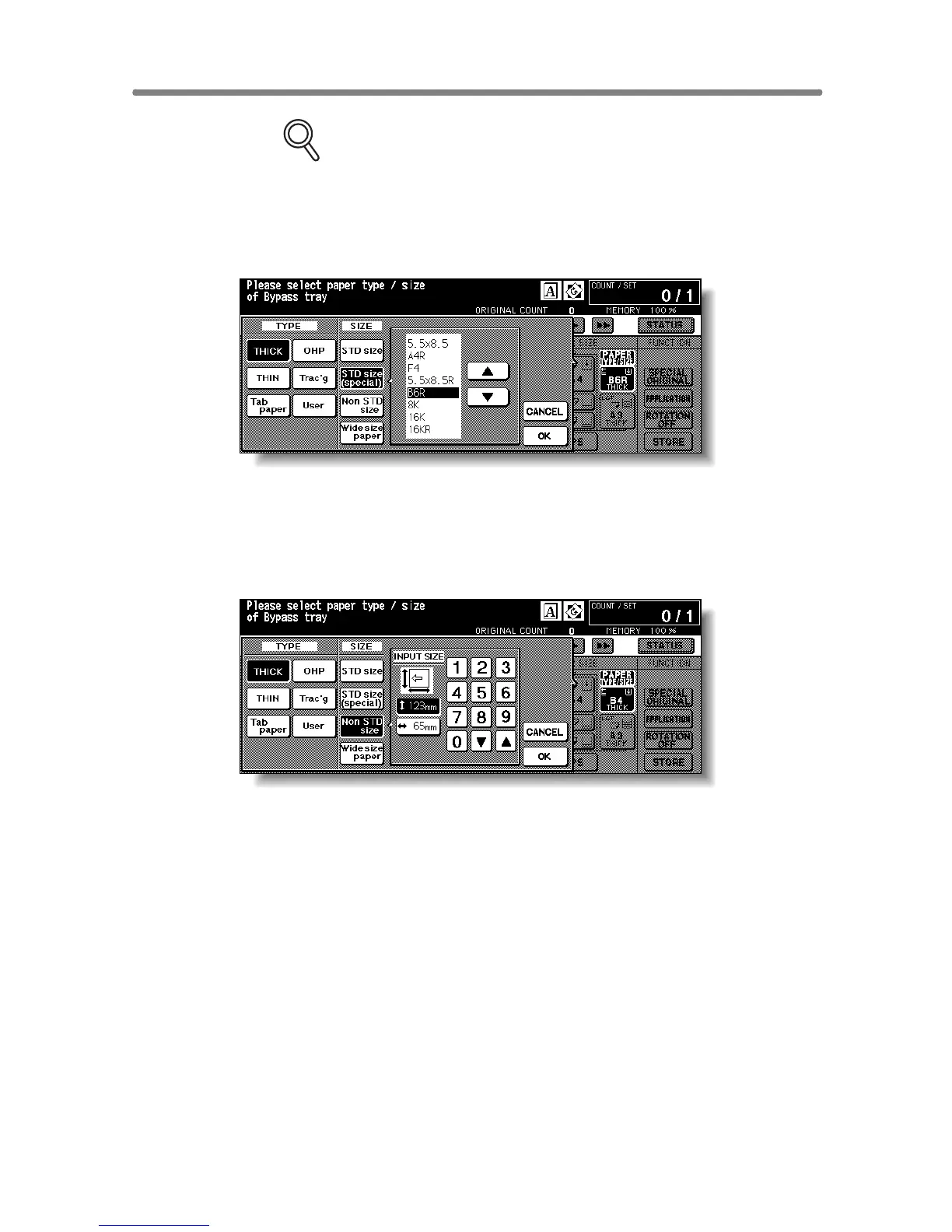
When STD size (special) is highlighted, the popup menu will appear.
Use arrow keys to scroll to the desired size. In this case, both the paper size
and type selected will be indicated on the Basic Screen.
When Non STD size is highlighted, the popup menu will appear.
To set the vertical size, touch the vertical size key to highlight it, then use the
keypad on the popup menu to enter the vertical size, or use arrows to scroll to
that number.
To set the horizontal size, touch the horizontal size key to highlight it, then
use the keypad on the popup menu to enter the horizontal size, or use arrows
to scroll to that number.
In this case, the Special indication and paper type selected will be displayed
on the Basic Screen, but the actual size information cannot be displayed.










 To Next Page