Using Finisher Manually (continued)
7-25
>>>Specifications for Manual Stitch & Fold mode<<<
❒ Paper size: A3, B4, A4R, 11"x17", 8.5"x14", 8.5"x11"R
❒ Paper weight: 60~200g/m
2
❒ Staple capacity: 20 sheets max. (80g/m
2
paper)
19 sheets max. (80g/m
2
paper with a thick paper cover)
❒ Output tray: Booklet tray
>>>Specifications for Three-Fold mode<<<
❒ Paper size: A4R, 8.5"x11"R
❒ Paper weight: 60~80g/m
2
❒ Folding capacity: 3 sheets max. (80g/m
2
only)
❒ Output tray: Booklet tray
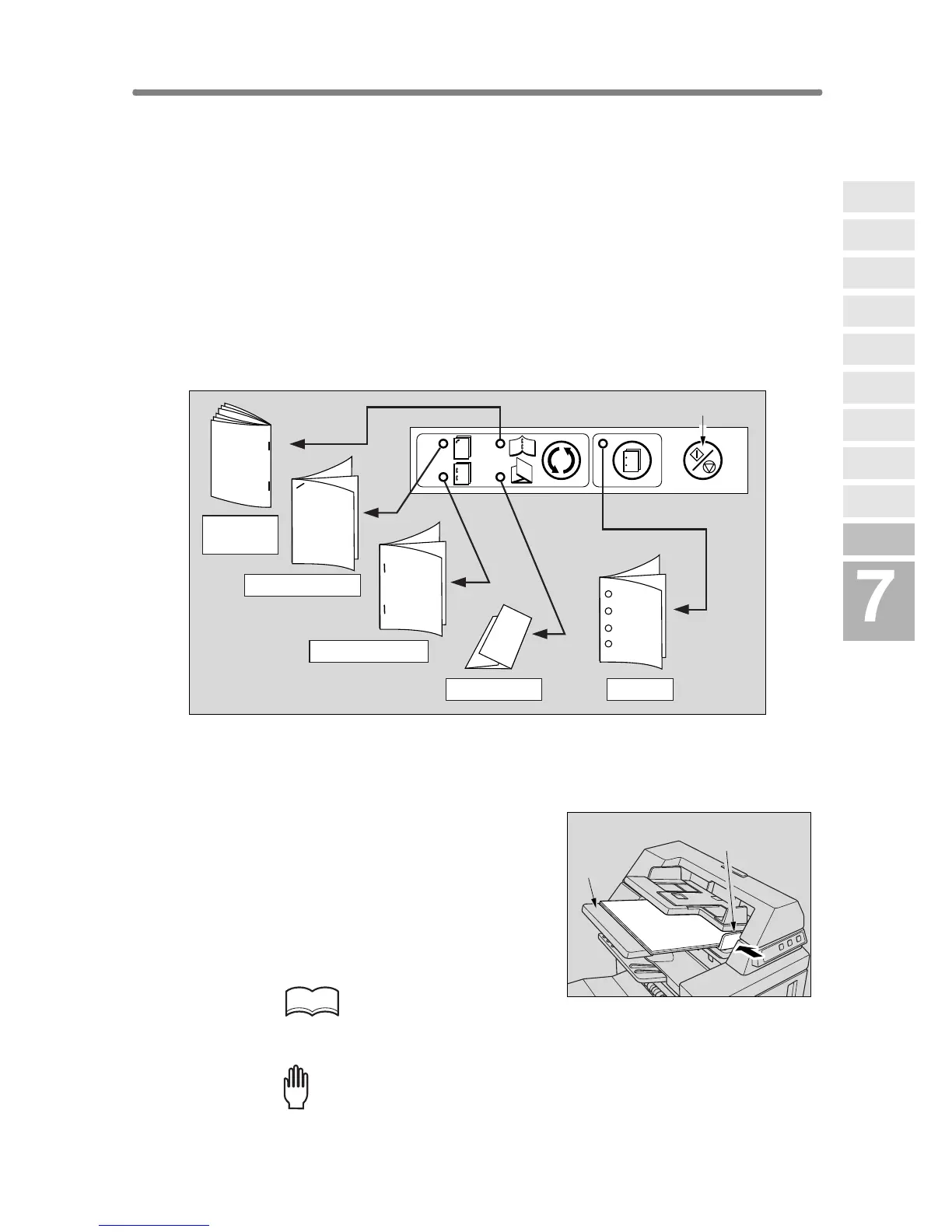
1. Place a set of paper to be finished into the lower tray of the cover
sheet feeder, as described below for each mode.
•1
oblique staple / 2 parallel staples: FACE UP
• Punch: FACE UP
• Stitch & Fold:
FACE UP for the outside of the finished set
• Three-Fold:
FACE UP for the outside of the folded set
Align the guide plate. The indicator light of
Start/Stop button will turn green.
HINT
Refer to the specifications for available paper size and capacity in each
mode.
Please Be Reminded!
Do not punch special paper type such as transparent films, labels, tabbed
sheets, etc. Otherwise, machine trouble may occur in Punching kit.
Stitch &
Fold
Three-Fold Punch
1 oblique staple
2 parallel staples
Start/Stop button
Guide plate
Lower
tray
Advanced
Information
Using Finisher
Manually
Cover Sheet
Feeding
Three-Fold
Z-Fold
Tandem Mode
Punch
Fold /
Stitch&Fold
Vertical/Hori-
zontal Zoom
Rotation
Weekly
Timer










 To Next Page