Repeating Selected Image Area (Repeat: Vert./Horiz. Mode) (continued)
9-34
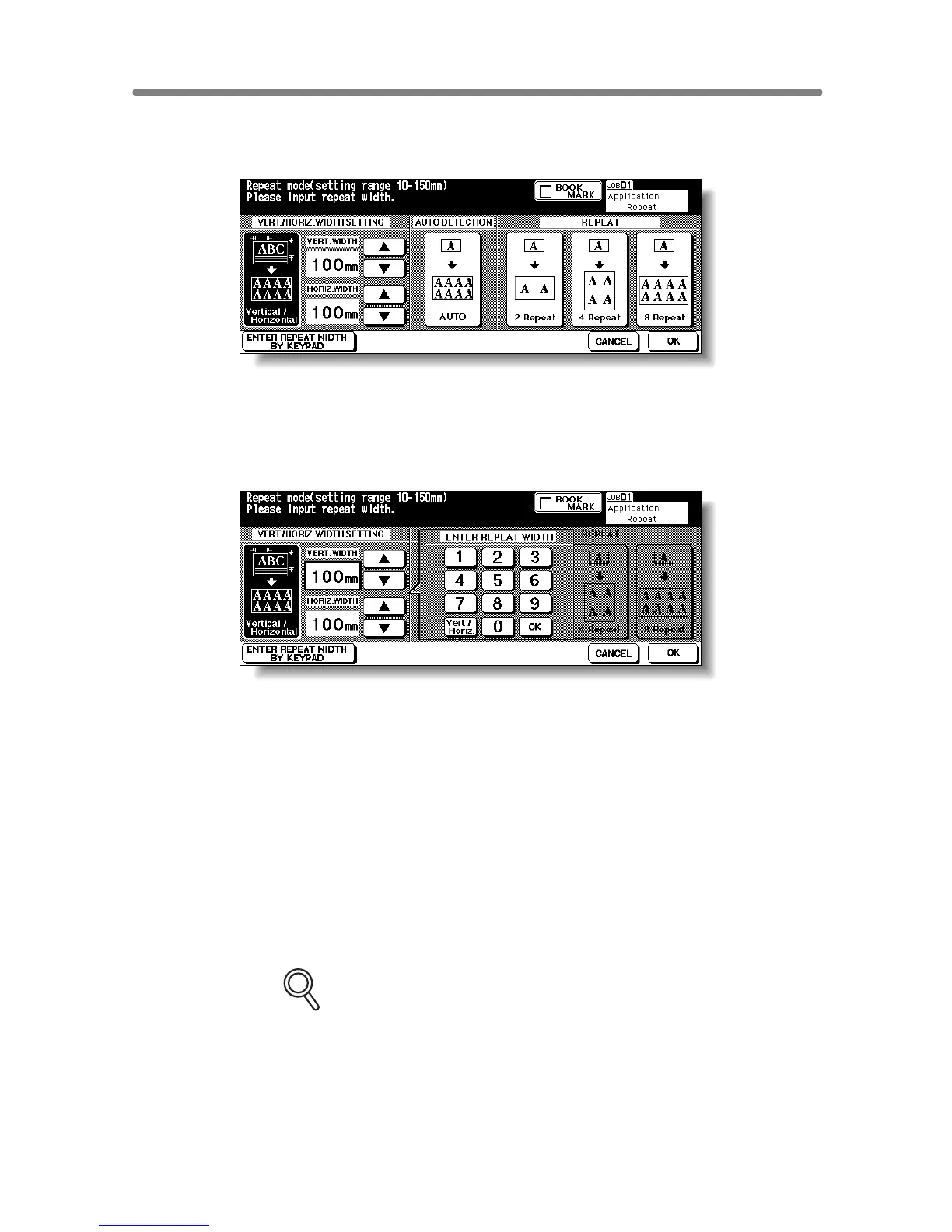
3. Touch Vertical/Horizontal, then specify the vertical and horizontal
widths of the scanning area.
Use up/down arrow key to enter the width from 10 to 150 mm in 1 mm incre-
ments. Keep touching the key to increase/decrease the value continuously.
Or, touch ENTER REPEAT WIDTH BY KEYPAD to display the popup menu
to enter the value from the touch screen keypad.
Touch Vert./Horiz. on the popup menu each time to shift it from one to
another. Enter the value, then touch OK to restore the Repeat Mode Selec-
tion Screen.
4. Touch OK.
The Application Selection Screen will be restored.
5. Touch OK on the Application Selection Screen.
The Basic Screen will be restored.
6. Select the desired magnification and paper size.
FOR DETAILS
• APS and AMS are automatically released, and 1.00 (100%) is
selected as a magnification ratio.
• Copy mode is automatically set to 1-1. When selecting 1-2 mode,
Platen store mode will function automatically.










 To Next Page