Printing Stamp, Page, Date/Time onto Copies (Stamp) (continued)
9-54
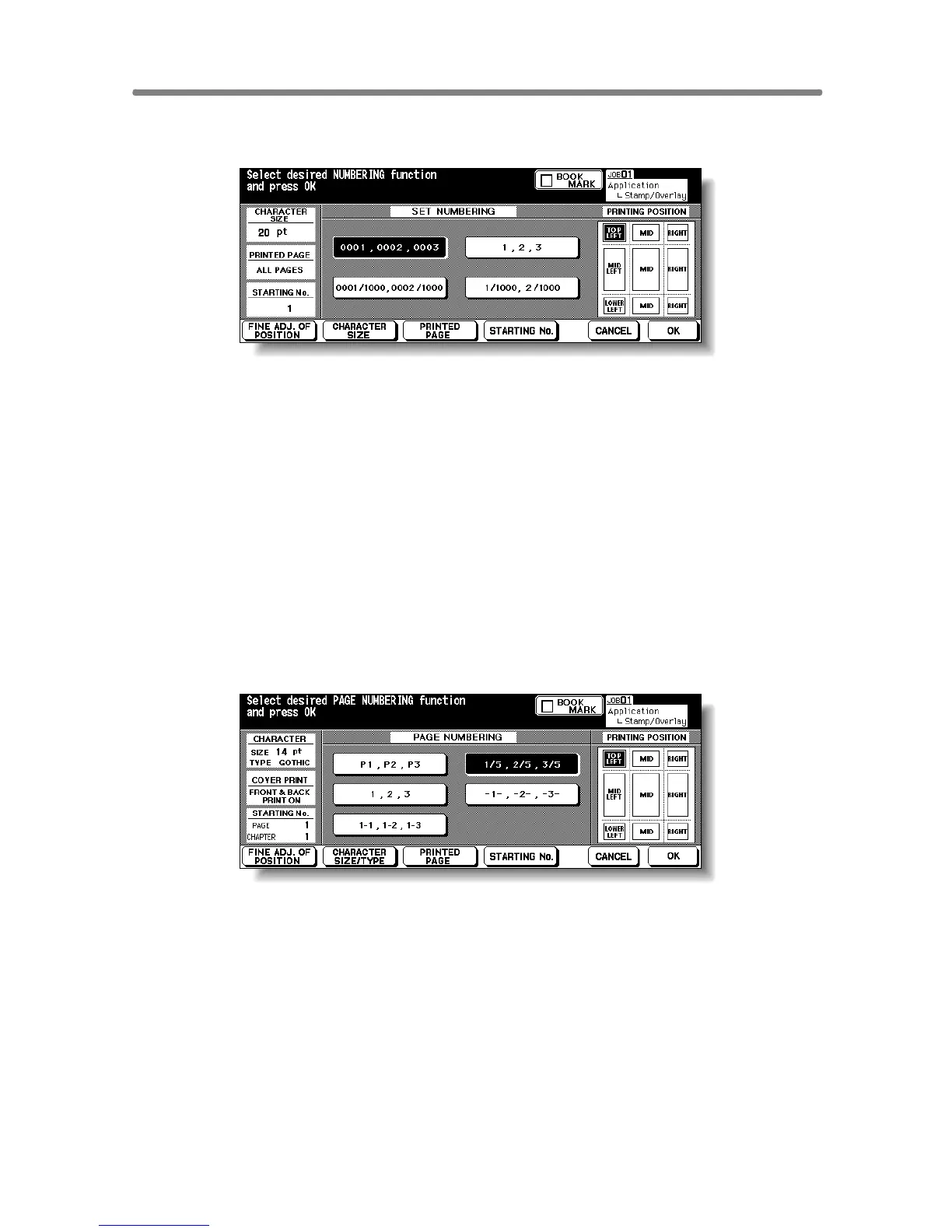
When selecting SET NUMBERING: Specify the numbering type,
printing position, character size, printed page and starting No.
Touch to highlight the desired numbering type key and printing position key
on the screen. If fine adjustment is required, touch FINE ADJ. OF POSITION
to display the Fine Adjustment Setting Screen. See p. 9-56 for details.
Touch CHARACTER SIZE to select 20 pt or 36 pt.
Touch PRINTED PAGE to designate whether to print the selected stamp on
the cover only or on all pages.
Touch STARTING No. to designate the starting number, if required. See p. 9-
56 for details.
When selecting PAG E N UM B E R IN G : Specify the page numbering
type, printing position, character size, printed page and starting
No.
Touch to highlight the desired page numbering type key and printing position
key on the screen. If fine adjustment is required, touch FINE ADJ. OF POSI-
TION to display the Fine Adjustment Setting Screen. See p. 9-56 for details.
Touch CHARACTER SIZE/TYPE to select the character size (8 pt, 10 pt, 12
pt or 14 pt) and type (GOTHIC or MING). See p. 9-57 for details.
Touch PRINTED PAGE to designate whether to print the selected stamp on
the front/back cover or insertions. See p. 9-57 for details.
Touch STARTING No. to designate the starting number, if required. See p. 9-
56 for details.











 To Next Page