Storing/Deleting Image Data in HDD/PC (Image Store/Delete) (continued)
10-6
5. If the password is correct, touch OK.
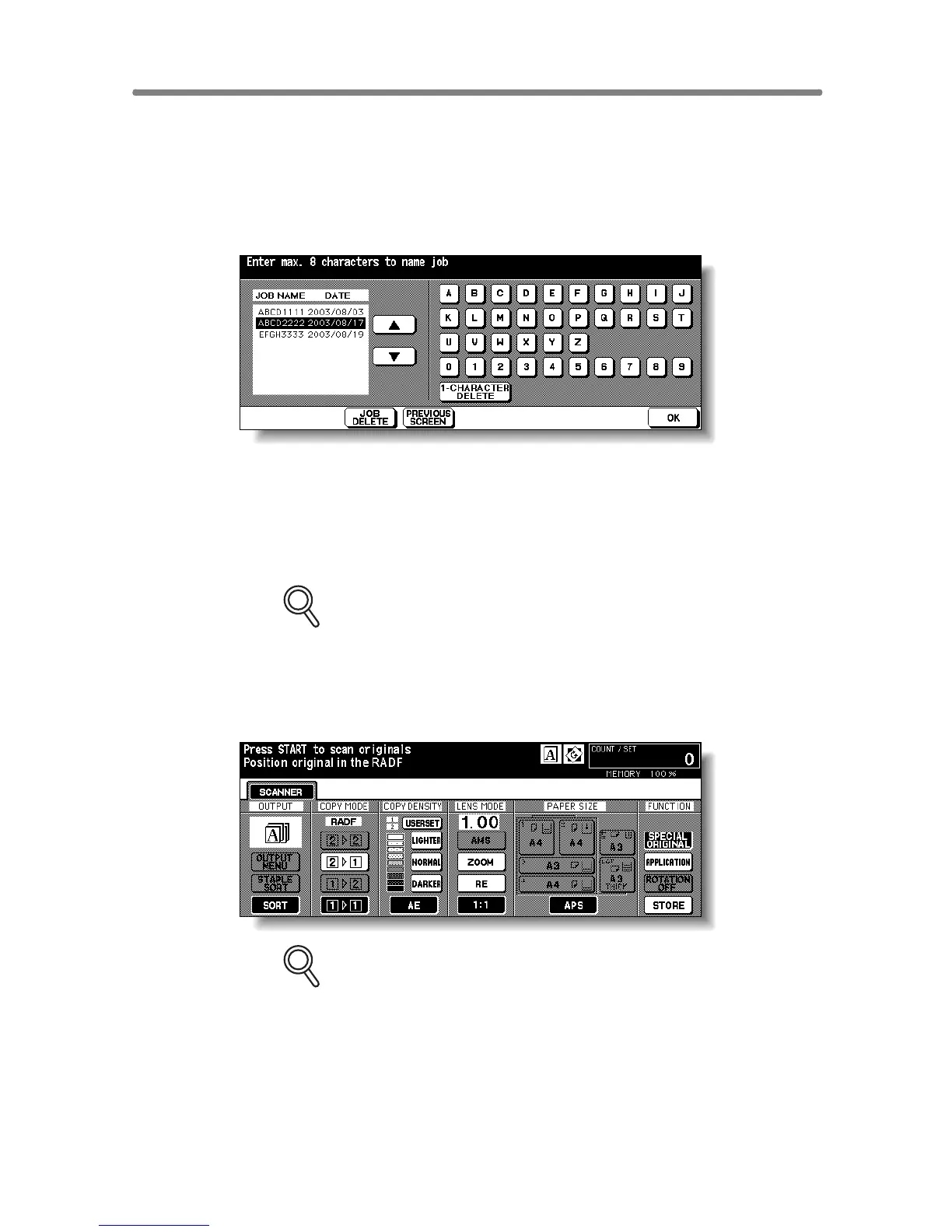
The Job Name Entry Screen will be displayed.
6. Enter the desired job name in up to 8 characters from the touch
screen keypad.
To correct an entry, touch 1-CHARACTER DELETE repeatedly to delete
each character, then enter the correct job name.
7. If the job name is correct, touch OK.
The Scanner Setting Screen will be displayed.
FOR DETAILS
If entered job name has already been used, the popup menu appears to
ask you whether to rewrite the data or to re-enter new name.
Touch YES to rewrite, or NO to create new name.
8. Select the desired scanning conditions.
FOR DETAILS
Print quantity cannot be entered.
Store mode is available. Touch STORE to highlight it to use this func-
tion.










 To Next Page