Storing/Deleting Image Data in HDD/PC (Image Store/Delete) (continued)
10-14
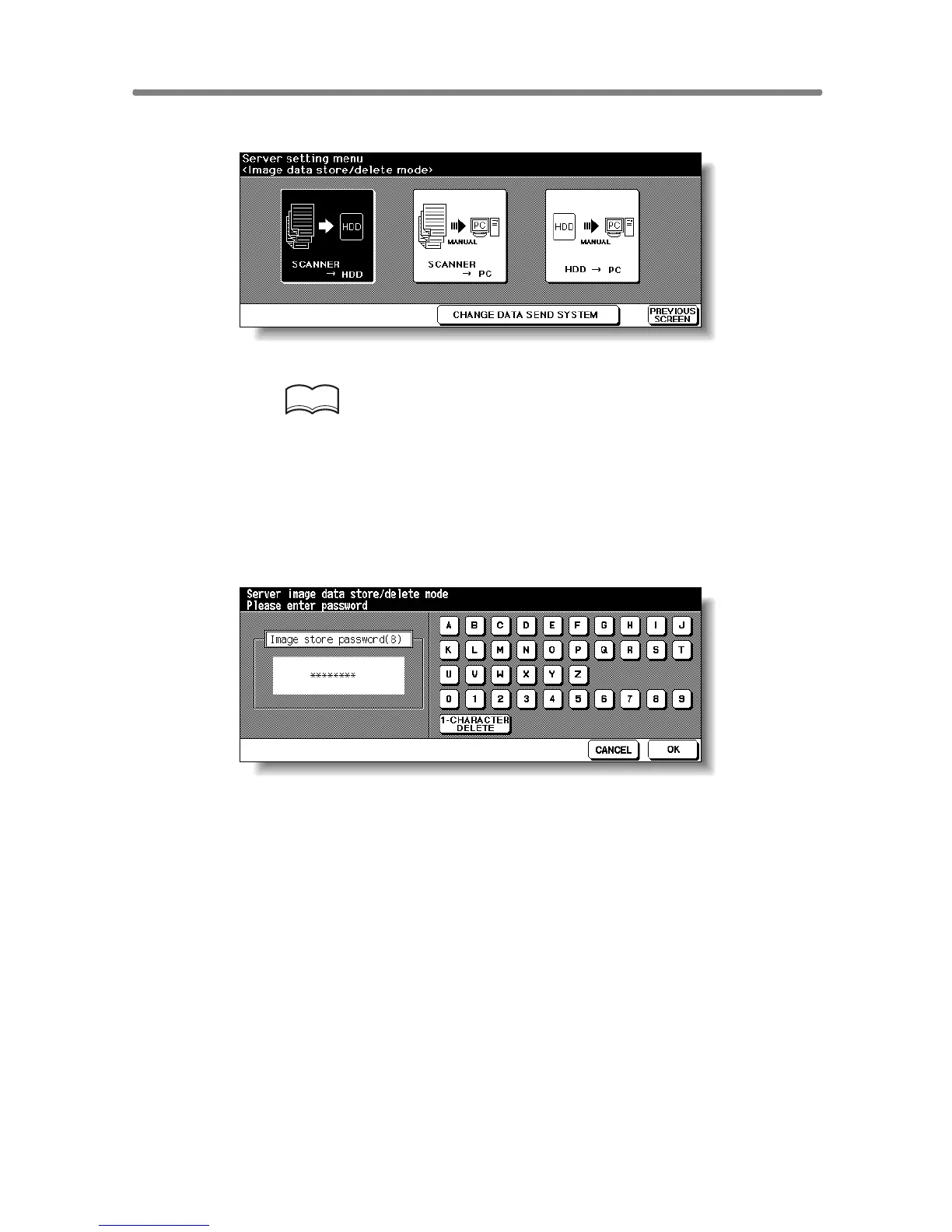
3. Touch SCANNER→HDD or SCANNER→PC.
The Image Data Password Entry Screen will be displayed.
HINT
To delete the data stored in a PC, operation on the PC side may be
required, depending on the type of setup application installed in the PC.
Follow the instruction according to the setup application installed in a
PC.
Also refer to the instruction for using the CHANGE DATA SEND SYS-
TEM key on the screen.
4. Enter your image data password from the touch screen keypad.
To correct an entry, touch 1-CHARACTER DELETE repeatedly to delete
each character, then enter the correct job name.
5. Touch OK.
The Job Name Entry Screen will be displayed.










 To Next Page