Storing/Deleting Image Data in HDD/PC (Image Store/Delete) (continued)
10-15
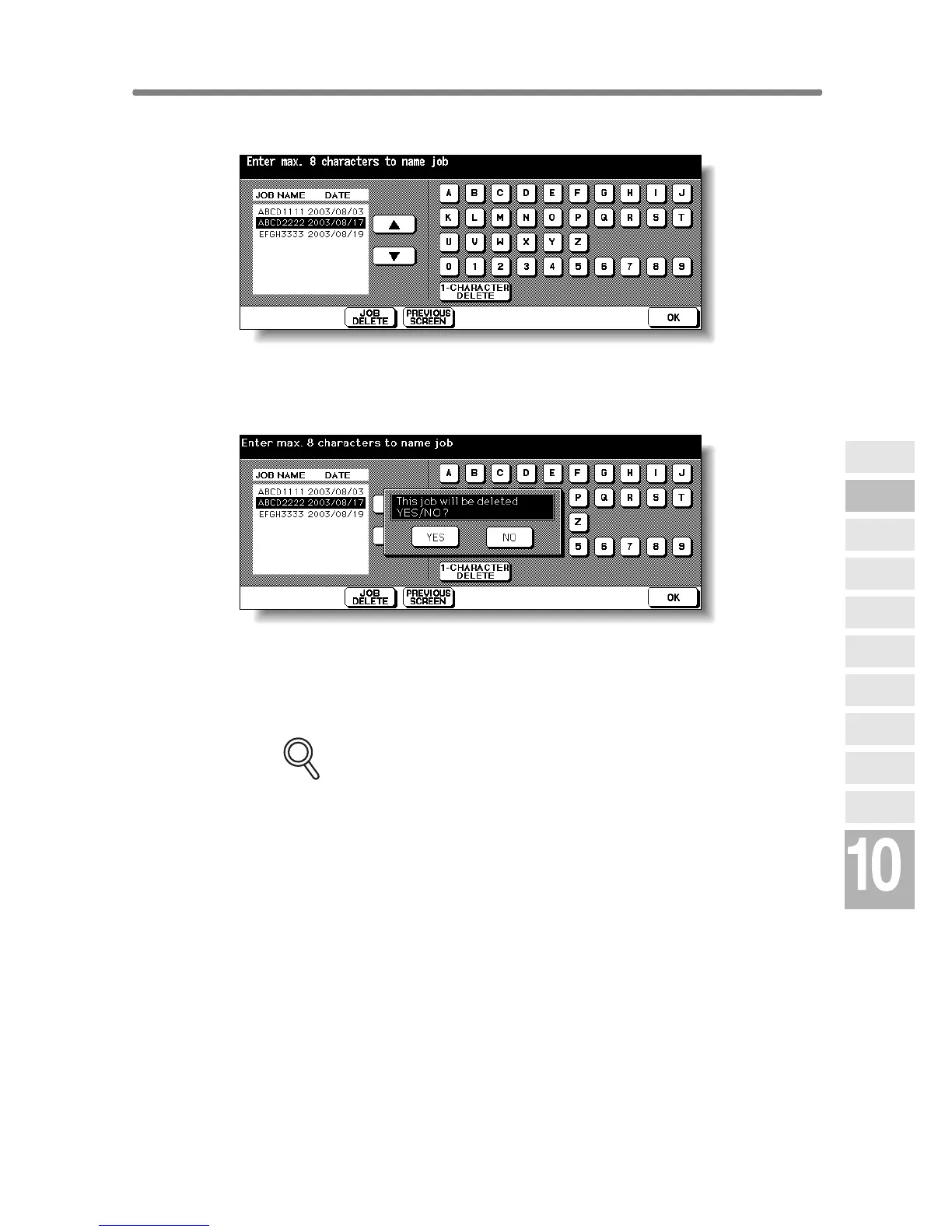
6. Delete the image data.
Touch the ▲ or ▼ key on the right side of the job name list to highlight the
name of the data to be deleted, then touch JOB DELETE.
The popup menu will appear to confirm that you delete the selected data.
Touch YES to delete the selected data, or touch NO to cancel. The popup
menu will disappear.
7. Touch OK to restore the Scan/Server Setting Menu Screen.
FOR DETAILS
To delete the data stored with different password, touch PREVIOUS
SCREEN to return to the Image Data Password Entry Screen.
8. Press [MODE] to light up the [COPY] LED.
The Basic Screen will be restored.
Network
Function
Job Status
Machine
Information
HDD Job
Information
Environment
Setup
To Use Web
Utilities
Image Edit
Image Recall
Image
Store&Output
Image
Store/Delete
Server
Functions










 To Next Page