Positioning Originals (continued)
3-3
Positioning originals in Mixed original mode
Mixed size originals can be copied together from the document feeder.
HINT
To use the Mixed original mode, see procedure on p. 8-8 to p. 8-9.
1. Arrange originals in order.
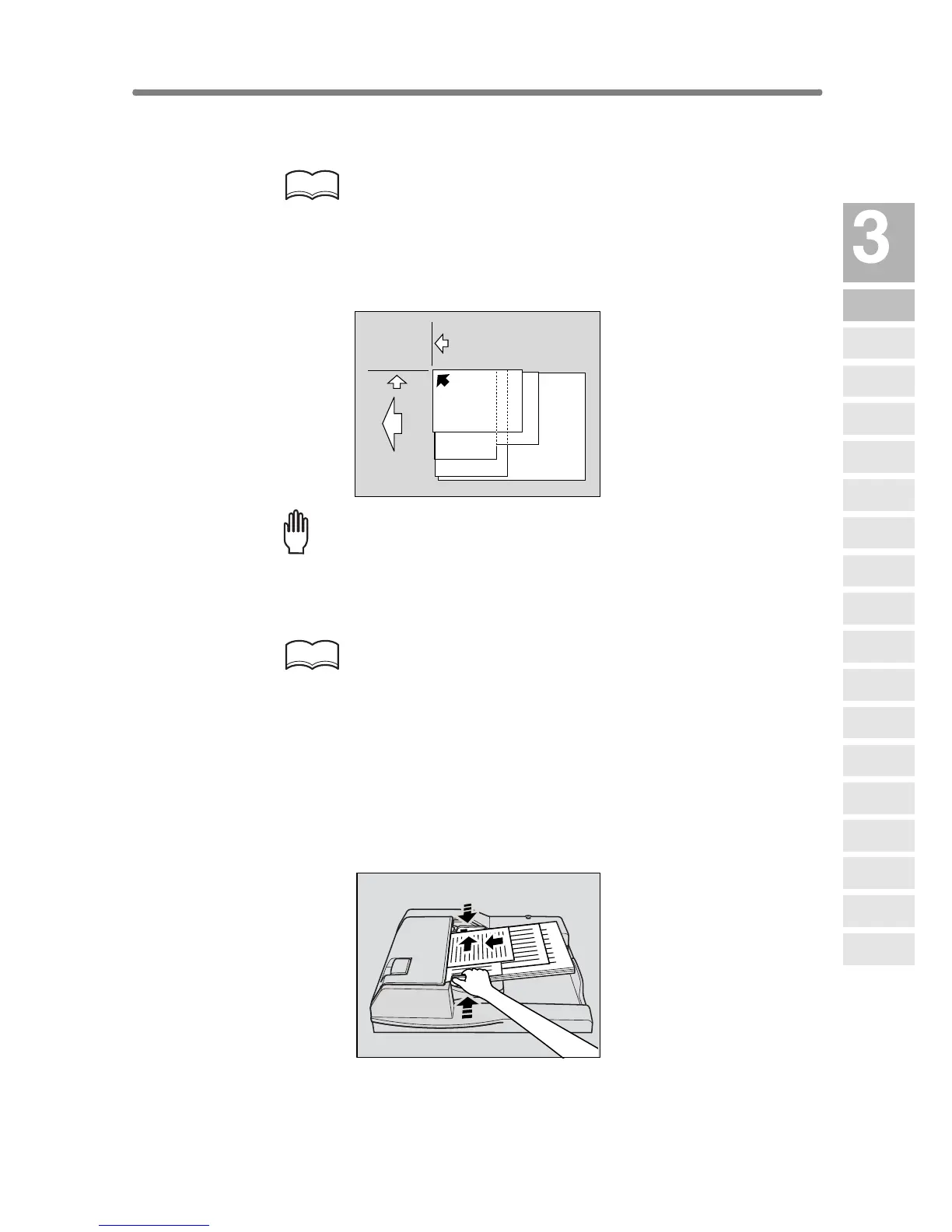
Arrange the mixed size originals as illustrated below.
Please Be Reminded!
• Before placing originals in the tray, be sure the document feeder is
closed fully. Once closed, do not open the document feeder, other-
wise the selected copy conditions may be altered automatically.
• Be sure not to use unsuitable RADF originals. See p. 11-8 for details.
HINT
See p. 11-10 for available combinations of mixed originals.
2. Position mixed originals FACE UP, aligned with the left rear side of
the document feeder tray.
Place two-sided originals with page one FACE UP.
Up to 100 originals can be set at a time.
3. Adjust paper guides.
Setting
direction
To the
depth
To the left
Copying
Operations
Positioning
Originals
Setting Print
Quantity
Set Job During
Warmup
Stop
Scan/Print
Paper Size
Lens Mode
Density
1-1, 2-2
2-1
Multi-Sheet
Bypass Tray
Using
Memory
Output without
Finisher
Finisher
Output Mode
Binding
Mode
Shift Tray
Output Mode
Recalling
Previous Job
Check Mode
& Proof Copy
Interrupt
Mode










 To Next Page