214323 144 Revision B
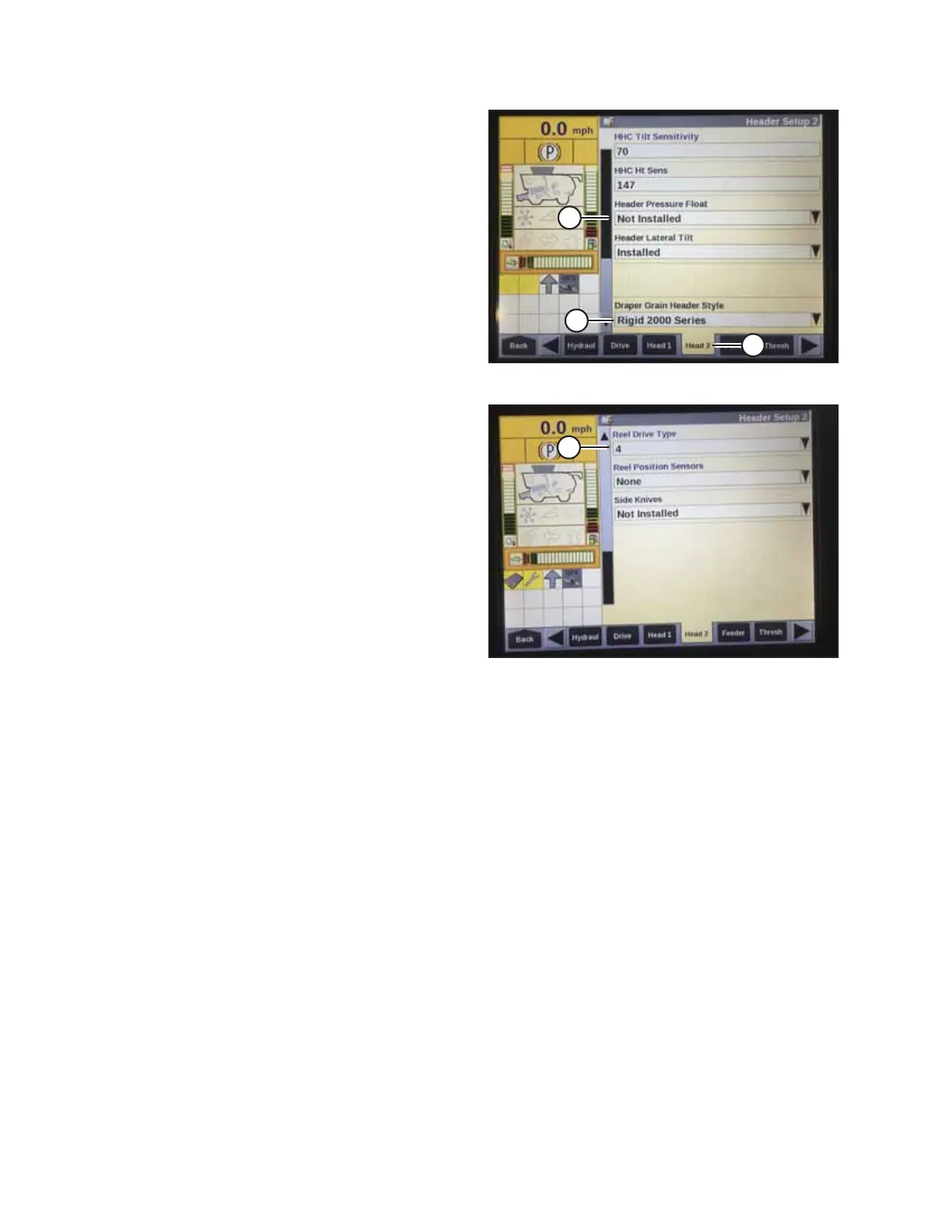
Figure 4.24: Case IH Combine Display
4. Select HEAD 2 tab (A). The HEADER SETUP 2 page appears.
5. From HEADER PRESSURE FLOAT menu (B), select NOT
INSTALLED.
6. If you are operating a D65 Draper Header, select RIGID
2000 SERIES from DRAPER GRAIN HEADER STYLE menu (C).
If you are operating an FD75 FlexDraper
®
Header, select
FLEX 2000 SERIES from the DRAPER GRAIN HEADER STYLE
menu (C).
Figure 4.25: Case IH Combine Display
7. From REEL DRIVE TYPE menu (A), select:
• 4 if you are using a 19-tooth drive sprocket
• 5 if you are using a 14-tooth drive sprocket
• 6 if you are using a 10-tooth drive sprocket
AUTO HEADER HEIGHT CONTROL








 To Next Page