214323 429 Revision B
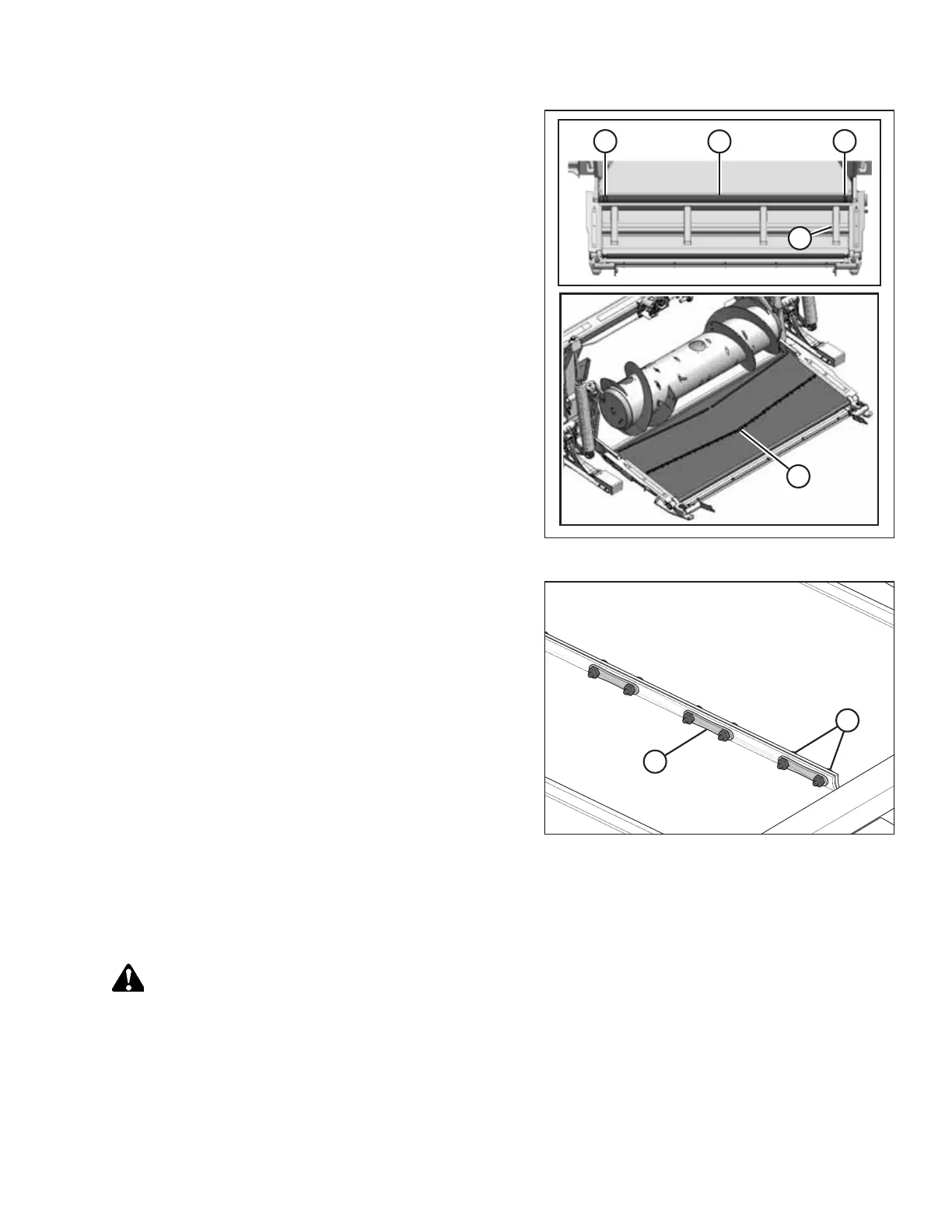
Figure 6.156: Adapter Feed Draper
9. Install new draper over drive roller (A) with the chevron
cleat (B) pointing towards the front of the adapter. Ensure
the draper guides fit in drive roller grooves (C).
10. Pull the draper along the bottom of the adapter deck and
over draper supports (D).
Figure 6.157: Draper Connector Straps
11. Connect the draper joint with connector straps (B) and
secure them with screws (A) and nuts. Ensure the screw
heads face towards the rear of the deck, and tighten them
only until the end of the screws are flush with the nuts.
12. Adjust the draper tension. For instructions, refer to 6.10.2
Checking and Adjusting Feed Draper Tension, page 429.
6.10.2 Checking and Adjusting Feed Draper Tension
The feed draper tension should be checked to determine if an adjustment is required.
DANGER
To prevent bodily injury or death from the unexpected start-up or fall of a raised machine, always stop the engine and
remove the key before leaving the operator’s seat, and always engage the safety props before going under the
machine for any reason.
1. Raise the header to its full height.
2. Stop the engine, and remove the key from ignition.
MAINTENANCE AND SERVICING








 To Next Page