214323 143 Revision B
4.6 Case IH 5130/6130/7130 and 5140/6140/7140 Midrange Combines
To make your header’s auto header height control (AHHC) system compatible with Case IH 5, 6, and 7 (Midrange) series
combines, you must set your combine’s header configuration options for the particular model of header, check the height
sensor voltage range, and calibrate the AHHC system to ensure that it is working correctly.
4.6.1 Setting up the Header on the Combine Display – Case IH 5130/6130/7130;
5140/6140/7140
Set these initial configuration options on your Case IH 5, 6, and 7 (Midrange) series combine when setting up the auto
header height control (AHHC) system.
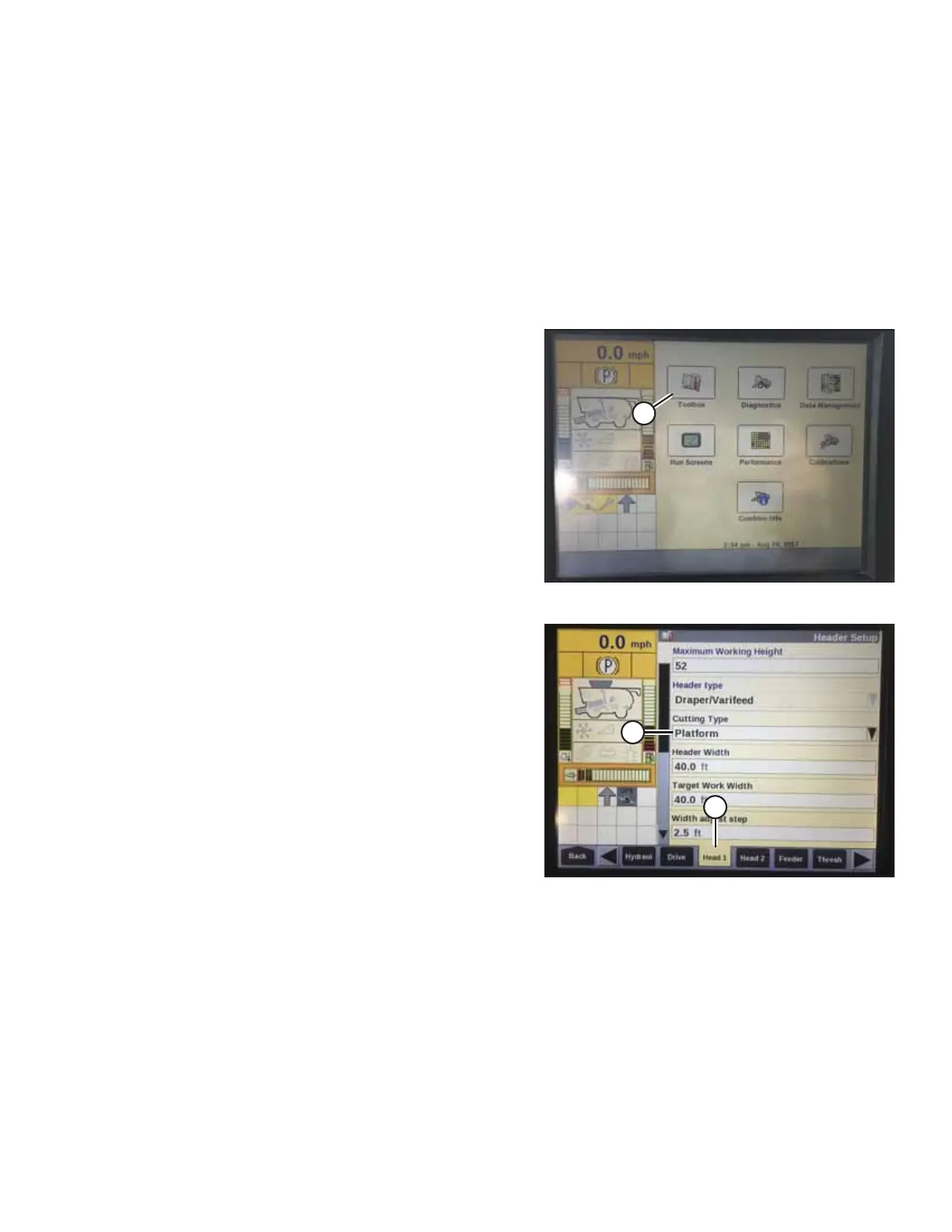
Figure 4.22: Case IH Combine Display
1. On the main page of the combine display, select
TOOLBOX (A).
Figure 4.23: Case IH Combine Display
2. Select HEAD 1 tab (A). The HEADER SETUP page appears.
3. From CUTTING TYPE menu (B), select PLATFORM.
AUTO HEADER HEIGHT CONTROL








 To Next Page