214323 265 Revision B
4.19 New Holland Combines CR/CX Series – CR Series, Model Year 2014
and Earlier
To make your header’s auto header height control (AHHC) system compatible with New Holland CX and CR series combines
(CR models of model year 2014 and earlier), you must check the height sensor voltage range, engage and calibrate the
AHHC system, and adjust the sensitivity, header rise and fall rates, and the cutting height presets.
NOTE:
For New Holland CR models 6.80, 6.90, 7.90, 8.90, 9.90, and 10.90, refer to 4.20 New Holland Combines – CR Series, Model
Year 2015 and Later, page 274.
4.19.1 Checking Voltage Range from Combine Cab – New Holland CX/CR Series
To ensure that the auto header height control (AHHC) system on your header works correctly with your New Holland CX or
CR Series combine, the output voltage from the header height control sensors must be verified.
NOTE:
Changes may have been made to combine controls or display since this document was published. Refer to combine
operator’s manual for updates.
DANGER
Check to be sure all bystanders have cleared the area.
1. Position the header 150 mm (6 in.) above the ground, and unlock the adapter float.
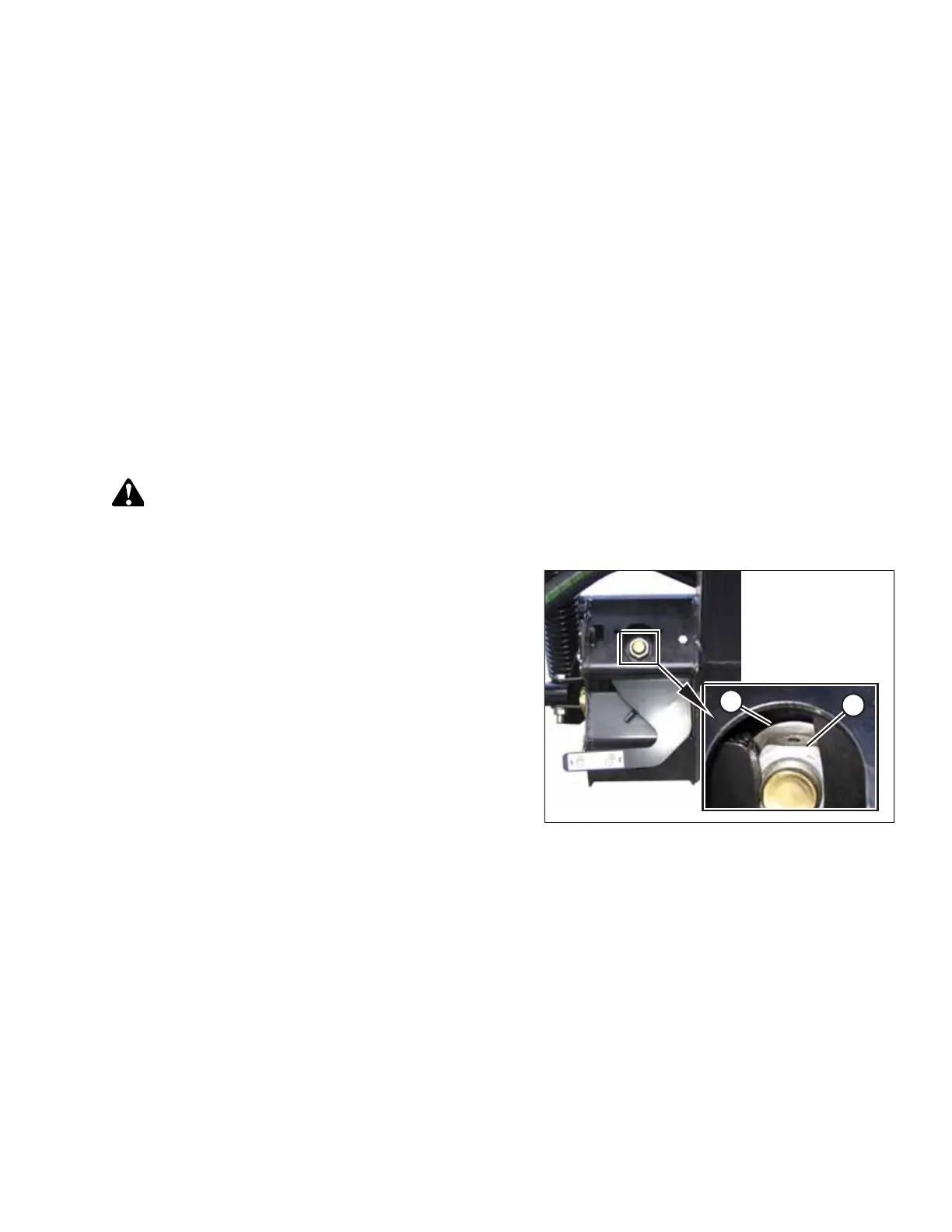
Figure 4.277: Float Lock
2. Ensure that the float lock linkage is on the down stops at
both locations. When the linkage is on the down stops,
washer (A) and nut (B) cannot be moved.
NOTE:
If the header is not on the down stops during this
procedure, the height sensors’ output voltage may go out
of range during operation, causing the AHHC system to
malfunction.
AUTO HEADER HEIGHT CONTROL








 To Next Page