214323 274 Revision B
4.20 New Holland Combines – CR Series, Model Year 2015 and Later
To make your header’s auto header height control (AHHC) system compatible with New Holland CR Series combines of
model year 2015 and later (6.80, 6.90, 7.90, 8.90, 9.90, and 10.90), you must check the height sensor voltage range, engage
and calibrate the AHHC system, and adjust the sensitivity, cutting height presets, and tilt functions.
4.20.1 Engaging Auto Header Height Control – New Holland CR Series
Set these initial configuration options on your New Holland CR Series combine (model year 2015 or later) when setting up
the auto header height control (AHHC) system.
To ensure the best performance of the AHHC system, perform these procedures with the center-link set to D. When the
setup and calibration procedures are complete, adjust the center-link back to the desired header angle. For instructions,
refer to Adjusting Header Angle from Combine, page 78.
NOTE:
Changes may have been made to the combine controls or the display since this document was published. Refer to the
combine operator’s manual for the most up-to-date information.
1. Ensure that the center-link is set to D.
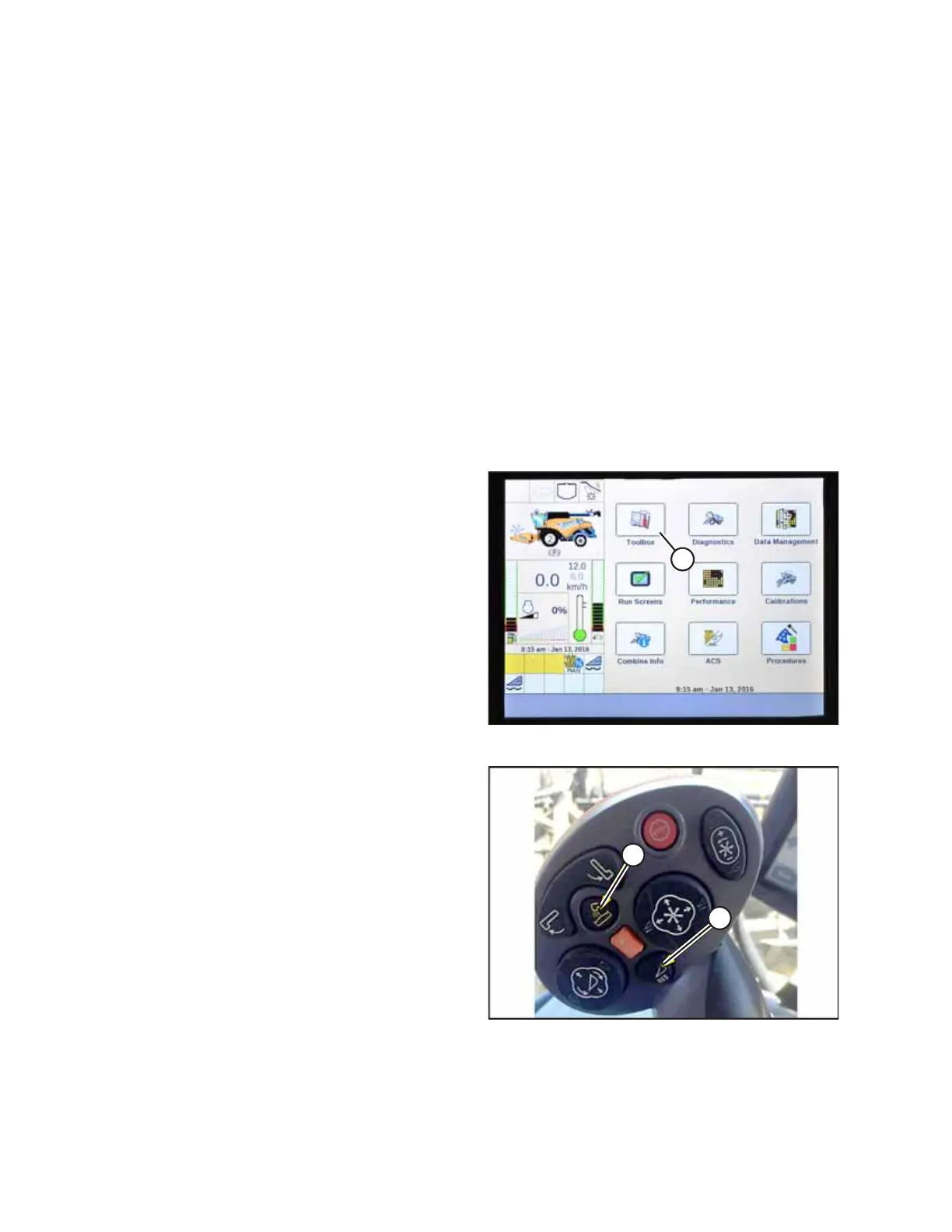
Figure 4.295: New Holland Combine Display
2. Select TOOLBOX (A) on the main page. The TOOLBOX page
appears.
Figure 4.296: New Holland Combine Controls
NOTE:
On some older combine models, you may have to
simultaneously press both UNLOAD (A) and RESUME (B)
buttons on the hydro handle to access the TOOLBOX page.
AUTO HEADER HEIGHT CONTROL








 To Next Page