214323 214 Revision B
4.13.5 Operating Header – Gleaner
®
S9 Series
Once the auto header height control (AHHC) system has been configured on your Gleaner
®
S9 Series combine, the AHHC
system can be controlled from the combine cab.
NOTE:
Changes may have been made to the combine controls or the display since this document was published. Refer to the
combine operator’s manual for updated information.
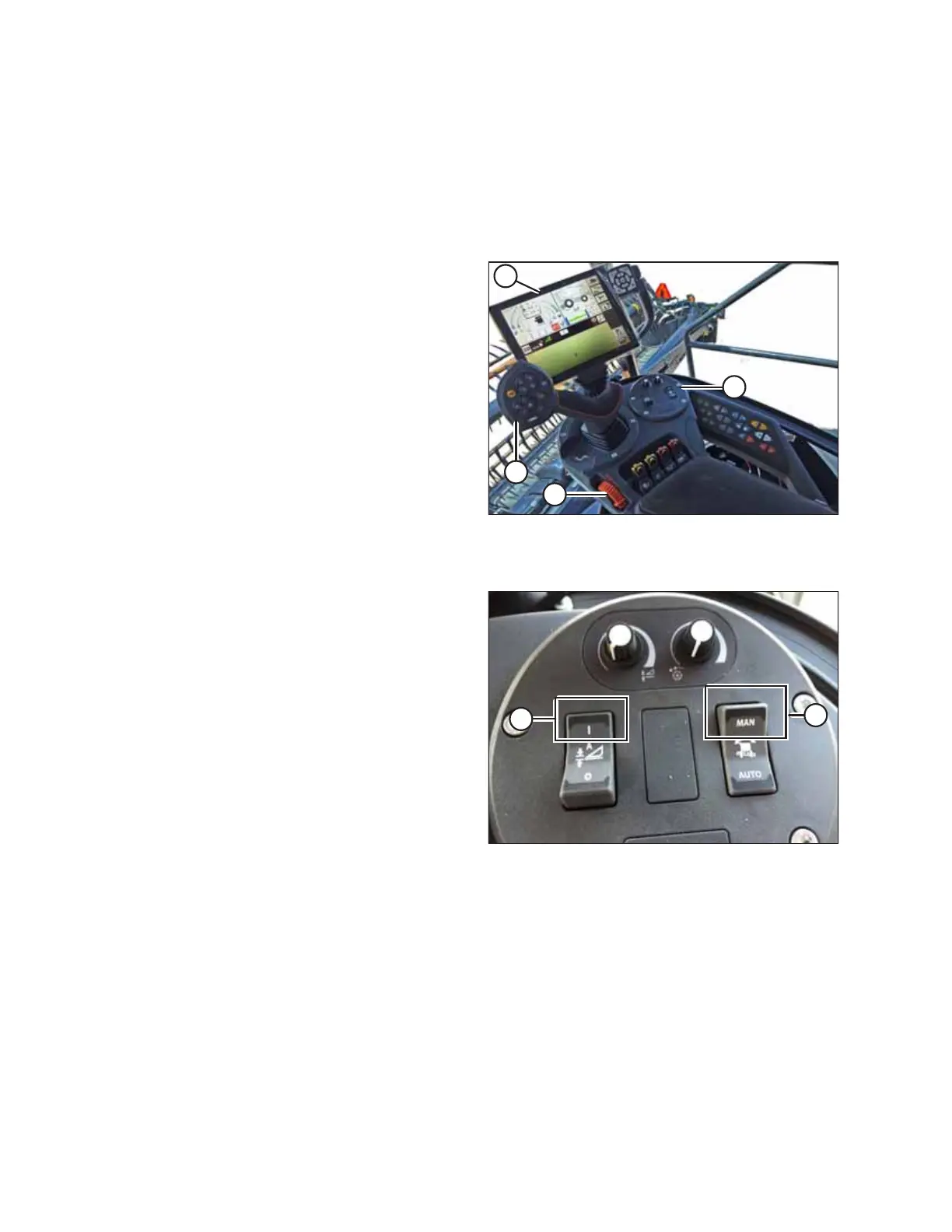
Figure 4.169: Gleaner
®
S9
A - Tyton Terminal B - Hydro Handle/Ground Speed Lever (GSL)
C - Throttle Lever D - Header Control Cluster
These are the controls used to engage and adjust the auto
header height control (AHHC) system.
Figure 4.170: Header Control Cluster
1. Engage the header.
2. Set the lateral tilt to MANUAL by moving switch (A) upward
to the MAN position.
3. Engage the AHHC by moving switch (B) upward to the
I position.
AUTO HEADER HEIGHT CONTROL








 To Next Page